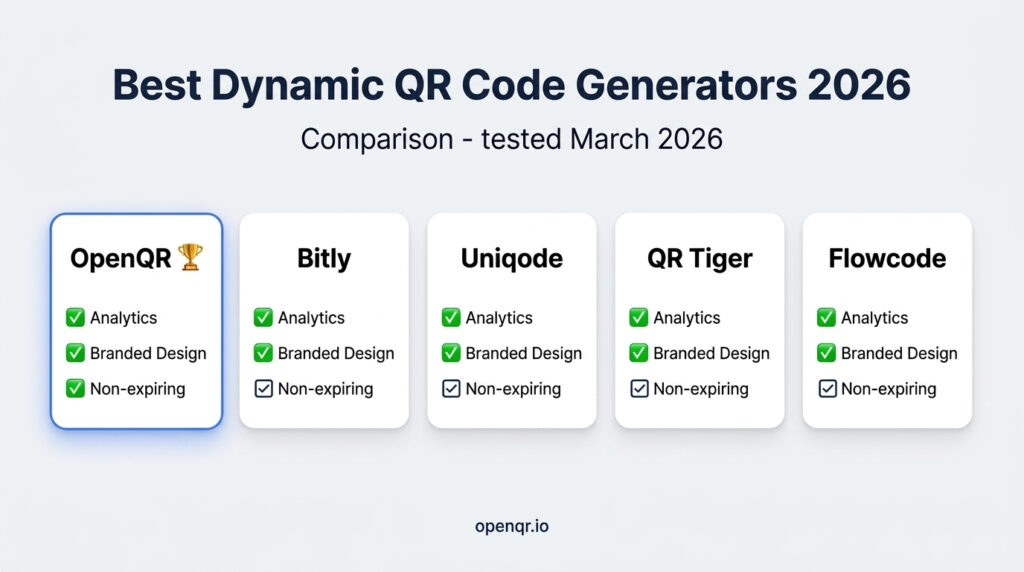
There are dozens of dynamic QR code generators on the market in 2026. Most comparison articles were written to rank a specific tool – not to help you choose the right one for your situation. This one is different.
We compared seven of the most widely used platforms across the metrics that actually matter for businesses: pricing transparency, analytics depth, design quality, update flexibility, and long-term reliability. We also included OpenQR – and we’ll show you exactly where it leads, where it matches the competition, and who it’s the best fit for.
If you’re a restaurant owner, small business, marketer, or anyone who needs QR codes that can be edited after printing and actually measured, this guide will save you hours of research.
- Best overall for small business: OpenQR – most affordable, branded design, non-expiring codes, GDPR-compliant analytics
- Best for enterprise / large teams: Uniqode – powerful team features, bulk generation, multi-language codes
- Best free option: QR Code Monkey (static only) / Flowcode (2 free dynamic codes)
- Best for developers (API): OpenQR or Bitly – both offer clean API access
- Best for marketers already using Bitly: Bitly – unified short link + QR dashboard
- Dynamic QR code usage surged 433% over the past two years – choosing the right platform now matters more than ever (MakeBranded, 2026)
- One non-negotiable: Always use dynamic, never static. Static codes cannot be tracked or updated – ever.
1. Why Dynamic QR Codes Are Non-Negotiable in 2026
Dynamic QR code usage has surged 433% over the past two years (MakeBranded, 2026). 102.6 million US consumers are projected to scan QR codes in 2026 – and the businesses capturing the most value from that audience are those using dynamic codes with analytics, not static codes flying blind.
The core advantage is simple: dynamic QR codes encode a redirect URL, not the destination itself. That means you can update what the code points to at any time, from any device, without touching the printed code. They also log every scan – location, device, time – giving you real data on real-world engagement.
Static codes offer none of this. They’re permanent at creation. When your URL changes, every printed static code breaks. For any business use case, static is the wrong choice. See our full static vs dynamic comparison for a deeper breakdown.
2. What to Look For When Choosing a Platform
- Codes that never expire: Some platforms deactivate codes when you cancel or downgrade. Verify expiry policy explicitly before committing.
- Analytics: Total scans, unique scans, geographic location, device type, time of scan. Batch-delayed analytics are useless for live campaign management.
- Branded design: Logo embedding, custom colors, frame with CTA text. Branded codes earn significantly more scans than plain black-and-white squares.
- SVG / vector download: Essential for print quality. PNG-only tools create blurry codes at larger print sizes.
- GDPR / CCPA compliance: If your audience includes EU visitors, your QR platform must not store identifiable IP data.
- Transparent pricing: Hidden scan limits and code count caps are the most common complaints in 2026 reviews. Read pricing carefully.
- API access: If you need to generate codes programmatically, verify which plan tier includes API access.
3. Full Feature & Pricing Comparison Table
| Platform | Starting Price | Dynamic Codes | Real-Time Analytics | Branded Design | Non-Expiring | GDPR | API |
|---|---|---|---|---|---|---|---|
| OpenQR ⭐ | $5/mo | ✅ | ✅ (5 min delay) | ✅ | ✅ Always | ✅ | ✅ |
| Bitly | $9.99/mo | ✅ | ✅ | ✅ | ✅ | ⚠️ Partial | ✅ |
| Uniqode | $9/mo | ✅ | ✅ | ✅ | ✅ | ✅ | ✅ |
| QR Tiger | Free (3 codes) | ✅ | ✅ | ✅ | ⚠️ Active sub only | ⚠️ Partial | ✅ Paid |
| Flowcode | Free (2 codes) | ✅ | ⚠️ Limited | ⚠️ Limited | ✅ | ⚠️ Partial | ❌ |
| Scanova | $5/mo | ✅ | ✅ | ✅ | ⚠️ Active sub only | ⚠️ Partial | ✅ Paid |
| QR Code Monkey | Free | ❌ Static only | ❌ | ✅ Design only | ✅ Static | N/A | ❌ |
4. In-Depth Reviews: 7 Platforms Compared
Best for Small Business
OpenQR is purpose-built for businesses that need branded, trackable, editable QR codes without enterprise complexity or enterprise pricing. At $5/month for the Starter plan, it includes 10 dynamic codes, almost real-time analytics, full branded design, SVG export, and PDF hosting – everything a restaurant, retailer, or marketer needs.
The standout differentiator is non-expiring codes. Your QR codes remain active permanently – not contingent on maintaining a subscription tier. For businesses with physical print assets, this means codes printed today will still work in several years.
✅ Pros
- Lowest entry price in the market ($5/mo)
- Codes never expire — ever
- Full branded design: logo, colors, CTA frame
- Almost real-time analytics: location, device, time
- GDPR & CCPA compliant — no IP storage
- PDF QR code — no website needed
- SVG export for crisp print quality
- API access included
❌ Cons
- Starter limited to 10 codes (upgrade for 50)
- No bulk generation on Starter plan
- Fewer third-party integrations than Bitly
Best for Unified Link + QR Management
Bitly’s QR feature benefits from its decade of link shortening infrastructure – you get short links and QR codes in a single dashboard. If you’re already using Bitly for link tracking, adding QR codes to the same reporting view is genuinely useful. The starter plan allows 2 dynamic QR codes per month with unlimited scans.
✅ Pros
- Unified short link + QR analytics dashboard
- Strong reliability and brand recognition
- Good free tier for testing
- Excellent API and integrations
❌ Cons
- More expensive than OpenQR for equivalent features
- QR is secondary — not purpose-built
- GDPR compliance partial
- Advanced analytics gated to higher tiers
Best for Enterprise Teams
Uniqode is the most feature-complete platform in this comparison. Multi-language QR codes that adapt to the device’s language setting, bulk generation, template management, team roles, and SSO make it the right choice for large organizations. The 14-day free trial includes most advanced features.
✅ Pros
- Multi-language QR codes (auto-adapts by device language)
- Bulk generation and template management
- Team roles and collaboration
- Deep analytics including conversion tracking
- GDPR compliant — strong documentation
❌ Cons
- 3× the price of OpenQR for single-user needs
- Interface overkill for small business
- Some features only on Business+ tiers
Strong Design Options
QR Tiger has the widest range of visual customization in this comparison – pattern styles, eye designs, templates, and a link-in-bio page builder. Analytics are real-time. The main concern: codes may deactivate when subscription lapses – a serious risk for long-lived print assets.
✅ Pros
- Widest design customization available
- Link-in-bio page builder built in
- Real-time analytics
- Competitive entry pricing
❌ Cons
- Codes may deactivate if subscription lapses
- Interface described as congested (Jotform, 2026)
- Free trial heavily limited
- GDPR compliance documentation unclear
Best Free Entry Point
Flowcode offers the most generous free dynamic QR tier: 2 codes with no scan limits. For a business testing QR codes for the first time, this is genuinely useful. The paid tier starts at $7/month and unlocks analytics depth and more codes.
✅ Pros
- Best free tier — 2 dynamic codes, no scan limits
- No credit card on free plan
- Clean, modern interface
❌ Cons
- Analytics very limited on free plan
- No API on standard plans
- Design customization limited on free tier
- Scales poorly for 10+ codes
Best Free Design Tool (Static Only)
QR Code Monkey is the most popular free QR generator — known for strong design and SVG/EPS export quality even on the free plan. Critical caveat: static codes only. No tracking, no editing after creation, no analytics. Appropriate only for one-time use cases where the destination will never change.
✅ Pros
- Completely free — no account needed
- Good design customization
- SVG and EPS export
❌ Cons
- Static only — zero analytics
- Cannot update destination post-creation
- Shows banner ads
- Not suitable for business or marketing
5. Best Choice by Use Case
| Your Situation | Best Choice | Why |
|---|---|---|
| Restaurant with 10–50 different QR codes | OpenQR Life ($11/mo) | 50 codes, PDF support, non-expiring, best per-code rate |
| Single business, 1–5 QR codes | OpenQR Starter ($5/mo) | Full analytics and branded design at lowest possible price |
| Testing QR for the first time | Flowcode Free or OpenQR trial | Zero cost to start – upgrade when ready |
| Already using Bitly for links | Bitly Core | Unified link + QR analytics in one place |
| Enterprise / multi-location brand | Uniqode | Team features, bulk generation, multi-language codes |
| Design-heavy campaign / social | QR Tiger | Widest visual customization options |
| One-off personal use, no tracking | QR Code Monkey (Free) | Free, good quality SVG, no account needed |
| Product packaging, needs API | OpenQR or Bitly | Both offer clean API access with dynamic code management |
6. Five Red Flags to Avoid
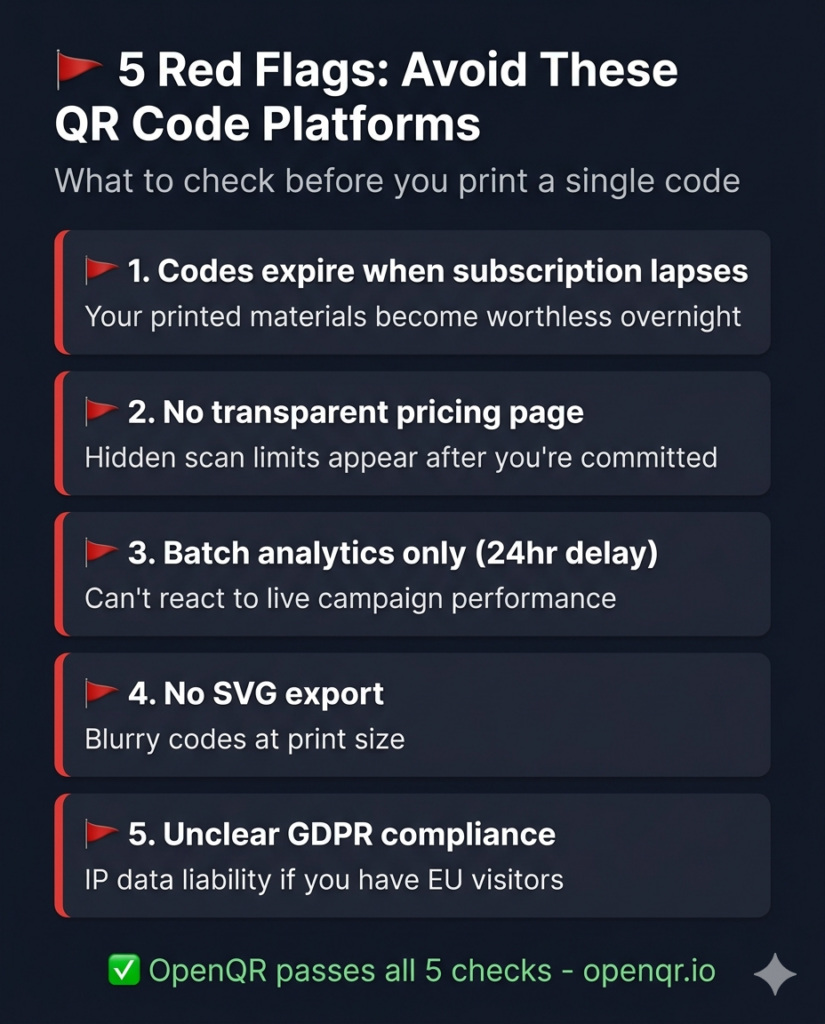
🚩 Red Flag 1: Codes expire when subscription lapses
If a platform deactivates your QR codes when you stop paying, every piece of printed material with that code becomes worthless overnight. Always verify the expiry policy explicitly. OpenQR codes never expire regardless of plan changes – check for an equivalent commitment on any platform you evaluate.
🚩 Red Flag 2: No transparent pricing page
Platforms that require “contact sales for pricing” or bury scan limits in small print are optimized for the platform’s revenue, not your planning. Before signing up, verify: codes included, scan limits, analytics tier, and expiry on cancellation.
🚩 Red Flag 3: Batch analytics – not real-time
A 24-hour analytics delay means you can’t react to live campaign performance. For events, restaurant updates, or any time-sensitive marketing, real-time scan data is the baseline requirement.
🚩 Red Flag 4: No SVG export
PNG-only platforms produce blurry codes at large print sizes. Any platform you use for print must export SVG or EPS. This is a basic quality requirement, not a premium feature.
🚩 Red Flag 5: Unclear GDPR compliance
If your audience includes EU visitors and your QR platform stores IP addresses without proper data processing agreements, you have a compliance liability. Verify GDPR documentation explicitly – OpenQR does not store user IP addresses at all.
Frequently Asked Questions
What is a dynamic QR code and why does it cost money?
A dynamic QR code encodes a short redirect URL rather than the final destination. When scanned, a request goes through the platform’s server – which logs the scan, then redirects to your destination. That server infrastructure and analytics database is what platforms charge for. Static QR codes are free because they have no server component – but they can’t be tracked or changed.
Can I switch platforms without reprinting all my QR codes?
No – and this is often overlooked. Your printed codes encode the redirect URL from the platform you used to create them. Switching platforms means those codes still point to the old platform’s servers. You’d need to reprint all codes to point to a new platform. Choose your platform carefully from the start.
How many QR codes do I actually need?
You need one unique code per tracked placement – not one per physical copy. For example a QR code for restaurant menus with 30 tables can use a single dynamic QR code printed 30 times. You only need multiple codes if you want to compare analytics between different placements (e.g. table vs window vs receipt).
Are expensive platforms always better?
No. OpenQR at $5/month includes every core feature a small business needs: dynamic codes, real-time analytics, branded design, SVG export, GDPR compliance, and non-expiring codes. Higher-priced platforms add team features and bulk generation – valuable at scale, unnecessary for most small businesses.
What happens to my QR codes if the platform stops operating?
The redirect dependency means your codes rely on the platform’s servers remaining live. Evaluate platform longevity: company age, customer base, and transparency. As with any SaaS dependency, keep a backup of all your QR destination URLs so you can reprint and migrate if ever needed.
Ready to Try the Best Value Dynamic QR Code Generator?
OpenQR gives you branded dynamic QR codes, real-time analytics, non-expiring codes, and full GDPR compliance – from $5/month. 14-day free trial, no credit card required.