Before you can really put QR codes to work, you need to get a handle on the two main flavors they come in: Static and Dynamic. It’s the single most important distinction to understand.
Think of it like this: a Static QR code is like having something permanently printed. Once it’s made, the information it holds is set in stone. On the other hand, a Dynamic QR code is like a digital sign that you can update anytime you want, making it the go-to choice for most marketing and business needs today.
Basic Types of QR Codes: Static vs Dynamic
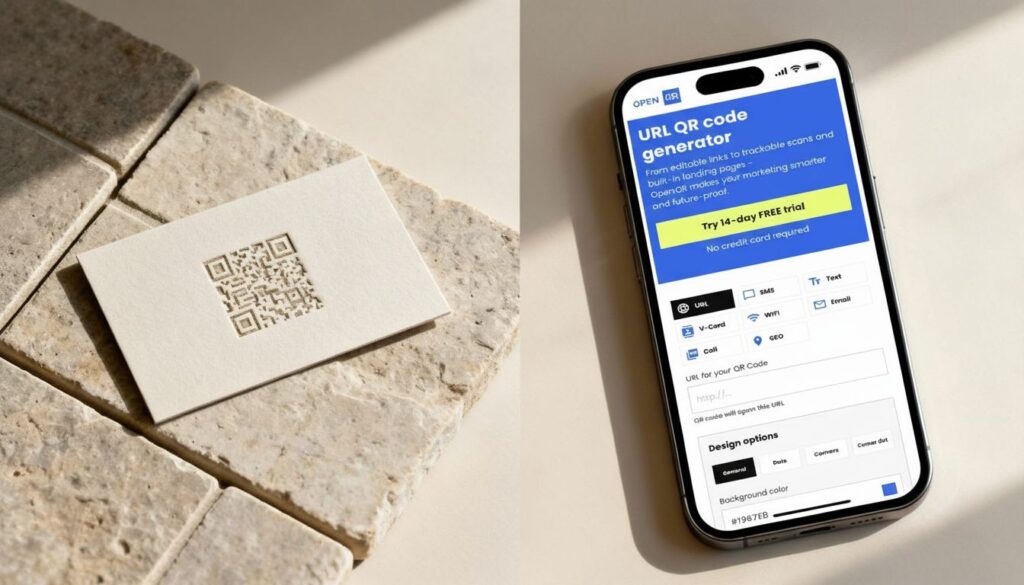
Every single QR code you encounter fits into one of these two buckets. Knowing which one to use is the first step in making them work for you, not against you.
The Permanence of Static QR Codes
A Static QR code has its destination data—like a website URL, an email address, or Wi-Fi login details—encoded directly into the pattern of squares. Once that code is generated, the data is locked in. It cannot be changed.
If you want to update where it points, you have to create a brand new QR code from scratch. This makes them ideal for information that you know will never, ever change. Think of a QR code on a business card that links to your main company website or one that shares your office Wi-Fi password. Simple, reliable, and permanent.
- What it is: A QR code with fixed, unchangeable information embedded directly into its pattern.
- Where it’s used: Business cards, event invitations, product packaging for permanent information.
- Use Case Example: A coffee shop prints a static QR code on a sticker for customers to instantly connect to their guest Wi-Fi. The password never changes, so the code never needs to be updated.
The Flexibility of Dynamic QR Codes
This is where things get really powerful. A Dynamic QR code doesn’t store your final destination link directly. Instead, it holds a short, unique redirect URL that points to a server. You, the owner of the code, can log into a platform (like OpenQR) and change where that short URL sends people at any time.
The QR code itself never changes. It can be printed on thousands of flyers, menus, or product packages, but the content it delivers can be updated on the fly.
This adaptability is why dynamic QR codes are quickly taking over. In fact, they are projected to command 65% of the global market share by 2025, mostly because of the powerful analytics and tracking features they enable.
And that brings us to the biggest advantage: data. Because every scan goes through a redirect link, you can track performance in real-time. This turns a simple black-and-white square into a serious tool for measuring marketing campaign success. You can get a much deeper look into how trackable QR codes provide these insights.
- What it is: An editable QR code that uses a redirect link, allowing the destination to be changed and scans to be tracked.
- Where it’s used: Marketing campaigns, restaurant menus, retail promotions, and any situation where content might change.
- Use Case Example: A restaurant places a dynamic QR code on every table. This week, it links to the lunch menu. Next week, without reprinting anything, they update it to point to a new seasonal dinner menu. They can also see which menu items get the most clicks.
Exploring Different QR Code Information Types
Now that we have the difference between static and dynamic sorted, let’s look at the specific jobs these little squares can do. Think of each QR code type as a specialized tool designed for a specific action. The convenience is catching on, big time.
Basic Information QR Codes
These are the bread and butter of the QR code world. They’re straightforward, direct, and solve simple problems by acting as instant digital shortcuts.
- Website URL QR Code: This is the one you see everywhere. It holds a web address, and scanning it opens that link in a phone’s browser. It’s perfect for posters or flyers to send people directly to a specific online page.
- Plain Text QR Code: This code is as simple as it gets. Scan it, and a block of text appears on the screen. It’s handy for sharing product serial numbers, special messages, or Wi-Fi passwords without needing an internet connection.
- Email QR Code: This one’s a real time-saver. A quick scan opens the user’s email app with the recipient’s address, subject line, and even a message already filled out. It’s a fantastic tool for customer service desks.
Personalized Format of QR Codes (vCard)
The vCard QR Code is a digital business card. Stick one on your physical card, and with a single scan, someone can save all your contact details—name, phone number, email, company—straight into their phone’s address book. No more fumbling with spelling or mistyping a number.
- What it is: A QR code containing a full set of contact information in a standardized format.
- Where it’s used: Business cards, email signatures, conference name badges.
- Use Case Example: At a networking event, a sales professional shows a vCard QR code on their phone screen. A potential client scans it and instantly saves all their contact details, skipping the manual entry.
QR Code Types for Locations and Events
QR codes are also brilliant at bridging the gap between a physical location and the digital tools we use to navigate and schedule our lives.
- Location QR Codes: Put one on a store window or an event invitation. A quick scan pulls up the exact address in Google Maps or another map app. It’s navigation, simplified.
- Event QR Codes: These are a godsend for any kind of gathering. One scan can save all the key details—date, time, location, description—directly into a person’s digital calendar. For organizers, they’re perfect for check-ins.
QR Format for Social Networks & Multimedia
While a simple QR code pointing to a website is useful, that’s just scratching the surface. A whole other world of QR codes exists specifically to create richer, more interactive experiences that grab people’s attention.
Social Media QR Codes
A Social Media QR code is a brilliant way to grow your online community. Instead of cluttering your marketing with separate icons for Facebook, Instagram, and TikTok, this code directs users to a single, clean landing page with links to all your profiles.
- What it is: A code that links to a mobile-friendly page showcasing multiple social media profiles.
- Where it’s used: In-store displays, packaging, posters, and event banners.
- Use Case Example: A clothing brand places a Social Media QR code on its shopping bags. Customers scan it and can instantly follow the brand on Instagram, TikTok, or Facebook with a single tap.
Multimedia Types of QR Codes
Multimedia codes act as a bridge between your static, physical marketing materials and your dynamic digital content.
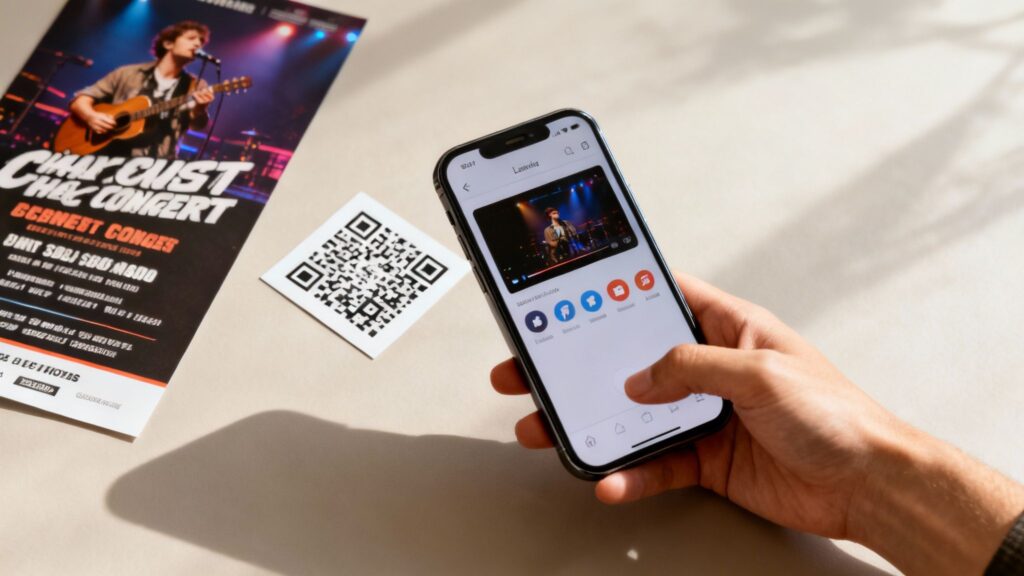
- Video QR Code: Imagine a concert poster that, when scanned, instantly plays the headliner’s latest music video. That’s an immediate, powerful connection. It’s surprisingly easy to create a QR code for a video.
- Audio QR Code: A museum could place these next to exhibits. Visitors scan the code and get an audio guide delivered straight to their earbuds.
- Image Gallery QR Code: A real estate agent can put one of these on a “For Sale” sign. A quick scan takes potential buyers to a gallery of interior photos.
QR Code Format for File Transfer
Another incredibly useful tool is the File Transfer QR code. This format lets you share documents directly with anyone who has a smartphone, completely sidestepping messy email attachments or long download links.
- What it is: A QR code that links directly to a downloadable file, such as a PDF, MP3, or PNG.
- Where it’s used: Restaurant windows for menus, conference presentations for slide decks, trade show booths for catalogs.
- Use Case Example: A conference speaker displays a File QR code on their final slide. The audience scans it to instantly download a PDF copy of the presentation to their phones.
QR Types for Applications and Services
QR codes have become serious workhorses for businesses, acting as shortcuts that make life easier for customers. They are essential for businesses that want to operate smoothly; you can see how they improve operational efficiency.
- App Store QR Code: Stick one on your product packaging, and anyone who scans it is taken straight to your app’s download page on either the App Store or Google Play. No more fumbling with app store searches.
- Wi-Fi QR Code: Forget reading a long, complicated password off a sticker. You can generate a QR code with the network name and password baked right in. Guests just scan it to connect to your Wi-Fi instantly.
QR Financial Format

Perhaps the biggest game-changer for business is the Financial QR code. This is what’s behind the explosion in simple, secure contactless payments. You see them everywhere now—on cafe counters, at retail checkouts, and even on digital invoices.
- What it is: A QR code designed to initiate a payment through services like PayPal, Venmo, or other banking apps.
- Where it’s used: Point-of-sale terminals, invoices, donation drives, and peer-to-peer payments.
- Use Case Example: A food truck displays a QR code at its order window. Customers scan it with their phone’s camera, which opens their preferred payment app with the total amount pre-filled, and they confirm the payment in seconds.
How to Create the Right QR Code for Your Needs
Alright, you’ve got the theory down. Now for the fun part: making one yourself. Whether you need a quick, simple code or a sophisticated, trackable one for a major marketing campaign, the process is surprisingly straightforward.
A Step-by-Step Guide to Creating Your First QR Code
You’d be surprised how quickly you can go from an idea to a scannable, working QR code. Just follow these steps, and you’ll have one ready in minutes.
Choose Your Generator: For something simple like sharing a single, permanent link, any free online generator will do. But for business, you’ll want a professional platform like OpenQR. This is essential for getting dynamic codes, which let you change the destination link later and see who’s actually scanning your stuff.
Select the Right QR Code Type: Think about what you want people to do. Send them to your website? That’s the URL type. Make it easy to save your contact info? You need a vCard. Trying to get more followers? The Social Media code is your best bet. Each type is built for a specific purpose. Need to share a document? A pdf qr code generator lets you link directly to any PDF file.
Enter Your Information: The generator will ask for the content. This might be a web address, your contact details, your Wi-Fi password, or a link to a PDF. Double-check everything here. With a static code, a typo is forever.
Customize Your Design: This is where you can make an impact. A plain black-and-white square works, but a branded code gets noticed. Add your logo in the middle and change the colors to match your brand. It looks far more professional and builds trust.
Download and Test (Seriously, Test It): Always download your code in a high-resolution vector format like SVG. This keeps it perfectly crisp whether you’re printing it on a business card or a billboard. And before you print thousands of flyers, please test the code. Scan it with a few different phones and QR apps to make absolutely sure it works flawlessly.
Choosing the Right QR Code for Your Goal
With so many QR code options out there, it’s easy to get overwhelmed. But here’s the secret: the best choice isn’t about fancy features. It’s about your goal.
What do you want someone to do after they scan your code? Start there, and the right QR code type will become obvious.
This simple flowchart lays out the four key steps for creating any QR code, from picking its function to getting the final image.
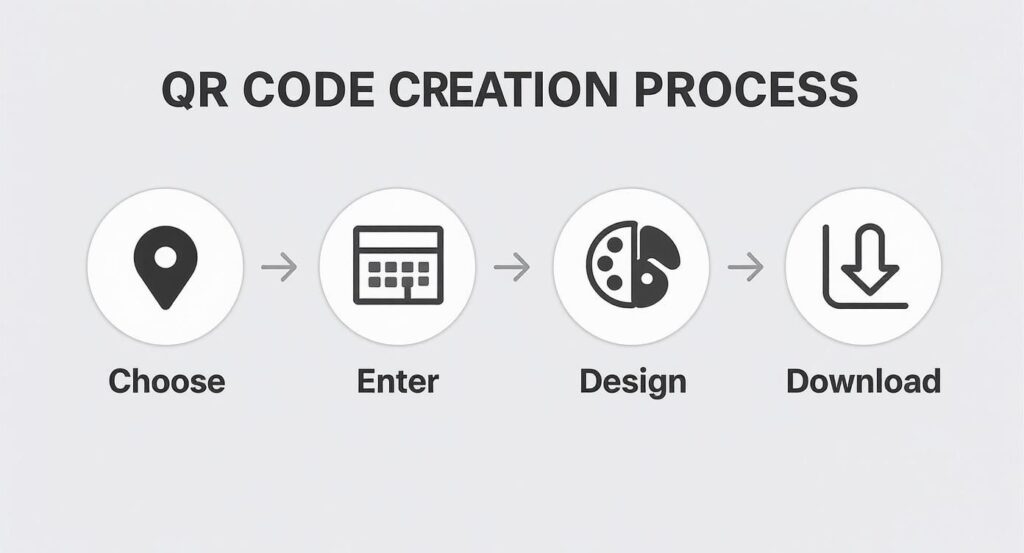
As you can see, the first step—choosing the right type for your specific goal—is the most important one. It sets the foundation for everything else.
Matching Your Goal to a QR Code Type
Let’s put this idea into practice. When you work backward from what you want to achieve, picking the right code feels natural and straightforward.
Goal: Share my contact information so it lasts forever.
- Your Best Choice: A static vCard QR code. It embeds your details directly, works offline, and will never break, making it perfect for a business card.
Goal: See how well my new poster ad is performing.
- Your Best Choice: A dynamic URL QR code. You can track every scan to see where and when people are engaging. If the link changes, you can update it without reprinting the poster.
Goal: Get more followers for my social media channels from an in-store display.
- Your Best Choice: A Social Media QR code. It sends people to a simple landing page that links to all your profiles—Instagram, Facebook, TikTok, you name it.
Goal: Drive more app downloads from a flyer.
- Your Best Choice: An App Store QR code. This clever code automatically detects if the person is using an iPhone or an Android and sends them straight to the correct app store.
When you lead with your objective, you’ll pick the right tool for the job every single time.
Got Questions? We’ve Got Answers
Still have a few things you’re wondering about? Let’s tackle some of the most common questions that pop up when people start working with QR codes.
What’s the Real Difference Between Static and Dynamic QR Codes?
It all boils down to one word: flexibility.
A static QR code is a one-and-done deal. The information, like a website URL, is encoded directly into its black-and-white pattern. Once you generate it, that destination is locked in forever. Think of it like printing a phone number directly onto a flyer—you can’t change it without printing a whole new batch.
A dynamic QR code, on the other hand, is much smarter. It points to a special, short redirect link that you control. This means you can change where that link sends people at any time, without ever touching the QR code itself. You could point it to a summer sale one week and a new product launch the next, all using the same printed code on your menu or poster. This adaptability is exactly why businesses almost always choose dynamic.
Can I Put My Logo on Any QR Code?
Absolutely. Most modern QR code generators, including ours, let you add your brand’s touch to both static and dynamic codes. You can splash your brand colors on it, pop your logo right in the middle, and even play with the shape of the little squares in the corners.
A quick word of advice from experience, though: don’t let style get in the way of substance. A QR code that doesn’t scan is just a useless box. Always stick to high contrast (dark patterns on a light background) and make sure your logo doesn’t cover up too much of the important data points. Test it on a few different phones before you go to print.
Are QR Codes Actually Safe to Scan?
The QR code technology itself is perfectly safe—it’s just a way to store information. The risk comes from what the code links to. Scammers can create codes that lead to phishing sites or malware downloads, a trick sometimes called “quishing.”
So, how do you stay safe? Simple: only scan codes from sources you trust. Be a little skeptical of a random QR code sticker you see on a public wall. Thankfully, most modern phones will show you a preview of the URL before you tap to open it, giving you a chance to see if it looks legitimate. If a code feels fishy or out of place, your best bet is to just ignore it.
Ready to create QR codes that do more than just link? With OpenQr, you get all the tools to generate, customize, and manage dynamic QR codes complete with powerful analytics. See for yourself by starting a free trial over at OpenQr.