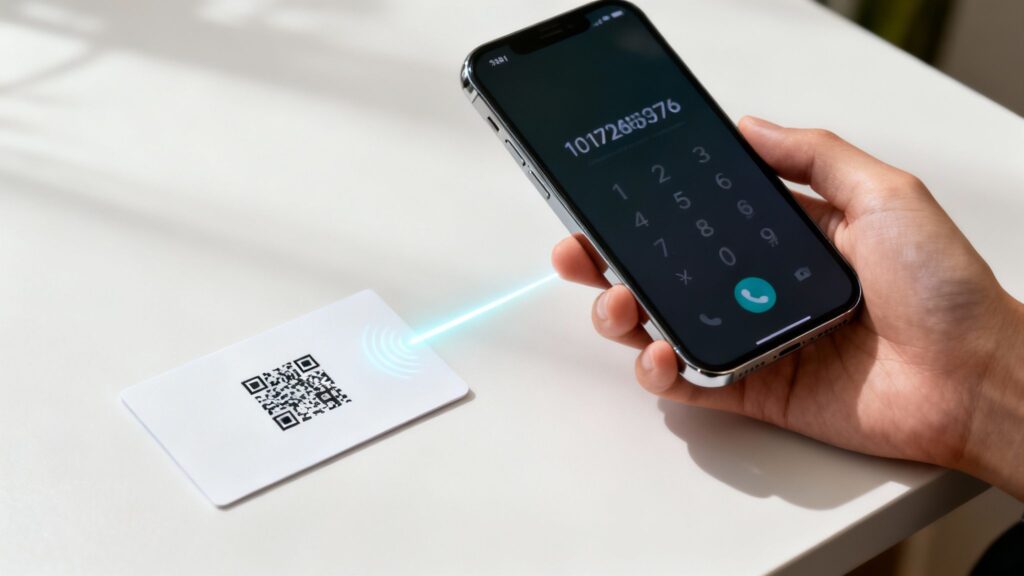
Let’s face it: nobody enjoys squinting at a business card or flyer, trying to manually punch a phone number into their phone. It’s a clumsy process, and it’s way too easy to misdial. A phone number QR code cuts right through that hassle. One quick scan, and your phone number pops up in the user’s dialer, ready to go.
It’s the most straightforward way to connect your real-world marketing directly to a phone call.
Why Your Business Needs a Phone Number QR Code
In business, every bit of friction you can remove for a potential customer is a win. A phone number QR code does just that—it eliminates the gap between someone wanting to call you and actually doing it. This small change can have a surprisingly big impact on how people connect with your business.
Think about someone walking past your shop after you’ve closed for the day. They see a sign in the window with a QR code that says, “Scan to Call for a Free Quote.” Instead of making a mental note to look you up later (which they’ll probably forget), they can scan the code and have your number saved in seconds. That’s how a passerby becomes a genuine lead.
Bridge the Physical and Digital Divide
Your printed marketing materials—like posters, brochures, or even the side of a company van—are usually just static objects. A simple QR code instantly makes them interactive.
- For service businesses: An electrician or plumber with a QR code on their van gives potential clients a lifeline. A homeowner with a burst pipe can scan and call for help on the spot, no frantic Googling required.
- For restaurants: Placing a code on a takeout menu or a special offer flyer can link straight to your reservation line, making it incredibly easy for customers to book a table.
- For event organizers: Putting a “Need Help? Call Us” QR code on event banners gives attendees an immediate way to ask for directions or last-minute information.
The whole point is to capture interest the moment it sparks. To get a better handle on the type of customer interaction you’re creating, it’s worth understanding what are inbound calls and the role they play in fueling a business.
Eliminate Errors and Improve User Experience
You’d be surprised how often people mistype a phone number. One wrong digit and that potential customer gets a “number not in service” message—and you lose the lead forever.
A QR code completely removes the risk of human error. It ensures the correct number is dialed every single time, which not only works better but also makes your business look more professional and tech-savvy.
Using a tool like OpenQR, you can generate a reliable phone number QR code in just a few seconds. It’s a simple, practical addition to your marketing that gets more people on the phone, generates better quality leads, and makes it undeniably easy for customers to reach you. This isn’t just a gimmick; it’s a genuinely smart way to do business.
How to Create a Phone Number QR Code with OpenQR
Creating a scannable phone number is simple. With a platform like OpenQR, you can generate a reliable, customizable, and trackable QR code in just a few steps. Here’s a practical guide to get you started.
- Select the “CALL” QR Code Type: Log into your OpenQR dashboard and choose the “Phone” option. This ensures the code is formatted to trigger a phone’s dialer.
- Enter Your Phone Number: Input the full phone number, including the country code (e.g., +1 for the US). This is crucial for international callers.
- Choose Dynamic Over Static: Always select a dynamic QR code. This gives you the power to change the phone number later without reprinting the code and allows you to track scan analytics.
- Customize Your Code: Add your company logo, change the colors to match your brand, and include a clear call-to-action frame like “Scan to Call Us.” This builds trust and increases scan rates.
- Download and Test: Download the QR code in a high-resolution format (SVG or PNG) and test it thoroughly with different smartphones before you print.
OpenQR simplifies this entire process, providing a user-friendly interface to build professional codes. The platform’s dynamic capabilities are essential for business use, allowing you to adapt your campaigns on the fly and measure their effectiveness through detailed analytics.
Choosing Between a Static or Dynamic QR Code
Before you jump into creating your phone number QR code, there’s a crucial decision to make: should it be static or dynamic? This isn’t just a technical detail; it fundamentally changes what you can do with your QR code long after you’ve printed it. Getting this choice right from the start can save you a ton of headaches and money down the road.
At its core, a static QR code is incredibly simple. It hard-codes your phone number directly into the QR pattern. Once it’s made, that’s it—it’s permanent. Think of it like getting a tattoo of your phone number. It’s not changing.
A dynamic QR code, on the other hand, is much smarter. It encodes a unique, short URL that then redirects to your phone number. This small difference is a game-changer because you can log into a dashboard and change where that URL points anytime you want, without ever needing to reprint the QR code itself.
Static vs Dynamic Phone Number QR Codes Compared
| Feature | Static QR Code | Dynamic QR Code |
|---|---|---|
| Editability | No. The phone number is permanent once created. | Yes. You can change the linked number anytime. |
| Tracking & Analytics | No. You can’t track scans or user data. | Yes. Provides data on scan count, location, and time. |
| Cost | Typically free to generate. | Usually requires a subscription for full features. |
| Best For | Personal use, permanent numbers, one-off events. | Business marketing, campaigns, long-term use. |
| Lifespan | Indefinite, as long as the number is active. | Requires an active subscription to function. |
Ultimately, dynamic codes offer the flexibility and data that most businesses need, while static codes are a straightforward solution for permanent, personal information.
When a Static QR Code Makes Sense
Static codes are perfect when you need a simple, no-fuss solution for information that will never, ever change. They’re often free, and they’ll work forever.
Here are a few scenarios where a static code is the right call:
- Personal Business Cards: Using your personal cell number that you’ve had for a decade? A static code is a solid choice.
- Emergency Contact Labels: For machinery or safety signage where the contact line is fixed.
- One-Time Event Posters: A flyer for a weekend market with a temporary contact number is a perfect use case.
Just remember their biggest drawback: if that phone number changes for any reason, every static QR code you’ve printed instantly becomes a useless black and white square.
The Business Case for Dynamic QR Codes
For nearly any business application, dynamic QR codes are the way to go. The ability to edit the destination phone number on the fly is incredibly powerful. Let’s say you launch a new marketing campaign and want calls to go to a specific sales rep. With a dynamic code, you can make that switch in seconds using a dashboard like the one from OpenQR, without reprinting a single flyer.
The real magic of dynamic codes, though, is the analytics. You can finally answer the question, “Is anyone actually using this?” Track how many people scanned your code, see where they scanned it from, and even know what time of day they’re most engaged. This is the kind of data that proves the ROI of your print marketing.
The numbers don’t lie. Between 2020 and 2023, the use of QR codes exploded by an incredible 433%, largely fueled by their contactless convenience. A huge portion of this growth comes from dynamic codes, with URL-based QR codes (the technology behind them) accounting for 54.3% of all types generated.
If you want to get into the nitty-gritty, our guide on static vs. dynamic QR codes breaks down the technical differences even further. But for any serious marketing campaign, the flexibility and data-driven insights make dynamic codes the clear winner.
Putting It All Together: Creating Your Phone Number QR Code
Alright, let’s get practical. You know why you need a phone number QR code; now it’s time to actually build one. I’ll walk you through the process using a tool like OpenQR, showing you how to get from a simple phone number to a branded, trackable QR code that people will actually want to scan.
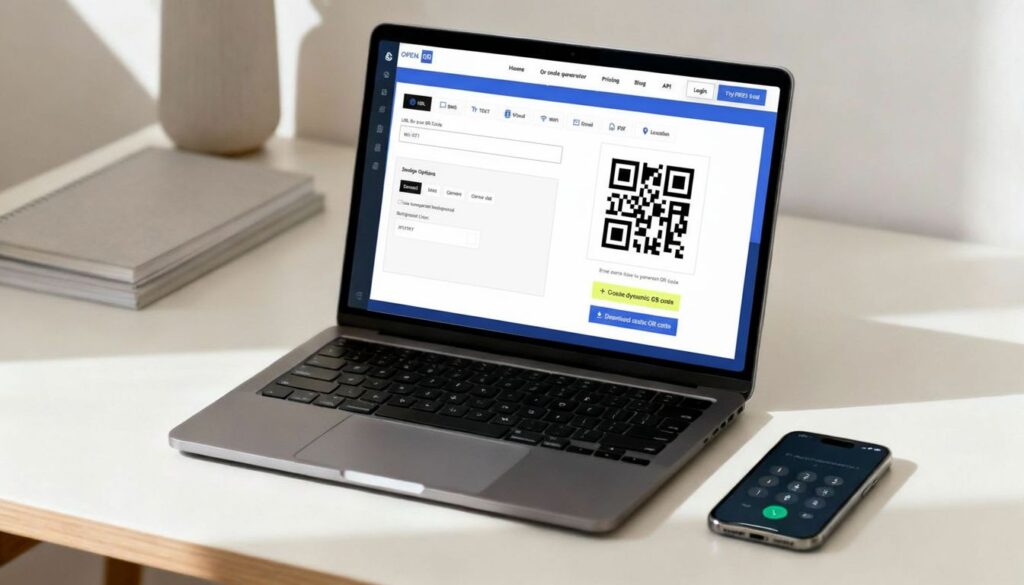
Before you even open a QR code generator, you need to get the phone number format right. This is a small detail that makes a huge difference, especially if you have an international audience.
You have to use the full international format. That means starting with the tel: prefix, then a plus sign (+), the country code, and finally the number itself.
For example, a U.S. number would look like this: tel:+15551234567. This universal format is the key to ensuring any smartphone, anywhere in the world, instantly recognizes it as a number it can call.
Building Your Code in the OpenQR Generator
With your number properly formatted, the rest is pretty straightforward. Inside the OpenQR generator, you’ll see a few options laid out for you.
- Find the “Phone” Type: Look for the icon or tab labeled “Phone.” This tells the generator what kind of QR code you’re making.
- Plug in Your Number: This is where you’ll paste that perfectly formatted number we just talked about (e.g.,
tel:+15551234567). - Go Dynamic, Not Static: You’ll be asked to choose between static and dynamic. For any serious business use, dynamic is almost always the better choice. The ability to update the number later and track scans is invaluable.
This is all it takes to get a basic, working QR code. If your goal is to bundle this phone number with other contact information, like an email or business address, you might want to explore how to create a comprehensive contact QR code instead. It’s a fantastic alternative for networking events.
Making It Yours: How to Customize Your QR Code
A plain black-and-white QR code works, but let’s be honest—it’s boring and a little untrustworthy. A custom-branded code, on the other hand, looks professional and tells people you’re legitimate.
A well-designed QR code does more than just function; it communicates professionalism. By adding a logo and brand colors, you’re signaling to users that the code is legitimate and part of your official marketing efforts.
Here are a few simple tweaks you can make in OpenQR to get much better results:
- Drop in Your Logo: This is the easiest win. Placing your logo in the center instantly connects the QR code to your brand. The generator automatically adds the right amount of error correction, so it will still scan perfectly.
- Switch to Brand Colors: Ditch the black and use your brand’s primary color. Just remember to maintain high contrast. A dark blue on a white background is great; a light yellow on white is a recipe for scan failures.
- Add a “Scan to Call” Frame: Don’t leave people guessing. Use a frame with a clear call-to-action like “Scan to Call Us” or “Call for a Quote.” This one small change can dramatically boost how many people actually scan your code.
These customizations aren’t just for looks; they tap into a growing user behavior. The global QR code market hit $1.5 billion in 2023 and is on track to reach $3.5 billion by 2033. A huge driver of this growth is their use for instant actions, and we expect to see nearly 100 million U.S. users scanning QR codes by 2025. By creating a custom code, you’re building a functional, effective marketing tool that aligns with modern consumer habits.
Getting Your QR Code Ready for the Real World
You’ve designed your QR code, but don’t rush to print just yet. Creating the code is only the first step. The real test is ensuring it works perfectly every single time someone tries to scan it. A faulty code isn’t just a minor hiccup; it can frustrate a potential customer and make your brand look unprofessional. This final check is crucial.
Before you commit to printing hundreds of business cards or flyers, you need to run a few simple but essential tests. Grab your phone, and maybe ask a friend or colleague to use theirs too.
- Cross-Device Check: Scan the code with both an iPhone and an Android device. I’ve seen rare cases where different operating systems handle the
tel:protocol slightly differently. You need to be certain it’s a seamless experience for everyone, regardless of their phone. - Vary Your Apps: While most people use their phone’s native camera app, some still rely on dedicated QR reader apps from the app store. It’s a good idea to download one or two popular ones and test with those as well, just to cover all your bases.
- Verify the Action: This is the most important part. What happens after the scan? The phone’s dialer should pop up instantly with the correct number—including the country code—ready to go. A single wrong digit makes the entire effort worthless.
Just a few minutes of testing can save you from a huge headache and the cost of a reprint.
Avoiding Common Deployment Blunders
Once you’ve confirmed your code works, it’s time to think about where and how you’ll display it. This is where many well-intentioned QR code campaigns fall flat. I’ve seen them all—codes that are too tiny, printed in weird colors, or stuck behind a reflective window.
A QR code is only as good as its visibility and scannability. The physical context—its size, contrast, and surface—is just as critical as the digital data it holds. An un-scannable code is a dead end for your customer.
Here are the most frequent mistakes I see and how to sidestep them:
- Printing Too Small: On a business card or a small product label, it’s tempting to shrink the code to save space. Don’t. A phone camera needs a clear target. As a rule of thumb, never print a QR code smaller than 1 inch by 1 inch (2.5 cm x 2.5 cm).
- Low Color Contrast: A light gray or yellow code on a white background might look nice from a design perspective, but it’s a nightmare for scanners. Stick to the basics: a dark code on a light, non-patterned background always works best.
- Glossy and Reflective Surfaces: Placing a QR code sticker on a highly polished metal sign or behind the glass of a storefront can cause glare, making it impossible for a camera to read. Always check the placement at different times of the day to see how the light hits it.
For a deeper dive into getting the physical print just right, checking out a guide on the best practices for how to properly print QR codes can help you nail the technical details.
Smart Placement for Maximum Impact
Finally, think strategically about where you put the code. Its location should align with your goal. If it’s on a “Contact Us” flyer, place it right next to your phone number. On a restaurant table tent for reservations, it should be front and center.
For a service van, make it large and bold on the side or back, so someone can scan it safely from a few feet away. Effective placement isn’t an afterthought; it’s what turns a simple QR code into a powerful, interactive tool that gets people to call you.
Real-World Use Cases for Phone Number QR Codes
Let’s move beyond theory and look at practical, real-world examples of how businesses are using phone number QR codes to drive calls and improve customer experience.
Use Case 1: The Real Estate Agent’s “For Sale” Sign
A real estate agent places a large “For Sale” sign in a front yard. Instead of just listing a phone number, they include a prominent QR code framed with the text: “Scan for a Viewing.” A potential buyer driving by can scan the code instantly from their car. Their phone’s dialer opens with the agent’s number, ready to call and schedule a tour. The agent captures a highly qualified lead at the peak of their interest.
Use Case 2: The Plumber’s Emergency Service Van
A local plumbing company puts a large, high-contrast QR code on the side of their service vans with the call-to-action: “Leaking Pipe? Scan for 24/7 Help.” When a homeowner with a burst pipe spots the van in their neighborhood, they can scan the code immediately. This action connects them directly to the emergency dispatch line, bypassing the need to search online or manually type a number during a stressful situation.
Use Case 3: Streamlining Restaurant Reservations
A popular bistro places a small, elegant QR code on their takeout menus and on table tents. The code is labeled “Scan to Book a Table.” A customer enjoying their meal or considering a future visit can scan the code to call the reservation line directly. This removes the friction of having to look up the number online and increases the likelihood of repeat business.
Use Case 4: Customer Support on Product Packaging
A consumer electronics brand includes a “Need help? Scan to Call Support” QR code directly on their product packaging and in the user manual. When a customer has a question about setup or troubleshooting, they have an instant, one-scan solution to reach the customer support team. This improves the post-purchase experience and reduces customer frustration.
Using a platform like OpenQR allows these businesses to use dynamic codes. The real estate agent can route calls to a different agent if one is busy, and the electronics brand can redirect the support number to a specialized team during a new product launch.
The big takeaway is this: by embedding a scannable phone number into your physical assets, you create a direct, zero-effort path for customers to engage. Your static marketing materials suddenly become active lead-generation tools.
And the audience for this is massive. As of 2024, there are roughly 6.84 billion smartphone users worldwide. The United States is a huge part of this trend, responsible for about 43.9% of all global QR code scans in 2023. This isn’t some niche tech anymore; it’s a part of daily life. You can read more about these global QR code usage trends on Scanova.io.
Got Questions About Phone Number QR Codes?
Once you’ve got your shiny new phone number QR code, a few common questions always seem to come up. Let’s tackle them head-on so you can use your code with total confidence, knowing it works just right and keeps your users safe.
Can I Change the Phone Number After Printing?
This is probably the number one question I get, and the answer comes down to one crucial choice you made at the beginning: was the code static or dynamic?
If you went with a static QR code, that phone number is baked right in. It’s permanent. Need to change the number? You’ll have to create and print a whole new QR code.
But if you used a dynamic QR code from a platform like OpenQR, you’re in luck. The answer is a definite yes. Just log into your account, edit the destination number, and you’re done. The QR code you already printed will now point to the new number—no reprinting needed.
Do These QR Codes Ever Expire?
Again, this all comes down to the type of code you’re using.
- Static Codes: These guys are in it for the long haul. A static phone number QR code will never expire. As long as the phone number itself is still in service, the code will work forever.
- Dynamic Codes: Dynamic codes are a bit different. They work by redirecting through a short URL managed by your service provider. This means they function as long as your subscription is active. If your plan ends, the redirect will stop working, and your QR code will go dark.
This is a big reason why most businesses prefer dynamic codes. That ongoing service is what keeps the code functional and unlocks all the powerful tracking and editing features.
What About User Safety and Trust?
With “quishing” (QR code phishing) on the rise, people are understandably more careful about what they scan. A common scam is for someone to slap a sticker with a malicious QR code right over a legitimate one, hoping to trick people.
The best way to combat this is to make your QR code undeniably yours.
Pro Tip: Always brand your QR codes. Placing your logo in the middle and using a frame with a clear call-to-action like “Scan to Call Our Office” is a powerful visual cue. It tells people this code is the real deal and belongs to you, which makes them feel much safer scanning it.
Always remind your team and customers to double-check before they tap “call.” Their phone will show a preview of the number it’s about to dial. If that number looks off or isn’t what they were expecting, they should cancel immediately. A quick glance is the simplest and most effective way to stay safe.
Ready to create a professional, trackable, and secure phone number QR code for your business? OpenQR makes it simple to generate dynamic codes you can update anytime, customize with your brand, and monitor with powerful analytics. Start your 14-day free trial today and see the difference for yourself.