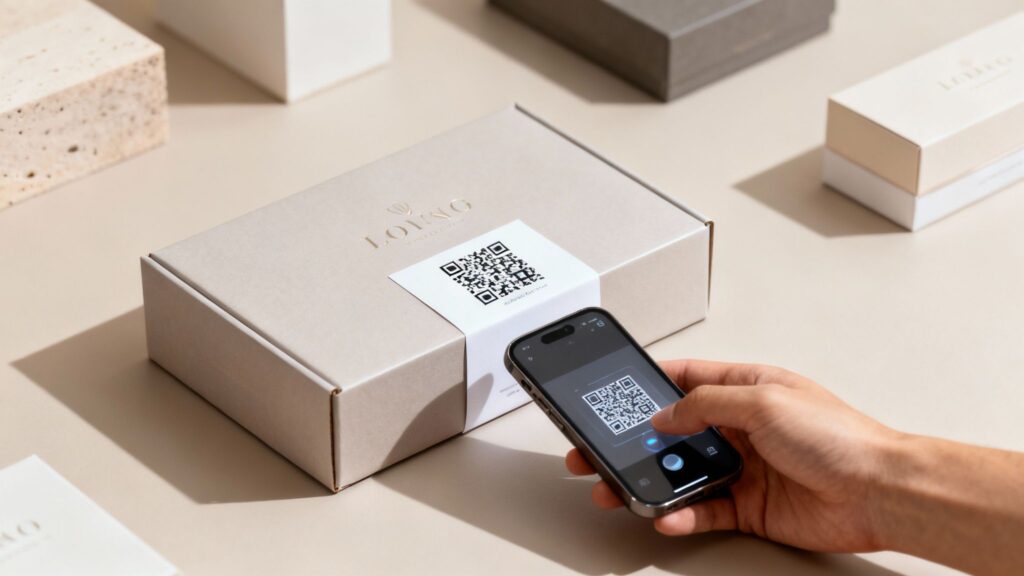
A QR code on your product packaging is no longer a novelty feature. In 2026, 92% of CPG brands use QR codes on packaging, and 64% of shoppers have already scanned one while browsing in a store (World Sync, 2024). The conversation has shifted from “should we add a QR code” to “how do we make ours work harder than our competitors’.”
The brands getting the most from packaging QR codes are treating them as a live marketing channel – not a static link printed on a label. They update destinations without reprinting, collect first-party consumer data from every scan, and use that data to run smarter campaigns in the next product cycle.
This guide covers everything: the 2026 consumer behavior data, the correct QR code type for packaging, seven proven use cases, print specifications, a new section on GS1 Sunrise 2027 compliance, and exactly how to track and act on your scan data.
Ready to set one up? See the packaging QR code solution page for use cases and pricing.
Best QR Code Generator Tools for Packaging and Product Labels
Not all QR code tools are built for the demands of physical packaging. A code that lives on a website can afford to be replaced if something breaks – a code printed on 50,000 product labels cannot. The right tool needs to support dynamic QR codes (so you can update the destination without reprinting), deliver high-resolution SVG or vector exports for crisp printing at any size, and give you real-time analytics so you can measure every scan. Below is an honest breakdown of the tools most commonly used for packaging projects in 2026.
| Tool | Dynamic Codes | SVG / Print Export | Scan Analytics | Custom Branding | Best For |
|---|---|---|---|---|---|
| OpenQR | ✅ Yes | ✅ SVG + PNG | ✅ Real-time | ✅ Logo + colors | Product packaging, labels |
| QR Tiger | ✅ Yes | ✅ SVG | ✅ Yes | ✅ Yes | Bulk generation, agencies |
| Uniqode (Beaconstac) | ✅ Yes | ✅ Yes | ✅ Advanced | ✅ Yes | Enterprise retail, large CPG brands |
| QRCode Monkey | ❌ No | ✅ SVG | ❌ No | ✅ Limited | One-off static codes, quick prototyping |
| Bitly QR Codes | ✅ Yes | ✅ Yes | ✅ Basic | ⚠️ Limited | Teams already using Bitly for link management |
| Canva QR Generator | ❌ No | ⚠️ PNG only | ❌ No | ❌ No | Simple mockups and social content |
What to Look For in a Packaging QR Code Tool
When evaluating tools specifically for product labels and packaging, there are four things that separate a good choice from a risky one:
- Vector export (SVG or EPS): Packaging artwork is scaled up, sometimes dramatically. PNG files get blurry at large sizes. Always confirm the tool exports in SVG or a vector format your print supplier accepts.
- Dynamic code support: As covered above, this is non-negotiable for any code going to print. Static codes have no recovery path if something changes.
- Analytics dashboard: Scan data by location, device, and time of day turns your packaging into a real marketing channel. Without analytics, you’re printing blind.
- White-label and branding options: A QR code with your logo in the center and brand colors gets scanned significantly more often than a plain black-and-white square. Look for tools that let you apply branding without compromising scannability.
Free Tools vs. Paid Tools for Packaging
Free QR code generators are fine for testing an idea or mocking up a design. But for packaging that goes to print in volume, free tools carry real risk. Most free options generate static codes only, offer no analytics, and export in low-resolution PNG format. If you want to understand the full cost-benefit picture before choosing, the free vs. paid QR code generator comparison breaks it down clearly. The short version: for anything going on physical product packaging, the cost of a paid dynamic code tool is trivial compared to the cost of a reprint.
- 92% of CPG brands now use QR codes on packaging. 46% of retail marketing incorporates QR codes on packaging or displays (Krofile, 2026).
- 64% of shoppers have scanned a QR code on a product while shopping in stores. 61% scan one after purchase (World Sync, 2024).
- 75% of consumers scan QR codes to get more information – ahead of discounts at 52% and payments at 35% (Uniqode State of QR Codes, 2026).
- Always use a dynamic QR code for packaging. A static code becomes a dead end the moment any linked page changes – and you cannot reprint 100,000 boxes.
- GS1 Sunrise 2027 is 12 months away. Major retailers including Walmart and Kroger are already testing 2D barcode scanning at checkout. Every CPG brand needs a QR strategy now.
- Over 80% of consumers are willing to share data with brands via QR scans, making packaging codes one of the best first-party data channels available (Uniqode, 2026).
- OpenQR’s 14-day free trial lets you create dynamic packaging QR codes with full analytics at no cost to start.
- Why Product Packaging QR Codes Matter More in 2026
- Static vs Dynamic: Why Only Dynamic Works for Packaging
- How to Add a QR Code to Your Packaging
- Print Specifications and Technical Requirements
- 7 Proven Use Cases for Packaging QR Codes
- First-Party Data: What Your Packaging Scans Can Tell You
- GS1 Sunrise 2027: What CPG Brands Need to Know
- Common Mistakes to Avoid
- Frequently Asked Questions
1. Why Product Packaging QR Codes Matter More in 2026
The adoption numbers have crossed into territory where packaging without a QR code is starting to feel like the exception rather than the rule. But the more important shift is in what consumers expect when they scan.
The critical insight from the Uniqode State of QR Codes 2026 report – based on analysis of 188 million scans and surveys of 500 marketers and 1,000 consumers – is the gap between what consumers want and what brands are delivering. 75% of consumers scan to get more information, but only 36% of marketers currently use packaging QR codes to deliver additional information. The majority are still pointing codes at a homepage or a generic product page.
Brands closing that gap – delivering genuinely useful content on the other side of the scan – are seeing measurable returns. 79% of consumers say they are more likely to purchase products with a QR code that provides the additional information they want (GS1 Pulse Survey, 2024).
The 2026 shift in consumer expectation: scanning a QR code on packaging is no longer seen as a neutral action by users. They expect something worth their time on the other side. A code that leads to a generic homepage signals the brand did not think about this. A code that leads to a video tutorial, a sustainability report, or an exclusive offer signals intentionality – and earns trust.
2. Static vs Dynamic: Why Only Dynamic Works for Packaging
This is the most important technical decision you will make, and for packaging it is not a close call. Dynamic QR codes are the only practical choice for any printed packaging.
A static QR code encodes the destination URL permanently into the pattern. Once your packaging is printed, that destination is locked. If the URL changes – due to a website update, a promotion ending, a product reformulation, a seasonal campaign – every unit of printed packaging carrying that static code now points to something wrong or broken. You cannot fix it without reprinting.
A dynamic QR code from OpenQR encodes a short redirect URL instead. You control where that redirect points from your dashboard. When your holiday campaign ends on January 1st, you log in, update the destination to your new spring collection page, and every unit on shelves or in consumers’ homes automatically redirects to the updated content. No reprint. No wasted inventory. No dead codes.
| Factor | Static QR Code | Dynamic QR Code |
|---|---|---|
| Destination after printing | Fixed permanently | Update any time from dashboard |
| Seasonal campaign changes | Reprint all packaging | Update destination in 30 seconds |
| Scan analytics | None | Full: location, device, time, total, unique |
| URL breaks or changes | Entire print run is dead | Fix instantly from dashboard |
| First-party data collection | Not possible | Every scan captured |
| A/B testing destinations | Not possible | Yes, across production batches |
| Right choice for packaging | ❌ Never | ✅ Always |
For a deeper breakdown of the technical differences, see our guide on static vs dynamic QR codes.
3. How to Add a QR Code to Your Packaging
Step 1: Define what the scan delivers
Before generating a single code, decide what a consumer scanning your packaging will receive. This decision drives everything else. The most effective packaging QR codes deliver something with immediate, genuine value – not a link to a homepage. Common high-value destinations include:
- A how-to or setup video for the product (reduces support costs, improves first-use experience)
- Ingredient transparency, sourcing information, or sustainability data (builds trust with 80% of consumers who prefer transparent brands)
- A discount on the next purchase or subscription (drives repeat business)
- Warranty registration or product authentication (reduces returns, builds loyalty data)
- A recipe, styling guide, or content experience tied to the product
Step 2: Create your dynamic QR code in OpenQR
Go to openqr.io and start your free 14-day trial. Select URL QR Code and enter your destination. Then use the design editor to:
- Add your brand logo in the center of the code – this signals trust and ownership, which matters as consumers become more cautious about what they scan
- Apply brand colors to the dots and corner elements – maintaining high contrast between code and background
- Add a CTA frame with clear instruction text: “Scan for setup guide,” “Scan for 20% off your next order,” or “Scan to verify authenticity”
Step 3: Build a mobile-optimised destination
Every packaging QR code scan happens on a phone. If your destination is a desktop website that requires zooming or horizontal scrolling, you have failed the experience before anything else. Your destination must load in under 3 seconds, display correctly on a 5 to 6 inch screen, and deliver the promised value within the first screen-height of content. If you do not have a mobile-optimised page, OpenQR’s built-in landing page builder lets you create one without any code.
Step 4: Download SVG and send to your designer or printer
Always download your QR code as SVG for packaging use. SVG is vector-based and scales without quality loss to any size – from a 1cm label to a full side-panel. Hand the SVG file to your packaging designer to integrate into the artwork.
Step 5: Test on a physical proof before mass production
This step is non-negotiable. Print a physical proof on the actual packaging material and test the scan with at least three different phones (iOS and Android, older and newer models) in normal lighting and in dim conditions. A code that scans perfectly on screen can fail at print due to color shift, gloss, or slight size reduction. Catching this before a 100,000-unit print run is the difference between a minor correction and a very expensive problem.
4. Print Specifications and Technical Requirements
| Specification | Minimum requirement | Recommended |
|---|---|---|
| Size | 1 x 1 inch (2.5 x 2.5 cm) | 1.5 x 1.5 inch for small labels, larger for prominent placement |
| Contrast ratio | Dark code on light background | Black on white for maximum reliability |
| Quiet zone (border) | 4 modules on all sides | 5 to 6 modules – never let other design elements crowd the code |
| File format | SVG or EPS (vector) | SVG – scales to any size without pixelation |
| Surface | Flat, non-glossy preferred | Avoid curved surfaces and foil/metallic finishes |
| Color | High contrast between dots and background | Test any custom colors on physical print before production |
| Error correction | Level M (15%) | Level Q (25%) if logo is embedded in center or surface is complex |
Never place a QR code on a curved surface, a metallic/foil finish, or over a photograph or texture. All three cause consistent scan failures. If your packaging design makes flat placement difficult, prioritize a dedicated QR panel on a flat face with a plain background – even if that means a small redesign of the label layout.
5. Seven Proven Use Cases for Packaging QR Codes
1. Product information and ingredient transparency
Getting more information is the top reason 75% of consumers scan packaging QR codes (Uniqode, 2026). Nearly 80% of consumers prefer brands that are transparent about product sustainability. A scan that leads to a full ingredient glossary, sourcing story, or third-party certification detail answers the question the consumer already has – without cluttering the label. For food, beauty, and health categories especially, this is no longer a nice-to-have. It is an expected service.
2. Video tutorials and setup guides
Consumer electronics, appliances, furniture, and any product requiring assembly benefit enormously from a QR code linking to a video setup guide. The scan replaces a paper manual that gets lost, a frustrated support call, or a returned product. A tech brand linking to video setup on the box reduces support costs and improves the first-use experience – the moment that most influences whether a customer becomes a repeat buyer.
3. Loyalty program enrollment and repeat purchase
A QR code on the inside of packaging – on a thank-you card or product insert – is the highest-intent moment in the customer relationship. The person has already bought and opened the product. A scan to earn loyalty points, register for a discount on their next order, or join a subscription program captures that intent at its peak. This is one of the most underused but highest-converting placements in the entire QR playbook.
4. Product authentication and anti-counterfeit
Authentication and anti-counterfeit has emerged as the top driver for connected packaging adoption at 52.1% of brands (Appetite Creative, 2026). A unique QR code per unit – serialized so every pack has its own identity – lets consumers verify product authenticity with a single scan. Luxury brands, pharmaceuticals, and high-value consumer goods are leading adoption of this approach.
5. Seasonal and campaign-driven promotions
A single physical QR code on packaging can run multiple campaigns across the product’s shelf life. Print the code once. Before launch, it links to a teaser or pre-order page. At launch, it links to the product hero page. During the holiday season, it links to a limited-time bundle offer. In January, it links to a sustainability story or a recipe. Every transition happens in the OpenQR dashboard – no reprint required. This is the core commercial case for dynamic over static on packaging.
6. Customer reviews and social proof
61% of shoppers scan a QR code on a product after purchase (World Sync, 2024). That post-purchase window is the ideal moment to request a review. A scan linking directly to the review section for the specific product – not a homepage, not a generic reviews page – removes every barrier between a satisfied customer and published social proof. This is one of the highest-ROI applications of packaging QR codes for brands that depend on ratings.
7. Augmented reality and immersive experiences
L’Oreal has embedded AR-powered QR codes on product packaging that launch virtual try-on experiences directly in the consumer’s phone camera. Beauty brands use this to let customers test lipstick or foundation shades before purchase. Furniture brands provide 3D placement previews. Food brands launch interactive recipe experiences. The QR code itself is simple – the value is entirely in the destination experience.
6. First-Party Data: What Your Packaging Scans Can Tell You
Every scan of a dynamic packaging QR code generates first-party data – captured without cookies, without app downloads, and without any action from the consumer beyond the scan itself. This makes packaging codes one of the most privacy-resilient consumer data channels available in 2026, as third-party tracking becomes more constrained.
What OpenQR’s trackable QR code analytics captures from packaging scans:
- Geographic distribution: Which cities, regions, and countries are scanning your product. For a brand with national retail distribution, this shows you where products are actually reaching engaged consumers – not just where they are stocked.
- Peak scan times: When consumers are interacting with your product. A food brand discovering most scans happen at 7pm is learning something valuable about how and when its product is used.
- Device breakdown: iOS vs Android split. Useful for optimising the mobile destination experience and inferring demographic signals about your buyer.
- Scan trend over product lifecycle: Are scans increasing as retail distribution expands, or declining as the product ages on shelf? This data can inform restock and markdown decisions.
- Scan volume by SKU: If you have different codes per product variant, you can see which SKUs generate the most consumer engagement beyond the point of sale.
Use UTM parameters on your packaging QR destination URL to connect scan data to Google Analytics 4. Set utm_source to the product name or SKU, utm_medium to qr_code, and utm_campaign to the season or promotion. This gives you full post-scan behavioral data – bounce rate, pages viewed, and conversions – alongside the scan data in OpenQR. For a full guide on UTM setup, see our article on trackable QR codes and GA4 integration.
7. GS1 Sunrise 2027: What CPG Brands Need to Know
Alongside GS1 Sunrise 2027, European brands should also prepare for Digital Product Passport requirements under the EU’s sustainability and product transparency initiatives. Many products will need to provide structured lifecycle, material, repairability, and sustainability information through a digital record that consumers can access via QR code. See our complete guide to the EU Digital Product Passport QR Code for implementation details and upcoming compliance timelines.
This section covers a significant regulatory and retail shift that affects every CPG brand selling through major retailers. If you sell through Walmart, Kroger, Woolworths, or any of the 60-plus major retailers already testing 2D barcode scanning at checkout, this timeline directly affects your packaging strategy.
What is GS1 Sunrise 2027?
GS1 Sunrise 2027 is the industry deadline by which retailers will accept 2D barcodes – including QR codes – at checkout, in addition to traditional 1D barcodes. The underlying standard is GS1 Digital Link, a URI structure that allows a single 2D code on a package to serve multiple purposes: checkout scanning for price lookup, consumer-facing product information, sustainability data, and promotional content – all from one code.
What this means in practice
A QR code built on the GS1 Digital Link standard can simultaneously be scanned by a retail checkout scanner for inventory and pricing, and by a consumer’s phone for product information, promotions, or authentication. One code, multiple functions, no packaging clutter.
92.3% of industry professionals now say connected packaging will be increasingly important to their business (Appetite Creative, 2026 Global Connected Packaging Survey). 81.2% of brands have already adopted connected packaging in some form – up from roughly 60% just two years ago.
If you are planning a packaging redesign in 2026 or 2027, design for GS1 Digital Link compliance now. Brands that wait until the deadline will face the cost of emergency redesigns and potential retail compliance issues. The transition is underway – not approaching.
How OpenQR fits into GS1 compliance
For brands not yet at the scale requiring full GS1 Digital Link implementation, OpenQR’s dynamic URL QR codes provide the consumer-facing layer of the connected packaging strategy today – with the flexibility to update destinations, run promotions, and collect scan analytics – while your technical team works through the broader GS1 compliance roadmap. The two approaches are complementary, not competing.
8. Common Mistakes to Avoid
Using a static QR code on any printed packaging
The most expensive mistake in packaging QR strategy. The moment any linked URL changes, your entire print run carries a dead or wrong code. For product packaging with print runs measured in thousands or hundreds of thousands of units, this is not a theoretical risk – it is an inevitability. Use dynamic from day one.
Pointing the code at your homepage
75% of consumers scan to get specific information related to the product they are holding. A homepage scan experience requires them to navigate to find what they wanted. Most will not. They will bounce and associate your brand with a poor digital experience. The destination must directly deliver what the CTA promised – no extra steps.
No call-to-action text on the code
A QR code on packaging with no label is a guessing game for the consumer. “Scan for setup video,” “Scan for 20% off,” and “Scan to verify authenticity” each create a different and specific reason to scan. Without a CTA, many consumers will not scan at all – not because they cannot, but because they do not know what they will get.
Placing the code on a curved or glossy surface
Curved surfaces distort the QR pattern. Glossy or metallic finishes create glare that interferes with phone cameras. Both cause scan failures. Always place codes on flat, matte surfaces. If your packaging design makes this difficult, add a dedicated flat-panel QR zone to the label design.
No post-launch analytics review
Brands that generate a QR code, print it on packaging, and never check the scan data are missing the entire commercial value of the channel. A monthly review of your OpenQR dashboard tells you which products are driving engagement, where consumers are scanning from, and whether your destination content is performing. This data informs both your next packaging redesign and your next marketing campaign.
Frequently Asked Questions
Should I use a static or dynamic QR code on product packaging?
Always dynamic. A static QR code on packaging locks the destination permanently at print time. When your URL changes – because of a website update, a promotion ending, or a product reformulation – every unit in the market carries a broken or wrong code. A dynamic QR code from OpenQR lets you update the destination any time from your dashboard, turning your printed packaging into an evergreen, updatable channel.
How do I make sure my QR code scans reliably after printing?
Four non-negotiable rules: download the code as SVG for print, maintain high contrast between code and background (ideally black on white), ensure minimum size of 1 x 1 inch (2.5 x 2.5 cm), and test on a physical proof on the actual packaging material before approving the print run. Testing on screen is not enough – surface texture, color shift, and gloss can all affect scan reliability in ways that only show up on the physical material.
Can I change my QR code destination after my packaging is already in stores?
Yes, if you used a dynamic QR code. With OpenQR, you update the destination in your dashboard and every unit in the market – in stores, in warehouses, in consumers’ homes – immediately redirects to the new content. This is why dynamic is essential for packaging: your print run may stay in circulation for months or years, and you retain full control of where every scan goes throughout that entire period.
How do I track whether my packaging QR code is working?
OpenQR’s analytics dashboard captures every scan in real time: total scans, unique scans, geographic location, device type, and time of scan. For full post-scan behavioral data – what consumers do after they land on your destination – add UTM parameters to the destination URL and connect to Google Analytics 4. See the full guide on trackable QR codes and GA4 integration.
What is the best content to put behind a packaging QR code?
Match the content to the reason consumers scan. 75% of consumers scan to get more information, so product transparency, ingredient details, and how-to guides are the highest-intent match. After that, promotional offers (52% of scan motivation) and loyalty program enrollment are the strongest performing destinations. The worst-performing destination in every study is a generic homepage. Make the destination specific to the product and deliver the value within the first screen.
Do I need a website to use a QR code on packaging?
No. OpenQR’s PDF QR code generator lets you host a PDF document directly – a product manual, ingredient guide, or setup document – without needing a website. The PDF opens directly in the consumer’s browser when they scan. OpenQR also includes a built-in landing page builder if you want to create a branded mobile page without involving a web developer.
Ready to Turn Your Packaging Into a Marketing Channel?
Create dynamic, branded, trackable QR codes for your product packaging. Update destinations any time, collect first-party data from every scan, and never reprint because of a broken link. Free 14-day trial, no credit card required.