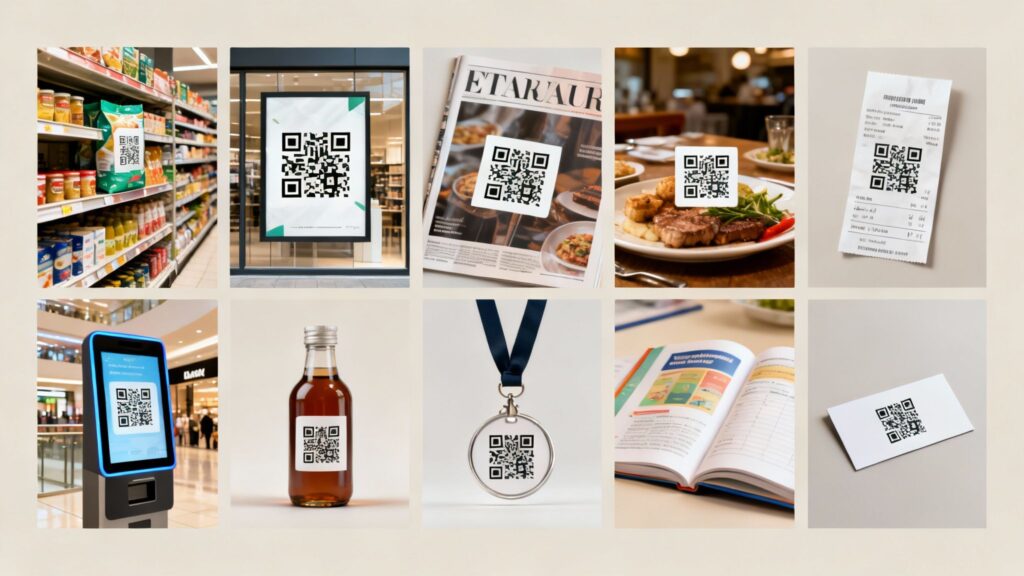
A QR code’s success isn’t just about what it links to; it’s about where it lives. The right QR code placement can be the difference between a scan and a scroll-by, transforming a simple static image into a powerful gateway for customer engagement. But where you place your code is more than just a matter of location. It’s a strategic decision that considers context, convenience, and customer mindset at every touchpoint.
When placement becomes strategy, a simple code on a product label can tell a brand’s story, while a QR code on an event ticket can streamline entry and offer exclusive content. The goal is to make scanning feel like a natural, intuitive next step for the user. In this comprehensive guide, we move beyond the obvious and explore the top-performing QR code placements that guarantee visibility and drive interaction.
We will provide practical examples and detailed “how-to” sections for implementation across various industries, from retail packaging to public transit. You’ll learn how dynamic tools like OpenQR help you track, analyze, and optimize every scan, turning simple placements into sophisticated, data-driven marketing campaigns that deliver measurable results and maximum engagement.
1. Product Packaging and Labels
QR Code placement on your product packaging or label is one of the most effective strategies for engaging consumers at the point of decision. This placement transforms a static physical object into an interactive digital portal. When customers examine a product in-store or after purchase, the QR code offers a seamless bridge to extended content, turning curiosity into a tangible brand interaction. It’s a prime example of where QR code placement becomes a powerful strategic tool.
This method capitalizes on the moment when consumer interest is highest. Real-world use cases include luxury brands like Dior using it to verify product authenticity, while food companies such as Nestle offer detailed nutritional data, recipes, and sustainability information, enhancing transparency and trust.
How to Implement QR Codes on Packaging
- Define the Goal: Determine the code’s purpose. Will it lead to a how-to video, a promotional offer, a warranty registration page, or an ingredient deep-dive?
- Generate a Dynamic QR Code: Use a platform like OpenQR to create a dynamic QR code. This allows you to update the destination URL later without reprinting your packaging—a crucial feature for seasonal campaigns or evolving product information.
- Design for Scannability: Ensure the QR code has high contrast (dark on a light background) and is at least 1cm x 1cm (0.4″ x 0.4″). Leave adequate quiet space around it.
- Add a Clear Call-to-Action (CTA): Never assume users know what to do. Add instructive text like “Scan for Recipes” or “Verify Authenticity” to guide them.
This top-performing QR code placement builds an immediate connection. To explore more advanced strategies, you can learn more about how QR codes excel on product packaging.
2. Print Advertising and Billboards
Integrating QR codes into traditional print advertisements revitalizes static ads, transforming them into interactive experiences that drive traffic directly to online content. This QR code placement strategy bridges the critical gap between offline media and digital engagement. It captures a viewer’s immediate interest and provides a direct, measurable path from a physical ad to a digital action, a key moment when placement becomes strategy.
This method’s power lies in its ability to convert passive viewers into active participants. Practical examples include McDonald’s launching billboard campaigns with scannable promotions, and IKEA using QR codes in print catalogs to let customers visualize furniture in their own homes via augmented reality. Netflix frequently uses this placement on posters to link directly to a new show’s trailer, instantly turning intrigue into viewership.
How to Implement QR Codes in Print Ads
- Clarify the Objective: What action should the scan trigger? It could be watching a trailer, accessing an exclusive discount, entering a contest, or viewing a product page.
- Generate a Robust Dynamic QR Code: Use a service like OpenQR to create a dynamic code. This lets you track scan analytics (location, time, device) and change the destination URL after printing, which is invaluable for A/B testing ad creative or updating promotions.
- Optimize for Distance and Size: Ensure the code is large enough to be scanned from its intended viewing distance. For a billboard, it needs to be significantly larger than a magazine ad. Test scannability from a distance before finalizing the print run.
- Frame with a Compelling CTA: Surround the code with clear instructions. Use text like “Scan to Watch the Trailer” or “Scan for a Free Burger” to motivate action.
This approach gives a measurable ROI to traditional advertising. To dive deeper into best practices, find more information about how QR codes for print can enhance your campaigns.
3. Business Cards and Direct Mail
Integrating QR codes into business cards and direct mail transforms these traditional networking tools from static print materials into dynamic digital gateways. This strategic QR code placement bridges the physical-to-digital gap, allowing recipients to instantly access contact information, portfolios, or exclusive offers with a simple scan. It’s an ideal way to modernize a first impression and provide immediate value.
This method capitalizes on the direct, personal nature of these assets. Real-world use cases include real estate agents using QR codes on flyers to provide virtual property tours, or professionals linking to their full digital profiles. This top-performing placement makes networking more efficient and measurable, capturing engagement at a critical point of interest.
How to Implement QR Codes on Business Cards and Mailers
- Clarify the Objective: Decide what action you want the scan to trigger. Should it save your contact details (vCard), link to a portfolio, schedule a meeting, or reveal a special discount?
- Generate a Dynamic QR Code: Use a tool like OpenQR to create a dynamic QR code. This is essential for business cards, as it allows you to update your contact information or portfolio link without having to reprint your entire stock.
- Optimize for Print: Ensure the QR code is at least 1.5cm x 1.5cm for reliable scanning and has excellent contrast. Always test the code on the final card stock or paper before mass printing.
- Include a Compelling CTA: Add a clear, concise instruction like “Scan to Connect on LinkedIn” or “Scan for an Exclusive Offer” to prompt action.
This placement is a powerful strategy for making traditional marketing assets interactive. To see how this can revolutionize your networking, discover how to create a digital business card QR code.
4. Restaurant Menus and Table Displays
Placing QR codes on restaurant menus and table tents has revolutionized the dining experience, shifting from a pandemic necessity to a standard for operational efficiency. This QR code placement strategy offers guests immediate access to menus, contactless ordering, payment options, and more. It empowers diners with control and provides restaurants with a powerful tool to streamline service.
This method turns a simple table into an interactive hub. Practical examples range from fast-casual giants like Panera Bread using it to facilitate quick mobile ordering, to fine dining establishments linking to detailed wine pairing notes or a chef’s special video. It’s a top-performing QR code placement because it meets customers exactly where they are, ready to make a decision.
How to Implement QR Codes on Menus and Tables
- Define the Primary Function: Decide the main goal. Is it to provide a digital menu, enable tableside ordering, collect feedback, or offer a link to your loyalty program?
- Generate a Dynamic QR Code: Use a platform like OpenQR to create a dynamic QR code for each table. This allows you to update the menu for daily specials, 86’d items, or happy hour promotions without reprinting any materials.
- Ensure Durability and Visibility: Print codes on durable, wipeable materials like acrylic or laminated cards. Ensure high contrast and a minimum size of 2.5cm x 2.5cm (1″ x 1″) for easy scanning from a seated position.
- Include a Clear Call-to-Action (CTA): Guide diners with clear instructions. Use direct text like “Scan to View Menu & Order” or “Pay Your Bill Here” to set clear expectations.
This strategic placement enhances efficiency and provides valuable analytics. Learn more about crafting a QR code for a restaurant menu.
5. Event Tickets and Wristbands
Integrating QR codes into event tickets and wristbands revolutionizes event management. This QR code placement streamlines entry, provides guests with vital information, and significantly enhances security. Instead of cumbersome manual check-ins, staff can quickly scan attendees, reducing queues and improving the overall guest experience.
This strategy capitalizes on a critical touchpoint: the moment of entry. It can link to event schedules, maps, or exclusive content. Real-world use cases include major festivals like Coachella using QR-enabled wristbands for entry and cashless payments, while Ticketmaster leverages QR codes for secure, fraud-resistant mobile tickets. This approach transforms a functional item into a secure, interactive part of the event experience.
How to Implement QR Codes on Tickets and Wristbands
- Define the Primary Function: Decide the code’s main goal. Will it be purely for access control, or will it also link to a “Welcome” page with the event schedule, sponsor information, or a map?
- Generate a Secure, Dynamic QR Code: Use a platform like OpenQR to create dynamic codes. This allows you to manage access, update linked information in real-time, and track check-in data. For added security, create codes that expire after a single scan to prevent pass-backs.
- Optimize for Durability and Scanning: Ensure the QR code is printed with high contrast on durable, wear-resistant materials. The code must be large enough for quick scanning by handheld devices.
- Provide Clear Instructions: Add a simple call-to-action like “Scan Here for Entry” on the ticket or near the code on the wristband. Train event staff on proper scanning procedures.
This powerful QR code placement streamlines logistics. To learn more about creating secure codes for events, explore the features of a reliable QR code generator.
6. Vehicle and Parking Signage
Placing QR codes on vehicles and parking signs captures an audience that is inherently mobile and often in need of quick information. This strategic QR code placement bridges the physical world of transportation with digital convenience, providing drivers with instant access to parking payments, vehicle details, or promotional offers. It turns a brief stop at a parking meter into an opportunity for direct engagement.
This method is ideal for contexts where speed and ease of access are critical. Practical examples include parking management companies like SpotHero using QR codes to streamline the payment process. Similarly, car dealerships place codes on vehicle windows to provide potential buyers with immediate access to specs, pricing, and virtual tours without needing a salesperson—a top-performing placement for automotive sales.
How to Implement QR codes on Vehicles and Signage
- Identify the Goal: Determine the primary action. Will the code initiate a parking payment, reveal a vehicle’s service history, or link to a special offer for a car wash?
- Create a Durable, Dynamic QR Code: Use a platform like OpenQR to generate a dynamic QR code that can withstand environmental factors. The dynamic nature is essential for updating vehicle prices or changing parking rate information without reprinting.
- Prioritize Visibility and Safety: Place the code where it can be scanned safely and easily. Use UV-resistant, weatherproof materials. Ensure high contrast and a size of at least 2cm x 2cm (0.8″ x 0.8″) for reliable scanning from a distance.
- Craft a Clear Call-to-Action (CTA): Guide the user with explicit instructions. Simple text like “Scan to Pay for Parking” or “Scan for Vehicle Details” eliminates confusion.
This effective placement transforms vehicles into interactive digital touchpoints. Learn more about how QR codes for vehicles are revolutionizing the transport industry.
7. Museum and Historical Site Exhibits
Placing QR codes within museums and galleries enriches the visitor experience by offering deep, interactive content without overwhelming the physical space. This strategic QR code placement transforms a static exhibit into a dynamic multimedia lesson. When a visitor scans a code, they can unlock audio guides, detailed historical context, or even augmented reality experiences.
This method capitalizes on the visitor’s focused curiosity. Real-world use cases include The British Museum using QR codes to provide extended artifact information and audio commentary, while the Berlin Wall Memorial offers multilingual historical context. This turns a passive viewing into an active learning journey, making it a top-performing QR code placement for cultural institutions.
How to Implement QR codes in Exhibits
- Define the Content Goal: Decide what the QR code will offer. Will it link to an audio guide, a documentary video, an interactive 3D model of the artifact, or a page with translated text?
- Generate a Dynamic QR Code: Use a platform like OpenQR to create dynamic QR codes for each exhibit. This is crucial as it allows you to update the linked content or add new information without having to replace the physical plaques.
- Design for the Environment: Ensure the QR code has high contrast. Place it at a comfortable eye level and make it large enough to be scanned from a slight distance, typically at least 2cm x 2cm (0.8″ x 0.8″).
- Add a Clear Call-to-Action (CTA): Guide visitors with simple, direct instructions. Use phrases like “Scan for Audio Guide” or “See the 3D Model” to clearly communicate the value.
This QR code placement strategy builds a deeper, more personal connection to history and art, delivering a richer educational experience.
8. Real Estate Signage and Property Listings
Integrating QR codes on ‘For Sale’ signs transforms static signage into a dynamic, 24/7 open house. This strategic QR code placement captures potential buyers at the very moment their interest is piqued. When a passerby scans the code, they gain instant access to a wealth of information that a physical sign could never hold, turning a casual glance into a qualified lead.
This method capitalizes on immediate curiosity. Practical examples include linking directly to immersive virtual tours, detailed property specs, and photo galleries. This not only satisfies the buyer’s need for instant information but also enhances the agent’s ability to engage potential clients outside of traditional showing hours, making it a powerful tool in a competitive market.
How to Implement QR Codes on Real Estate Signage
- Define the Goal: Decide what information will be most compelling. Will the code launch a 3D virtual tour, show a video walkthrough, provide agent contact details, or link to a financing calculator?
- Generate a Dynamic QR Code: Use a platform like OpenQR to create a dynamic QR code. This is crucial for real estate, as it allows you to update the destination link if the property status changes (e.g., from “For Sale” to “Under Contract”) without replacing the sign.
- Design for Distance Scannability: Ensure the QR code is large and has high contrast to be scannable from a car. A minimum size of 10cm x 10cm (4″ x 4″) is recommended. Use durable, weather-resistant materials.
- Add a Compelling Call-to-Action (CTA): Guide users with clear, actionable text. Phrases like “Scan for a Virtual Tour” or “Get Property Details Now” are far more effective.
Learning how to create the perfect real estate listing involves leveraging these innovative tools for deeper engagement.
9. Public Transportation and Transit Stations
Placing QR codes in bus stops, train stations, and airport terminals transforms the commuter experience by providing instant access to vital travel information. This QR code placement strategy engages a captive audience during their journey, turning moments of waiting into productive interactions. A well-placed QR code offers a seamless and immediate solution, bridging the physical transit environment with digital convenience.
This method capitalizes on the specific needs of commuters. Real-world use cases include transit authorities like London’s TfL using QR codes to provide journey planning and live travel updates, while Singapore’s MRT system integrates them for contactless payments. This approach improves efficiency and customer satisfaction, making it a top-performing QR code placement for modern urban mobility.
How to Implement QR Codes in Transit Hubs
- Define the Traveler’s Need: Determine the primary goal. Will the code link to real-time schedules, ticket purchasing portals, a station wayfinding map, or accessibility information?
- Create Robust, Dynamic QR Codes: Use a platform like OpenQR to generate dynamic QR codes. This is crucial as it allows authorities to update linked information like schedules or delays in real-time without replacing physical signs.
- Ensure Durability and Visibility: Place codes in high-traffic waiting areas. Use vandal-resistant materials and ensure they are large enough to be scanned from a safe distance.
- Provide a Clear Call-to-Action (CTA): Guide users with direct and simple instructions. Text like “Scan for Live Departures” or “Pay for Your Ticket Here” removes ambiguity.
QR Code Placement: 9-Point Comparison
| Placement | Implementation complexity | Resource requirements | Expected outcomes | Ideal use cases | Key advantages |
|---|---|---|---|---|---|
| Product Packaging and Labels | Low–Medium — integrate into packaging design and print runs | Design changes, printing QA, size/scannability testing | Higher point-of-purchase engagement; product info and authenticity checks | FMCG, food, cosmetics, luxury goods | Direct captive reach; builds trust; cost‑effective info extension |
| Print Advertising and Billboards | Medium — requires large‑format design and distance testing | Large-format printing, weatherproofing, tracking codes | Drives offline audiences to digital content; measurable campaign metrics | Outdoor campaigns, posters, print catalogs | Adds interactivity to static ads; trackable ROI |
| Business Cards and Direct Mail | Low — simple layout and link setup | Card printing, landing page or vCard creation, min size testing | Faster contact capture; measurable follow-ups | Networking, sales outreach, direct mail campaigns | Modernizes exchange; reduces entry errors; trackable |
| Restaurant Menus and Table Displays | Low–Medium — link to POS/ordering systems and mobile menus | Mobile-optimized menus, POS integration, protected prints, Wi‑Fi | Contactless ordering; faster checkout; menu agility and analytics | Restaurants, cafés, bars, hospitality | Reduces printing/sanitization; real-time updates; supports payments |
| Event Tickets and Wristbands | Medium–High — secure ticketing and scanning workflows | Scanners/readers, durable prints/wristbands, backend ticketing, staff training | Faster entry, fraud reduction, attendee data capture | Concerts, festivals, conferences, sporting events | Improves security and throughput; enables analytics |
| Vehicle and Parking Signage | Medium — consider safety, visibility and payment integration | Weather/UV-resistant materials, payment/GPS backend, placement testing | Easier parking payments; clearer rules; potential marketing touchpoints | Parking management, car dealerships, on‑street signage | Captures captive moments; enables contactless payments |
| Museum and Historical Site Exhibits | Medium — content creation, translations, AR integration | Content development, Wi‑Fi, AR assets, ongoing maintenance | Deeper visitor engagement; multilingual access; extended exhibit info | Museums, historical sites, guided tours | Educational depth without clutter; AR and language support |
| Real Estate Signage and Property Listings | Low–Medium — link signage to virtual tours and listings | Virtual tours/3D media, durable outdoor signs, mobile landing pages | Immediate listing access; more qualified leads; 24/7 info | For sale signs, open houses, property lots | Captures buyer interest on site; facilitates lead tracking |
| Public Transportation and Transit Stations | Medium–High — real‑time data and resilience required | Reliable connectivity, vandal/weather-proof installs, integration with ticketing | Real-time schedules, mobile ticketing, service alerts | Bus stops, train stations, airports | Improves traveler information; reduces paper; supports accessibility |
Turning Placement into Performance with OpenQR
Throughout this guide, we’ve explored the diverse and strategic landscape of QR code placement. We’ve moved beyond simply asking “where to put a QR code” and instead answered the critical question: “Where will this QR code provide the most value to my audience and my business?” QR code placement is more than location; it’s about context and utility.
The central lesson is that effective QR code placement is never an afterthought; it is a deliberate, context-aware strategy. It recognizes that a code on a business card serves a different function than one on an event wristband or a real estate sign. One connects a professional network, another unlocks an exclusive experience, and the third opens the door to a potential new home. Each placement is a unique touchpoint, an opportunity to bridge the physical and digital worlds seamlessly.
From Placement to Strategic Advantage
Mastering QR code placement means thinking like your customer. Consider their journey, environment, and mindset at the exact moment they encounter the code.
- Where to place QR Codes at every travel touchpoint: A code at the airport check-in desk pulls up a boarding pass, one on a hotel key card provides instant Wi-Fi access, and another on a local transit map offers real-time schedules. This turns a series of separate actions into one smooth, interconnected journey.
- For the Shopper: A QR code on a product label can offer far more than basic information. It can launch an augmented reality try-on experience, display a video of the product in use, or link to a library of customer reviews, enriching the in-store discovery process.
- For the Event Attendee: From the ticket itself to signage at the venue, QR codes can provide schedules, speaker bios, interactive maps, and a direct line for feedback, transforming a passive event into an engaging, participatory experience.
The top-performing placements are always those that solve a problem, answer a question, or offer immediate value. When placement becomes strategy, a simple black-and-white square evolves into a powerful tool for engagement, data collection, and customer service.
Activating Your QR Code Strategy
The true potential of strategic QR code placement is only unlocked when you can measure its impact. Without analytics, you’re operating on guesswork. This is where a dynamic QR code platform becomes an indispensable part of your toolkit. By using a platform like OpenQR, you can create, customize, and deploy codes for every specific placement while tracking a wealth of data.
OpenQR helps you see precisely which placements are driving scans, at what times of day, and from which geographic locations. This data empowers you to A/B test different calls-to-action, optimize landing pages for specific audiences, and refine your campaigns in real-time. Don’t just place QR codes and hope for the best; deploy them with intelligence and turn every scan into a measurable, actionable insight that drives your business forward.
Ready to transform your approach to QR code placement from random to revenue-driven? OpenQr provides the powerful dynamic QR code generation and in-depth analytics you need to measure, optimize, and perfect your strategy. Start creating intelligent, trackable QR codes today and see exactly what’s working at OpenQr.