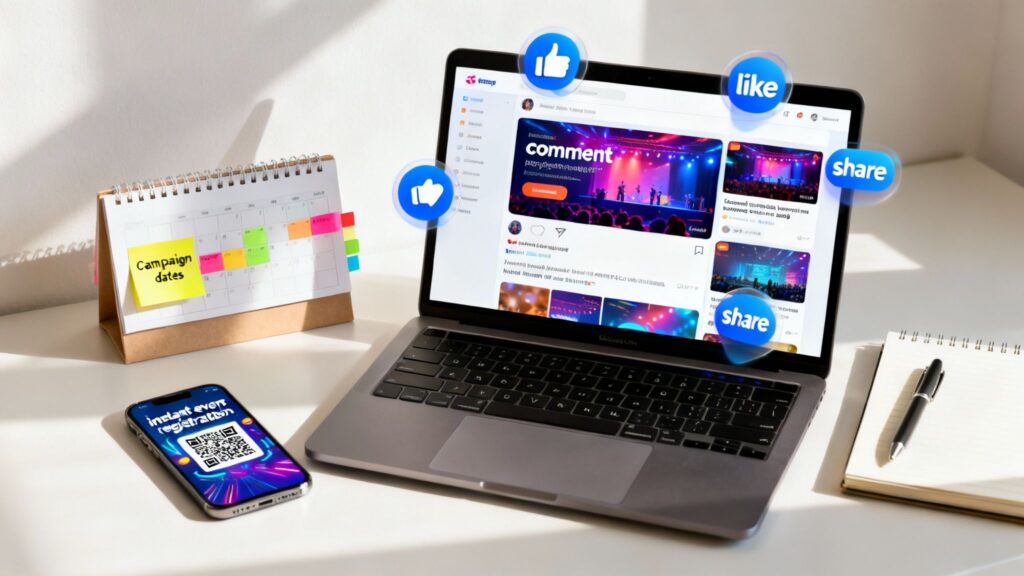
Before you even think about drafting a single social media post for your event, you need a rock-solid game plan. The most successful event campaigns are built on a clear strategy that connects your business goals, your audience’s needs, and the platforms you use to reach them. This foundational work is what turns a good event into a can’t-miss experience.
Building Your Social Media Event Strategy
A buzzy, sold-out event doesn’t just happen. It’s the direct result of thoughtful, strategic planning long before the first “early bird” ticket goes on sale. Let’s break down how to build that foundation.
First things first: what are you actually trying to achieve? Vague goals like “getting more engagement” won’t cut it. You need to tie your event promotion directly to tangible business outcomes.
Get specific. For instance:
- Ticket Sales: Are you aiming to sell 500 tickets directly from social media links?
- Lead Generation: Is the goal to capture 200 qualified leads from your B2B webinar for the sales team?
- Brand Awareness: Do you need to hit 1 million impressions with a new audience segment?
- Community Growth: Maybe success means adding 1,000 new members to your post-event Facebook Group.
Defining these KPIs from the start is the only way to know if your efforts are actually paying off. For a deeper dive, our guide on how to increase event attendance offers more practical strategies.
Define Your Ideal Attendee
With your goals locked in, it’s time to get laser-focused on who you’re talking to. Who is your ideal attendee? This goes way beyond basic demographics. You need to build a detailed persona that captures their motivations, challenges, and online habits.
Think about it from their perspective:
- Where do they scroll when they’re bored? Instagram, LinkedIn, TikTok?
- What content makes them stop and engage? Is it short-form video, in-depth articles, or funny memes?
- Whose opinion do they trust? Are they influenced by industry leaders, creators, or peers?
- Most importantly, what problem does your event solve for them?
When you understand these details, you can craft a message that feels like it was written specifically for them, making your event an irresistible opportunity.
Choose Your Platforms Wisely
Now that you know who you’re targeting, picking the right social platforms is much simpler. The biggest mistake I see is trying to be everywhere at once. Don’t. Focus your resources where your ideal attendees are already active and engaged.
The data backs this up. In 2025, an estimated 83% of marketers will use social media for event promotion, solidifying its place as the number one channel. The breakdown is revealing: Facebook is used by 86% of event marketers, Instagram by 79%, and LinkedIn by 65%. Each platform has a distinct audience and purpose.
Here’s a simple framework to help you decide where to focus your efforts.
Platform Selection Framework for Your Event
| Platform | Best For Event Type | Primary Audience | Key Marketing Tactic |
|---|---|---|---|
| B2B conferences, webinars, workshops, networking events | Professionals, industry leaders, job seekers | Event Pages, targeted InMail, thought leadership content | |
| Festivals, product launches, consumer trade shows, creative workshops | Millennials, Gen Z, B2C brands, visual-heavy industries | Reels, Stories with countdowns, influencer collaborations, UGC | |
| Community events, local festivals, webinars, large-scale conferences | Broad demographics, local communities, specific interest groups | Facebook Events, targeted ads, community group engagement | |
| X (Twitter) | Live events, tech conferences, breaking news, panel discussions | Tech-savvy users, journalists, industry commentators | Live-tweeting with event hashtags, speaker Q&As, polls |
| TikTok | Music festivals, pop-up shops, influencer meetups, B2C events | Gen Z, younger millennials, trend-driven consumers | Behind-the-scenes video, creator partnerships, hashtag challenges |
Choosing the right platform isn’t just about reach; it’s about connecting with the right people in a context where they are receptive to your message. This table should give you a solid starting point for making that decision.
This whole process—goals, audience, then platforms—is a logical flow that sets you up for success.
Think of it this way: your goals tell you where you’re going, your audience gives you the map, and your platforms are the vehicles you’ll use to get there. Nailing these three elements is the first and most critical step.
Creating Content That Builds Real Hype
A great strategy is your blueprint, but the content is what actually builds the excitement, brick by brick. For your event marketing to really hit home on social media, you can’t just post generic announcements. You need to craft a story that grabs people’s attention and turns them from passive scrollers into genuine fans who can’t wait to attend.
I’ve found the best way to do this is by thinking in three distinct phases: the pre-event buzz, live coverage during the event, and the post-event follow-up. This approach keeps your audience hooked from the very first whisper of the event until long after it’s over. Each stage needs a slightly different content flavor to keep the momentum going.
Building Anticipation Before the Event
This is all about stoking curiosity and creating a sense of urgency. You’re laying the foundation for all the hype to come. Before you even post, get your visual identity locked down—a distinct color palette, a specific font, and a logo that makes your event instantly recognizable in a crowded feed.
Here are a few content ideas that work wonders for building pre-event buzz:
- Behind-the-Scenes Sneak Peeks: Show off the venue setup, give a glimpse of speaker preparations, or even unbox the swag bags on Instagram Stories or TikTok. It makes people feel like they’re getting an exclusive insider look.
- Speaker Q&A Sessions: Get one of your keynote speakers on a LinkedIn Live or Instagram Live. It’s a fantastic way to deliver real value upfront and let potential attendees connect directly with your talent.
- Countdown Timers: That little countdown sticker on Instagram Stories is pure gold. Use it to build urgency around early-bird deadlines or the official event start date. It’s a simple, visual nudge that gets people to act.
Engaging Your Audience During the Event
Once the event kicks off, your job is to create a serious case of FOMO (Fear Of Missing Out). You want to show everyone what an incredible experience they’re missing. This content needs to feel immediate, authentic, and easy to share. Have a dedicated person on your team whose only job is to capture high-quality photos and videos in the moment.
One of the most powerful moves you can make is to fire up the user-generated content (UGC) engine. Plaster your branded event hashtag everywhere—on screens, banners, and in your social posts. When attendees start sharing their own photos and videos with your hashtag, it’s authentic social proof that’s far more convincing than anything you could create yourself.
Keeping the Conversation Going Post-Event
Don’t make the mistake of thinking the event is over when the doors close. The post-event phase is your chance to nurture the community you just brought together and pave the way for future events. This is where you thank everyone, share the best moments, and ask for feedback.
My two cents: Your post-event content is what solidifies the event’s success in people’s minds. It also gives you a goldmine of assets to promote next year’s event. Don’t let that momentum die.
Drop photo albums on Facebook. Cut together a high-energy sizzle reel for YouTube and Instagram Reels. Pull out some killer quotes from the speaker sessions and turn them into graphics for LinkedIn. This content becomes a lasting reminder of the value you delivered.
How To Use QR Codes for Event Marketing on Social Media
You’ve built up a great buzz on social media for your event. Your posts are getting likes, comments, and shares. But how do you get someone to stop scrolling and actually buy a ticket? That leap from casual interest to firm commitment needs to be as short and effortless as possible. This is where QR codes are a game-changer. They create a seamless, immediate bridge between someone seeing your post and taking the action you want them to take.
How OpenQR Solves the Social-to-Registration Gap
The biggest challenge in event marketing on social media is turning a “like” into a registration. Tools like OpenQR.io are built to solve this exact problem. Instead of relying on a “link in bio,” you can place a QR code directly on your social media graphics, making your posts instantly actionable.
With a platform like OpenQR, you create dynamic QR codes that are branded, trackable, and editable. This means you can:
- Brand Your Codes: Match the QR code to your event’s colors and add your logo. A custom code looks professional and trustworthy, leading to more scans.
- Track Scan Analytics: See exactly how many people scanned your code, from which posts, and on which platforms. This data tells you precisely which of your social media efforts are driving the most action.
- Update on the Fly: The beauty of a dynamic code is that you can change its destination link anytime. If your registration page URL changes, you can update the code without having to create a new one.
How to Create a Trackable QR Code with OpenQR
Putting together a trackable QR code for your event is incredibly simple with a platform designed for marketers. Here’s how you can solve the registration challenge in minutes:
- Select the “Event” Code Type: In your OpenQR.io account, choose the “Event” option. It’s pre-configured to hold all key details like the event name, location, and dates.
- Enter Your Event Details: Fill in the essential information that attendees need. This info populates a mobile-friendly landing page they see upon scanning.
- Customize to Match Your Brand: This step is crucial for social media. Upload your event logo, change the colors to match your branding, and even modify the code’s pattern to make it stand out in a crowded feed.
- Generate and Download: Once it looks perfect, generate your dynamic QR code. Download it as a high-resolution PNG or SVG to ensure it looks sharp on all your social graphics.
My Two Cents: Always test your QR code before you post it. Use different phones and camera apps. The last thing you want is to push a great post live only to discover the code is broken.
Real-World Use Cases for QR Codes in Event Marketing
The ways you can weave QR codes into your event campaign are nearly endless. Here are a few practical examples to show you how it’s done:
- Instagram Post for Early Bird Tickets: A music festival runs a 48-hour flash sale on “Early Bird” tickets. They post a graphic with a branded QR code linking directly to the ticketing page with the discount already applied. Using OpenQR, they see 2,500 scans on day one, giving them hard data that the post drove a significant chunk of sales.
- LinkedIn Ad for a B2B Webinar: A software company promotes a webinar on LinkedIn. The ad creative features a QR code. When scanned, it takes professionals to a landing page to register for the webinar and download a related whitepaper. This boosts both registrations and qualified lead captures.
- Facebook Event Page Banner: A local charity 5K updates its Facebook Event banner to include a QR code. This code links straight to a Google Map of the race route, offering immediate value and useful info to anyone who has registered or is thinking about it.
By using a platform that provides analytics, you’re no longer guessing which social channels or creative ideas are working. You have the data to prove it.
Best Practices for QR Codes on Social Media
Slapping a QR code onto your posts won’t automatically bring in registrations. The real difference between a code that gets scanned and one that’s ignored comes down to smart design, clear instructions, and a smooth mobile experience.
Brand Your Codes for Trust and Recognition
A standard black-and-white QR code can look generic and untrustworthy. When someone sees your logo and event colors woven into the code, it instantly feels more professional and legitimate.
Using a tool like OpenQR.io makes this simple:
- Add Your Logo: Placing your logo in the center of the code builds immediate brand recognition.
- Use Your Colors: Swap in your brand’s colors so the QR code looks like a natural part of your design.
- Play with Shapes: Small tweaks to the pattern can make your code stand out and catch someone’s eye.
Place It and Say It Clearly
Where you place the QR code in your graphics and what you write next to it are crucial. Make it a focal point with enough white space around it so a phone camera can lock on.
Most importantly, you need a strong call-to-action (CTA). Never assume people know what to do. Use direct text like:
- “Scan to Register Now!”
- “Scan for the Full Speaker Lineup”
- “Get Your Early Bird Discount Here”
Ensure a Flawless Mobile Destination
Every single person scanning your code is on a mobile phone. The page they land on must be optimized for a small screen. Your landing page needs to load fast and be incredibly easy to navigate. If the goal is sign-ups, the form should have large fields and big, tappable buttons. This is where you convert a curious scanner into a registered attendee.
Nail these basics, and you’ll turn your QR codes from a gimmick into a powerful tool. For a deeper dive, check out this guide on QR code best practices.
Measuring Your Social Media Event Campaign
A killer strategy and buzz-worthy content are great, but they’re only half the story. If you really want to understand the impact of your event marketing, you’ve got to measure what’s working. Moving beyond vanity metrics like likes and shares is how you prove the value of your campaign and start making data-driven decisions that actually affect the bottom line.
Effective measurement simply means tracking the key performance indicators (KPIs) that line up with your original goals, whether that was ticket sales, lead generation, or just getting your brand name out there. It’s all about connecting your social media hustle to real, tangible business outcomes.
Defining Your Key Performance Indicators
Before you even think about launching your campaign, you need to decide what success actually looks like. Are you gunning for registrations, or is building a community around the event the main prize? Each goal has its own set of metrics that truly matter.
For most of us in the event marketing world, the most important KPIs go way beyond simple engagement. You have to zero in on the numbers that show a clear return on your investment.
Here’s what you should be looking at:
- Cost Per Registration (CPR): This is the holy grail for paid ads. It tells you exactly how much you’re spending to get one person to sign up, making it crystal clear how efficient your ad budget is.
- Social Media Conversion Rate: This is the percentage of people who came from a social channel and actually did what you wanted them to do, like buy a ticket. It’s a direct reflection of how persuasive your content and landing page are.
- Scan Analytics from QR Codes: When you use QR codes in your social posts or ads, the number of scans creates a direct, undeniable link between a specific piece of content and someone taking action.
By focusing on these action-oriented metrics, you can see which channels and creative ideas are actually turning followers into attendees. If you want to go deeper, there are some great guides on how to measure marketing campaign success that cover the full spectrum.
The Power of Trackable QR Codes in Measurement
One of the oldest headaches in social media marketing is attribution—knowing for sure which post or platform drove a specific registration. This is where combining your social analytics with a tool like OpenQR.io becomes a complete game-changer.
When you share a dynamic QR code from OpenQR in an Instagram story or a LinkedIn post, you’re not just giving people a quick link. You’re creating a trackable data point. The analytics dashboard inside OpenQR can show you precisely how many scans each unique code received.
My Two Cents: I once ran a campaign for a big tech conference where we used different QR codes for our LinkedIn, Twitter, and Facebook promotions. It turned out our LinkedIn posts were getting double the scans and conversions, even though we had fewer followers there. That single piece of data allowed us to shift our ad budget and completely maximize registrations.
This kind of insight is pure gold. You can see which platform’s audience is most engaged, which visual gets the most attention, and which call-to-action is hitting home. It turns your measurement strategy from guesswork into a clear, actionable science. To get started, you can explore the benefits of using trackable QR codes for your own campaigns.
Optimizing Your Campaign in Real Time
Measurement isn’t something you do after the dust settles. The real power comes from using data to tweak your strategy while the campaign is still running.
If you see a Facebook ad with a sky-high click-through rate but a depressingly low conversion rate, you know the ad itself is compelling, but your landing page is probably where the problem is. On the flip side, if a QR code in an Instagram Reel is getting hundreds of scans, you know that video format is resonating. You can then double down and create more content just like it to ride that wave.
This agile approach lets you fix what’s broken and pour gasoline on what’s working, ensuring you get the absolute most out of every dollar and every minute you spend.
Key Metrics for Measuring Event Marketing Success
To keep your measurement focused and effective, here’s a quick overview of the essential KPIs you should be tracking before, during, and after your event marketing campaign.
| Metric | What It Measures | Why It’s Important | Tool for Tracking |
|---|---|---|---|
| Reach & Impressions | The number of unique people who saw your content and the total number of times it was displayed. | Gauges brand awareness and the overall visibility of your event promotion. | Native Social Media Analytics |
| Engagement Rate | The percentage of your audience that interacted with your posts (likes, comments, shares). | Indicates how compelling and relevant your content is to your target audience. | Native Social Media Analytics |
| Click-Through Rate (CTR) | The percentage of people who saw your post or ad and clicked the link. | Measures how effective your call-to-action and creative are at driving traffic. | Native Social Media Analytics |
| Cost Per Registration | The average amount of money spent to acquire one registered attendee through paid ads. | The most critical metric for evaluating the financial efficiency of your ad campaigns. | Ads Manager, OpenQR Analytics |
| QR Code Scans | The total number of times your event QR codes were scanned from social media posts. | Directly attributes audience action to specific pieces of social media content. | OpenQR.io Dashboard |
| Social Media ROI | The total revenue generated from social media efforts divided by the total cost. | The ultimate measure of whether your social media marketing is profitable. | CRM, Analytics Platforms |
Ultimately, measuring your social media event campaign is about proving its worth. By tracking the right metrics and using tools like OpenQR to connect digital engagement to real-world action, you can build a powerful case for your strategy and continuously improve your results for every event to come.
Answering Your Toughest Event Marketing Questions
As you get deeper into promoting your event on social media, you’re bound to hit a few tricky spots. It happens to everyone. Let’s walk through some of the most common questions I hear from fellow marketers and clear up the confusion so you can move forward.
So, How Much Should I Actually Spend on Social Ads?
This is the million-dollar question, isn’t it? The honest answer is: it depends. A small community workshop might only need a budget of a few hundred dollars to get the word out, whereas a huge industry conference could be looking at tens of thousands. There’s no universal formula.
My advice? Start with a conservative chunk of your overall marketing budget, say 10-20%, and treat it as a test. Run smaller campaigns for a week to see which ads, platforms, and audiences are actually bringing in sign-ups at a reasonable cost. Once you see what’s working, you can double down and pour the rest of your budget into the winners.
Help! What Do I Do About Negative Comments?
First, don’t panic. And definitely don’t delete them (unless they’re spam or truly offensive). The worst thing you can do is ignore a legitimate complaint. Your best bet is to face it head-on by responding quickly and professionally, right there in the comments.
If it’s a simple fix or a misunderstanding, address it publicly. This shows everyone else reading that you’re on top of things. For anything more complicated, a great go-to response is something like, “We’re really sorry to hear you’re having this issue. Could you send us a DM with the details so we can look into this for you?” This acknowledges the problem in public but takes the messy details private.
My Two Cents: I’ve seen a thoughtful, quick response to a negative comment completely turn a situation around. It shows you’re a real human who cares about the attendee experience, and that can win over a lot of fence-sitters.
How Can I Get People to Share Their Own Content?
You have to make it incredibly easy—and worthwhile—for them. Your attendees can be your most powerful marketing channel, but you need to give them a little nudge.
Here are a few things that work wonders:
- Set the Stage: Create an irresistible photo op. Think branded backdrops, quirky props, or a beautifully designed space. If a spot is “Instagrammable,” people will naturally want to share it.
- Spark Some Competition: Run a contest with a prize people actually want. A free ticket to next year’s event or a killer swag bag can work wonders. Just tie it to your official event hashtag.
- Give Them the Spotlight: Keep an eye on your hashtag and reshare the best posts to your official channels. The simple act of featuring an attendee’s photo is a huge motivator for others to post.
When you encourage and celebrate user-generated content, you’re building a library of authentic social proof. That’s the kind of genuine buzz that no amount of branded event marketing on social media can buy.
Ready to see which of your social media efforts are actually driving registrations? OpenQR helps you create branded, trackable QR codes so you can connect your online hype to offline action. Start your free trial today at OpenQR.io and get real data on what’s working.