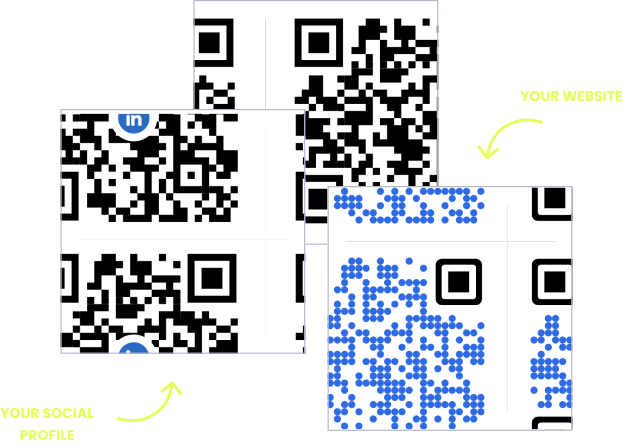
WITHOUT OPENQR
- One wrong link strands an entire print run
- Instructions revisions mean repacking or paper inserts
- Campaign codes go dead when the promotion ends
- No idea if anyone scans the package at all
WITH OPENQR
- Fix or update the destination after printing
- Manuals and guides revised in the dashboard, not the box
- Redirect ended campaigns to your current offer
- Track scans per product, batch, and region
Products deserve smarter QR codes
Packaging runs on the least forgiving print schedule in business. Runs are ordered in the tens of thousands, lead times stretch for weeks, and once the boxes are printed, they are final. But the information a product needs is not final: instructions get revised, campaign pages move, the promotion ends, the support address changes. With a static code, every one of those changes strands an entire print run.
A dynamic QR code from OpenQR decouples the package from the content. The code printed on the box is permanent; what it opens lives in your dashboard. Revise the instructions, redirect last season’s campaign, fix a wrong link – the change reaches every unit on every shelf instantly, with nothing repacked and nothing reprinted. And every scan is tracked, so the package becomes the one channel that tells you what buyers do after they buy.
HOW PRODUCT BRANDS USE OPENQR
One code. Endless ways to use it.
Pick the right QR type for the job – every one is dynamic, trackable, and editable long after it is printed.
Instructions without the paper insert
Upload the manual or how-to guide as a PDF and OpenQR hosts it – the code on the box replaces the folded insert. Revise the instructions or add a language, and every product already on shelves shows the new version.
USES: PDF QR CODEProduct launches and promotions
A code on the package or the flyer takes buyers straight to the campaign page. When the launch ends, redirect the same code to your store or the next promotion – printed materials never go dead.
USES: URL QR CODEReviews from real buyers
The buyer holding your product is the review you want. A code inside the lid or on the thank-you card opens your review page at the moment of satisfaction – not in a follow-up email that lands in spam.
USES: URL QR CODEReorder and where to buy
When the product runs out, the package is still in their hands. A reorder code opens your shop or a retailer list in one scan – and you can change where it points as your sales channels evolve.
USES: URL QR CODESupport before the bad review
A support code on the package opens your help page, contact form, or warranty registration. A frustrated customer who finds help in one scan is a solved ticket – one who cannot becomes a public one-star.
USES: EMAIL QR CODEThree tips from product brands that get scans
Test on the real surface
A code that scans perfectly on a proof sheet can fail on a curved bottle or under shrink wrap. Place it on the flattest area of the package and test the actual production sample, not the flat mockup.
Mind the contrast
Dark, busy packaging swallows QR codes. Keep the code on a light, quiet background with clear space around it, even if the rest of the design is loud.
Label the payoff
“Scan for instructions” and “Scan to reorder” set an expectation and get scanned. A bare code in the corner of a box reads as regulatory clutter and gets ignored.
Built for product brands
Manual and guide hosting
Upload instructions as a PDF and OpenQR serves them. Revise anytime without repacking a single unit or printing an insert.
Fix after the print run
Wrong URL on fifty thousand boxes? With a dynamic code it is a dashboard edit, not a recall of the packaging.
Scan analytics per SKU
A separate code per product, batch, or market shows where and when buyers actually scan. GDPR compliant, no IP addresses stored.
One page per product
The landing page builder puts instructions, warranty registration, reviews, and reorder behind a single code on the package.
QR solutions restaurants use most
How OpenQr helps you
Boost engagement and insights through dynamic, customizable QR codes.
Track every scan and optimize smarter
Know exactly when, where, and how your QR Codes are scanned. See device types, locations, and scan frequency – and use data to improve your campaigns and boost ROI.
Read more
Make every QR code uniquely yours
Customize your QR Codes with brand colors, logos, call-to-action text, and even creative frames or edges. Stand out, stay on-brand, and drive more engagement from every scan.
Read more
Update links anytime – even after printing
Dynamic QR codes let you change your URL or content at any time without needing to reprint. Perfect for packaging that is already printed, evolving campaigns, or fixing mistakes on the fly.
Read moreNo credit card required
What a QR code system replaces on a product
A product package is printed once and read for years. That asymmetry is the core problem of consumer goods: the print run is ordered months ahead in the tens of thousands, while the instructions, campaign pages, and support channels behind it keep changing. Static codes freeze one moment of the business onto every box; a single moved URL turns a warehouse of inventory into a liability.
Dynamic codes reverse the economics. The printed code becomes the permanent part and the content becomes the flexible part, so a revision that once meant reprinted inserts or relabeled stock is now a dashboard edit that reaches every unit on every shelf at once. Our free vs paid QR generator guide breaks down the cost difference in detail.
The package is also the one channel a brand fully owns. Most consumer goods sell through retailers and marketplaces that keep the customer relationship; the box in the buyer’s hands is the direct line those intermediaries cannot take away. A scannable package turns anonymous sell-through into instructions delivered, warranties registered, reviews collected, and reorders captured. Our guide to QR codes on product packaging covers the placement and design details.
Regulation is moving the same direction: frameworks like the EU Digital Product Passport are pushing scannable product information from a nice-to-have toward an expectation for consumer goods sold in Europe. Brands that already run dynamic codes on their packaging will meet that shift with a dashboard edit. Start with one product and one job – instructions are the natural first code – and expand as the scan data shows you what buyers use.
A wrong or dead link is a dashboard edit, not a repack of warehouse stock.
Retail keeps the customer data. The package in the buyer’s hands is the channel you own.
Instructions live behind the code. Revisions and new languages ship without paper.
When the promotion ends, redirect the code. Printed materials keep earning.