A URL QR code generator instantly connects people to your content
A URL QR Code is the fastest way to connect users to your content with a single scan. Whether you’re promoting a website, blog post, online store, event page, or social media profile, a URL QR Code eliminates the need to type long web addresses. It instantly bridges the gap between offline and online – making it perfect for business cards, product packaging, brochures, restaurant menus, posters, and more.
With OpenQR, you can create fully customizable, brand-aligned QR codes that are easy to scan and even easier to manage. Update the destination URL anytime, track scans in real time, and analyze performance by device, time, and location. It’s a smarter way to share links – faster, cleaner, and built for results.
No credit card required

How to make a URL QR code in 3 steps
This is how to create a QR code for a link in under a minute. No design skills or technical knowledge needed – just add your link, style your code, and share it anywhere. Want to change the link after printing or track scans? Make it a dynamic QR code.
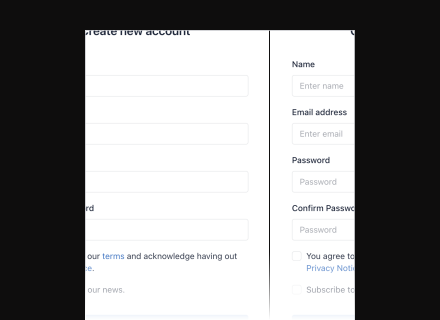
Create your FREE account and add your URL
No credit card needed – just sign up. Drop the full web address into the field above, including https://. It can be a homepage, a deep link to one product, a Google Form, a booking page or a PDF – anything with a URL.
Create QR code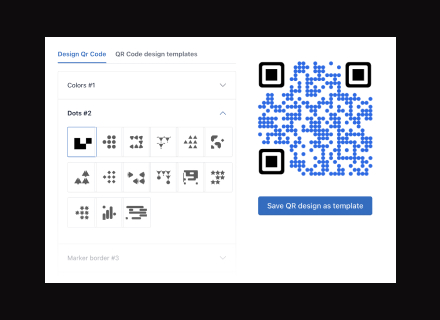
Customize for trust and recognition
Set your brand colours, dot shape and corner style, or drop a logo in the centre. Two rules that decide whether it works on paper: keep strong contrast between the dots and the background (dark on light, never light on dark), and leave the quiet zone – the blank margin – alone. Adding a logo automatically raises the error-correction level, which makes the grid denser; check the preview after you add one.
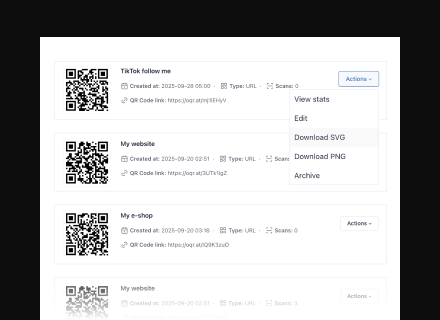
Download and deploy your QR code
PNG is right for anything that stays digital – email signatures, slides, social posts. For anything going to a printer, take the SVG: it is vector, so it stays sharp at poster size and your print shop can scale it without the edges softening. Both are free and neither expires.
What people use URL QR codes for
Restaurant menus
One code on the table tent, pointing at your menu page. Change the menu, prices or the whole PDF behind it – the printed code never changes.
Product packaging
A code on the box that leads to setup instructions, a warranty form or a reorder page. Printed once, in a run of thousands, and still correct three years later.
Print advertising
Flyers, magazine pages and window displays that open a campaign landing page – with scan counts per placement, so you find out which print actually worked.
Property signage
A yard sign that opens the listing. When the listing URL changes or the property sells, you point the same sign somewhere else instead of reprinting it.
Event material
Tickets, posters and programmes that open the schedule page. Session times move; the codes already printed keep working.
Booking pages
Salons, gyms and clinics putting a code on the door or the receipt that opens the booking page. Switch booking platform and the URL changes – without reprinting a thing.
How OpenQr helps you
Boost engagement and insights through dynamic, customizable QR codes.
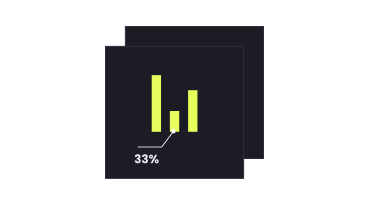
Track every scan and optimize smarter
Every scan of a dynamic URL code is logged with date, city and device type. Put the same destination behind three different codes – one on the flyer, one in the window, one on the receipt – and you find out which placement actually works, instead of guessing from a single total.
Read more
Make every QR code uniquely yours
Brand colours, dot shapes, corner styles and a centre logo. Adding a logo raises the error-correction level automatically, which protects the scan but makes the grid denser – so the preview updates live and you can see the trade-off before you commit to a print run.
Read more
Update links anytime – even after printing
A static code encodes the URL permanently; change the destination and you reprint. A dynamic URL code redirects through OpenQR, so the printed pattern never changes while the link behind it can. When a booking page moves or a product URL changes, you edit one field.
Read moreNo credit card required