
A printed QR code is the one part of your marketing you cannot take back. Menus change, links move, campaigns end, and the code is still on 5,000 labels. OpenQR is a dynamic QR code generator built for that problem: every dynamic code holds a short link you can point somewhere new after printing, with scan analytics, landing pages, your own domain, an API and an MCP server for AI assistants. Scans are unlimited, codes do not expire, and every plan includes every feature below.
What you can do with OpenQR
Five things every OpenQR account can do, on every plan. Try them on your own codes with a free trial – no credit card needed.
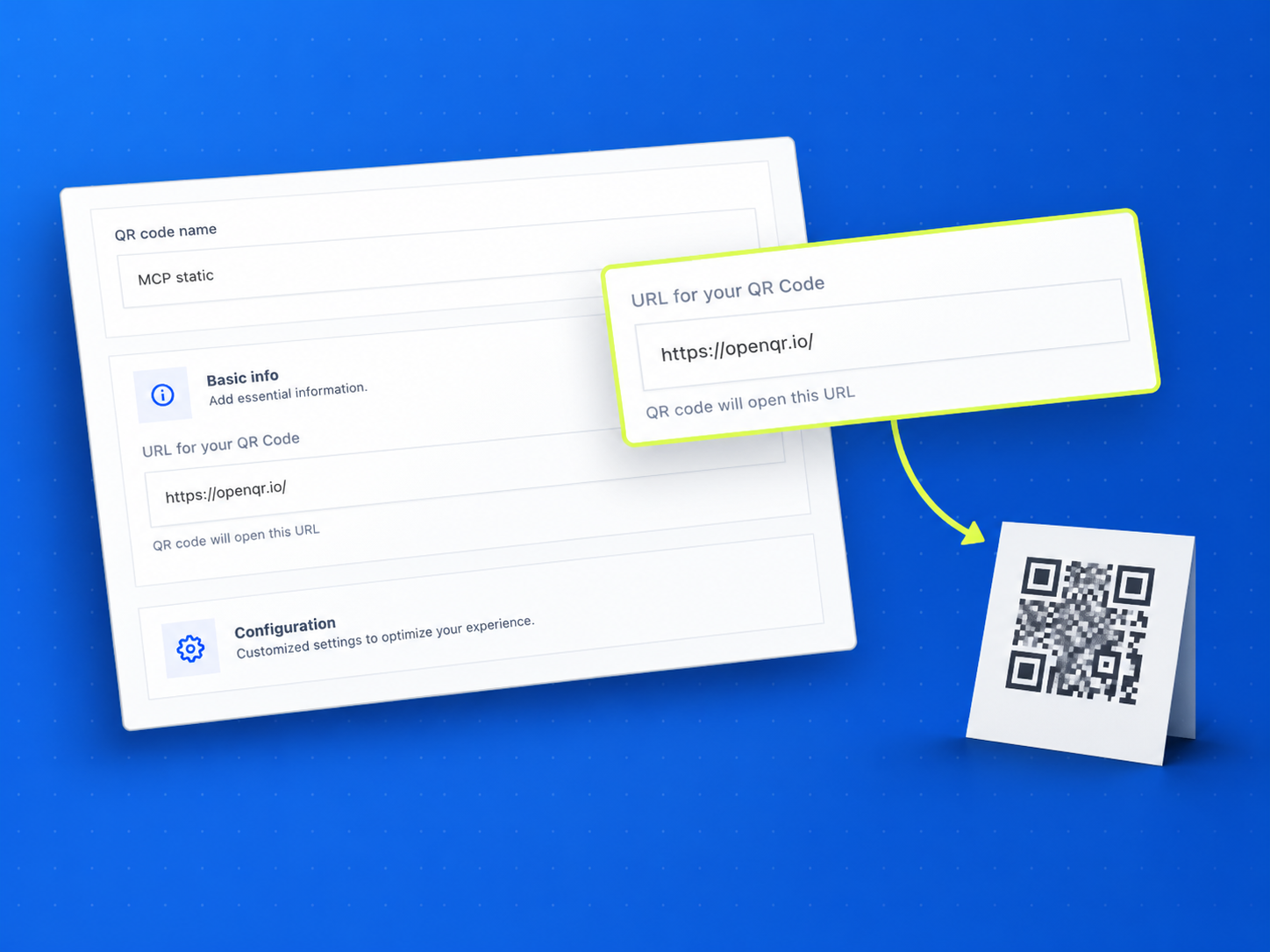
Change where a QR code points after it is printed
A dynamic QR code holds a short link, not your destination. Change the destination in your dashboard and every printed copy follows: the menu on 40 tables, the label on 5,000 bottles, the poster across town. Choose dynamic before you print, because a static code cannot be converted later.
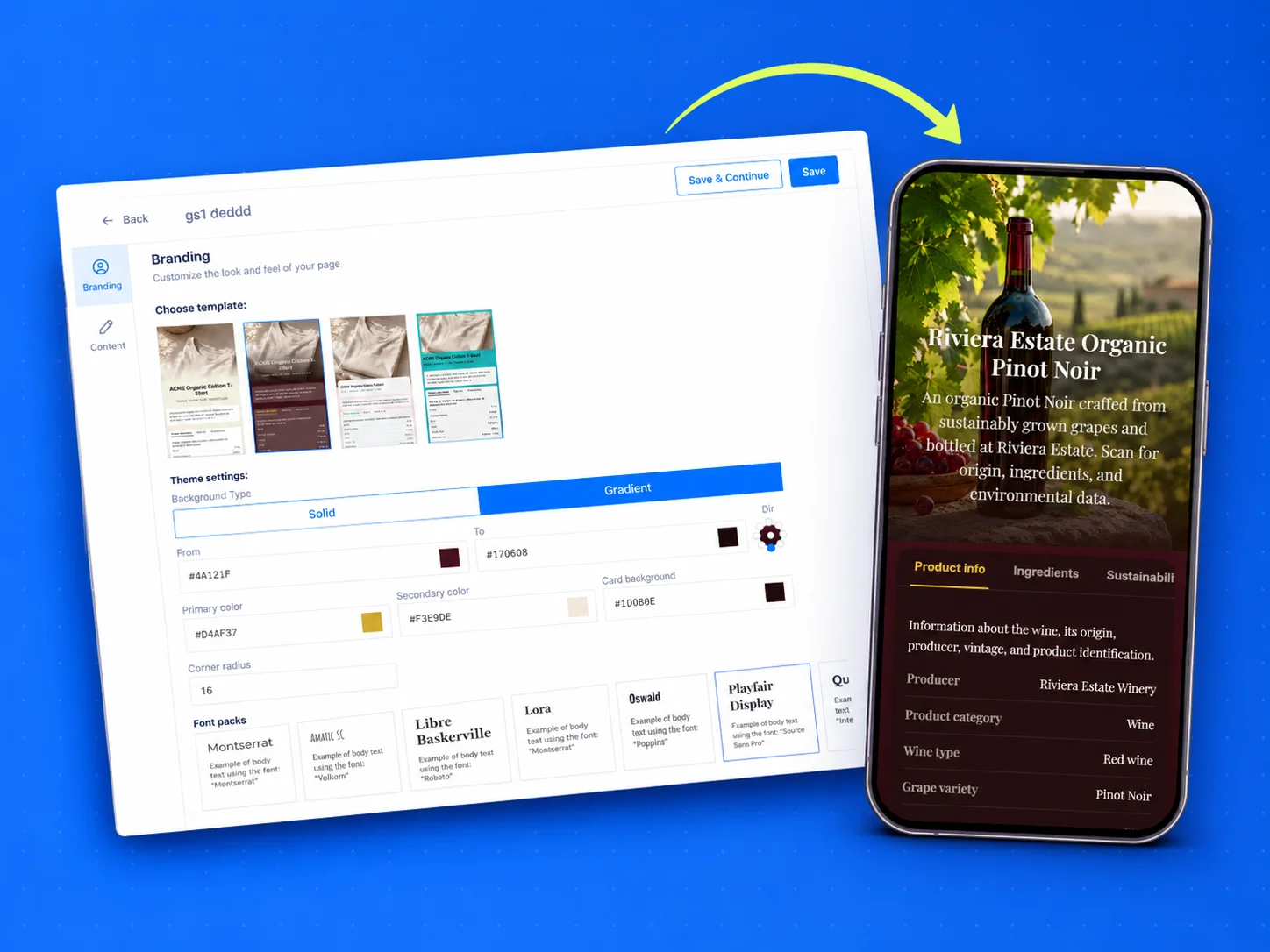
Landing pages when you do not have a website
Some codes need a page to land on. Build a digital business card, a link list, an event page or a social profile page in the dashboard, or upload a PDF and OpenQR hosts it for you. The page stays editable after the code is printed, so a new phone number or a moved event never means a new code.
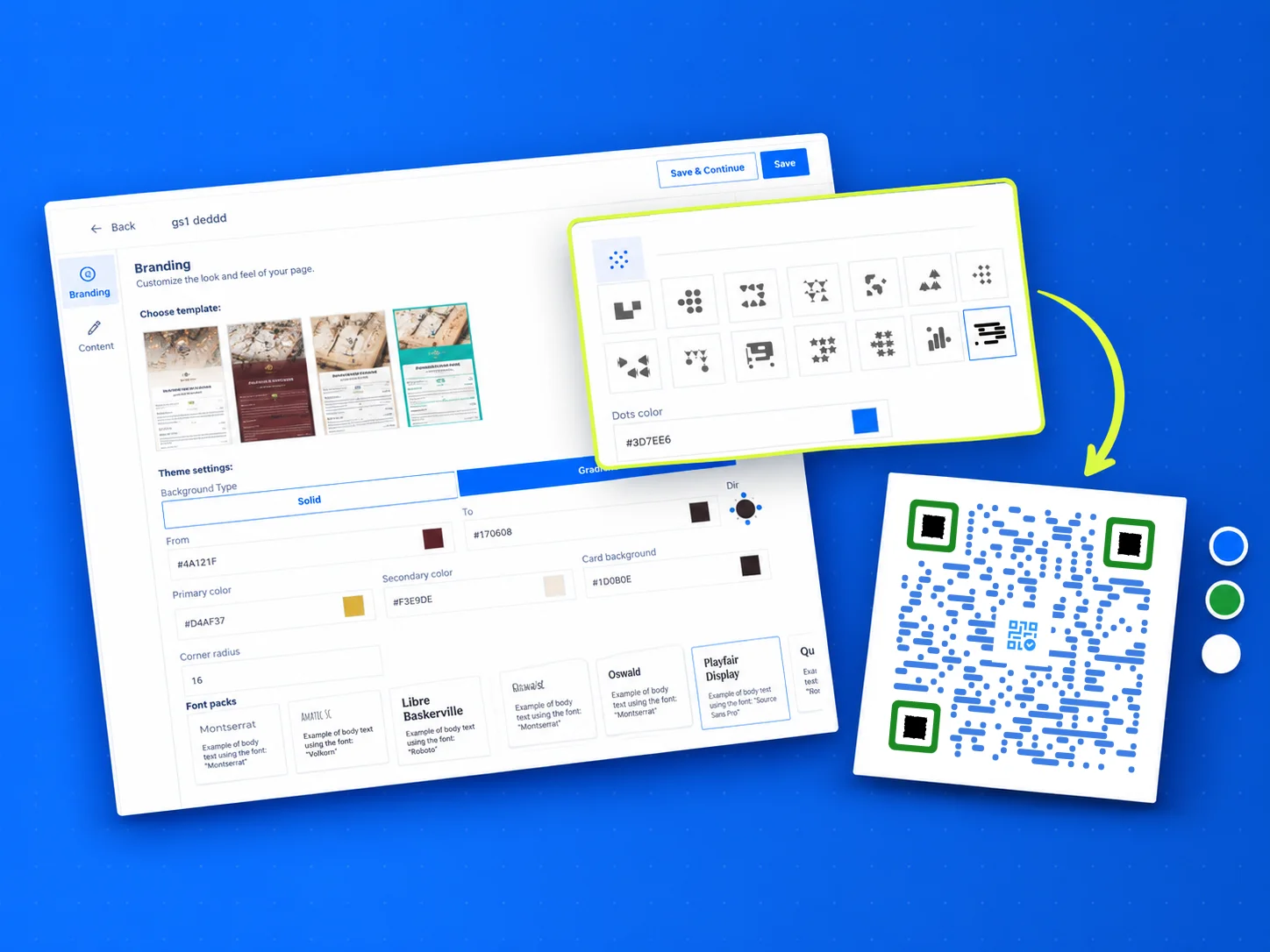
Make the code look like your brand
Set your colours, the shape of the dots and the corner squares, and drop your logo in the middle. Add a frame or start from a design template. Download PNG or vector SVG, with a transparent background when the code sits on coloured artwork, and use the same file on a business card or a banner.
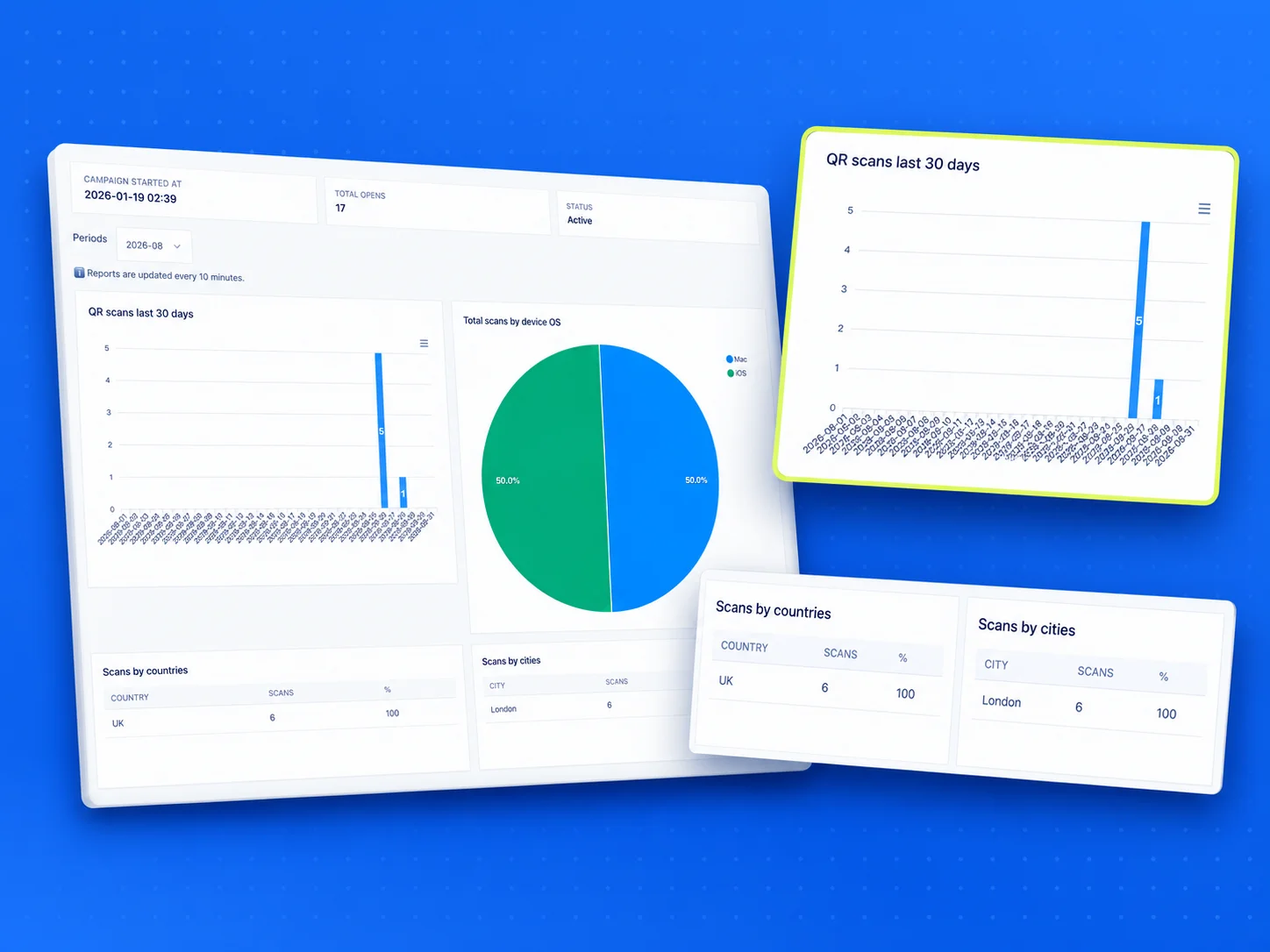
See when and where every code is scanned
Every dynamic code counts its scans: an all-time total, plus daily scans, country, city and operating system month by month. Compare the flyer with the poster, or one shop window with another, and stop guessing which print run works. Scans are unlimited on every plan, so a code that takes off never hits a ceiling.
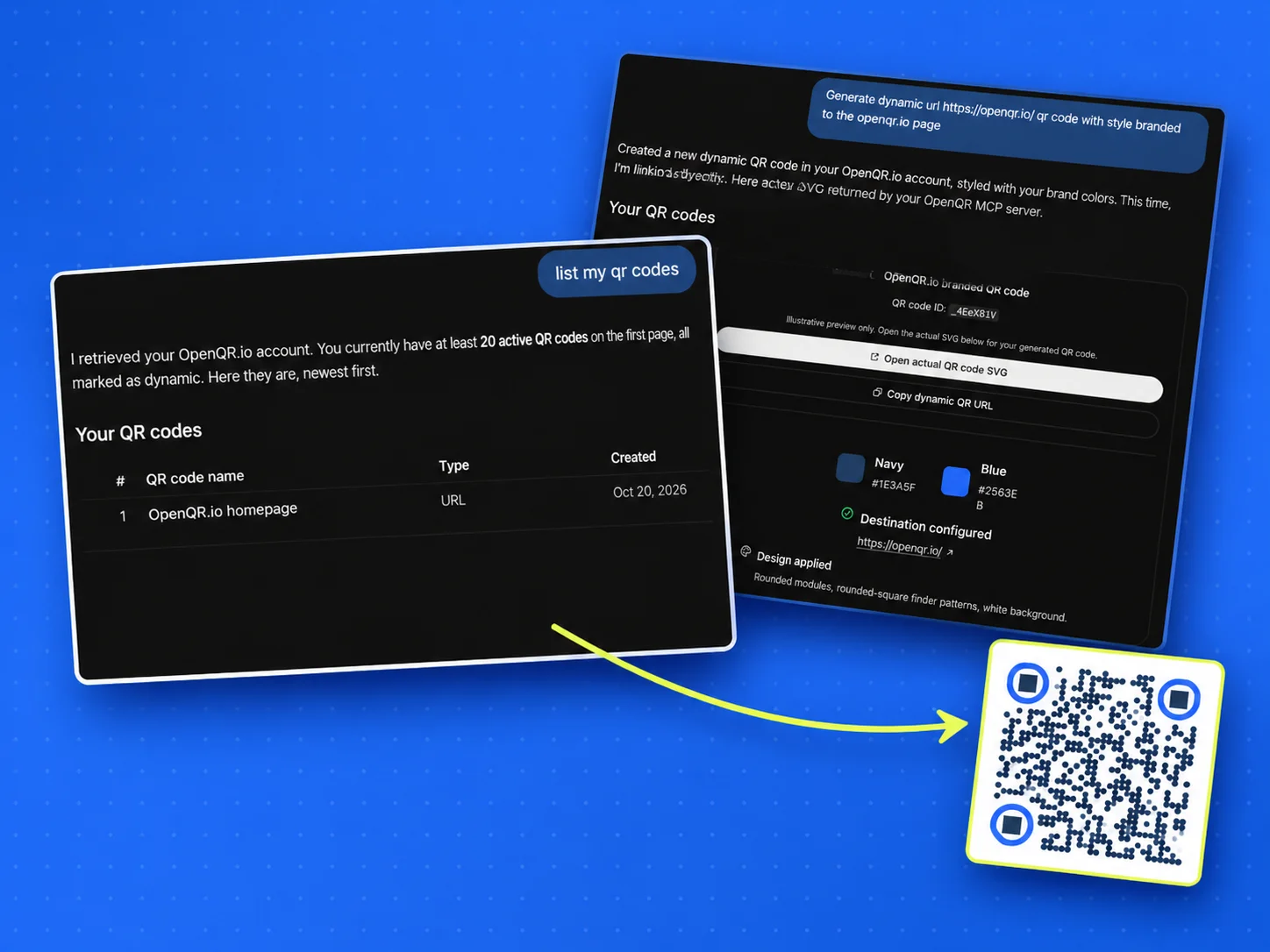
Create codes from your own app, or by asking Claude or ChatGPT
The REST API creates, updates and archives codes from your own software, which is how you make hundreds of personal codes in one run. The MCP server connects Claude, ChatGPT, Claude Code, Cursor and VS Code to your account, so you can ask for a dynamic code for the spring menu in plain words. Both are on every plan.
Small things that matter once your codes add up
Folders
Group codes by client, location or campaign so the one you need is two clicks away. Delete a folder and its codes stay in your account, moved out of the folder rather than deleted with it.
Your own domain
Dynamic codes can use your domain for the short link instead of ours, so the link a phone previews before opening is yours. Included on every plan, not saved for the top one.
Files built for print
SVG is vector, so one file scales from a 20 mm sticker to a shop window without going soft at the edges. PNG is there for slides, email and social posts.
GS1 Digital Link
Encode a product’s GTIN in the GS1 Digital Link format. One code on the pack carries the product identity and opens a web page when a shopper scans it with a phone.
Create any of these QR types
WHO USES OPENQR
One code. Endless ways to use it.
Pick your line of work to see how OpenQR codes get used there – every one is dynamic, trackable and editable after printing.
Restaurants and cafés
Menu codes on every table that follow the menu, not the print. Change a price or swap the lunch card in the dashboard, and add WiFi and review codes at the counter.
SEE: QR CODES FOR RESTAURANTSProduct brands and packaging
One code per product on the pack, pointing at instructions, ingredients or a reorder page. The print run stays where it is and the page behind it changes.
SEE: QR CODES FOR PRODUCT PACKAGINGEvents
Badges, tickets and posters that point at a schedule you can still change on the morning of the event. Scan counts show which poster spot pulled people in.
SEE: QR CODES FOR EVENTSHotels
Room cards for WiFi, breakfast hours and local tips, edited when the season changes instead of reprinted for every room.
SEE: QR CODES FOR HOTELSReal estate
Signs and window cards linked to the listing page. When the listing changes the sign follows, and scan counts show which property gets attention.
SEE: QR CODES FOR REAL ESTATERetail
Shelf labels, window stickers and receipts that link to reviews, a loyalty sign-up or this week’s offer, swapped whenever the offer changes.
SEE: QR CODES FOR RETAILWITHOUT OPENQR
- Printed codes that stop working the day a trial or plan ends
- A scan limit on the plan you can afford
- Your own domain and API kept for the most expensive plan
- A year paid upfront to get a fair monthly price
WITH OPENQR
- Codes keep scanning after a trial or plan ends, behind a short OpenQR screen
- Unlimited scans on every plan
- Custom domain, logo, API and MCP on every plan
- Monthly billing, with yearly as an option
What makes OpenQR different
Most QR code problems do not start at the printer. They start in the account behind the code. A dynamic QR code is a short link that redirects through the generator’s servers, so whoever runs those servers decides whether your menus, labels and posters keep working. With some generators a lapsed trial or a downgraded plan switches the redirects off, scans count against a monthly allowance, and the features you need sit in the top tier.
OpenQR works the other way round. Codes do not expire and scans are not counted against a limit. When a trial ends, your codes keep working behind a short OpenQR screen, and you can still see their scan reports and edit them. Every plan includes the same features and plans differ only in how many codes you can create. If you need more than the largest plan allows, write to us and we will put together a plan that fits.
OpenQR in four lines
Every plan, every code. There is no scan counter running down.
They keep working after a trial or plan ends, behind a short OpenQR screen.
Plans differ only in how many codes you can create. Nothing is held back for the top tier.
Create codes from your own software, or ask Claude or ChatGPT, on every plan.