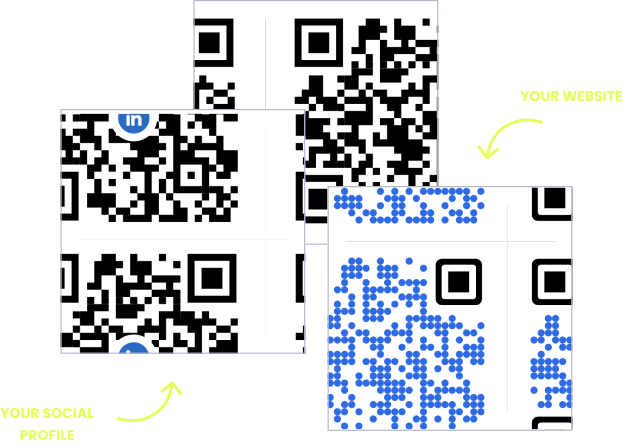
WITHOUT OPENQR
- Reprint in-room cards for every schedule or policy change
- Front desk answers the same WiFi question all day
- No idea which printed materials guests actually use
- Generic codes with no logo, color, or branding
WITH OPENQR
- Update guest info live in every room at once
- Guests connect to WiFi in one scan, no password
- Track scans by room, floor, and time of day
- Fully branded with your logo, colors, and fonts
Hotels deserve smarter QR codes
The in-room guest directory is the most outdated document in hospitality. Breakfast hours shift with the season, the spa closes for maintenance, checkout policies change – and the laminated binder on the desk still says what it said last year. Reprinting for every room means design time, printing costs, and housekeeping rounds to swap them all out.
A dynamic QR code from OpenQR points to a guest page you control, not a card you reprint. Update the breakfast times, add a pool closure notice, or swap the seasonal activities list, and every room shows the new version instantly. The printed code on the nightstand never changes – only what it opens. And because every scan is tracked, you know exactly which rooms and placements your guests actually use.
HOW HOTELS USE OPENQR
One code. Endless ways to use it.
Pick the right QR type for the job – every one is dynamic, trackable, and editable long after it is printed.
A guest directory that is never outdated
Replace the printed compendium with a code on the desk or door. Upload your guest directory as a PDF and OpenQR hosts it – no website project needed. Change the breakfast hours once and every room is current.
USES: PDF QR CODEWiFi in every room, zero passwords
A WiFi code on the nightstand connects guests automatically – no password card to squint at, no calls to reception, no typos on the third try. Change the network password once in the dashboard, not on hundreds of printed cards.
USES: WIFI QR CODEReviews while the stay is still fresh
The best review request happens at checkout, not in an email three days later. A code at the front desk or on the key card sleeve takes departing guests straight to your Google review form in one scan.
USES: URL QR CODERoom service and amenity bookings
A code by the phone opens your room service menu, spa booking page, or late checkout request. Guests order on their own time, and you swap the destination whenever your booking system changes.
USES: URL QR CODEA local guide guests actually keep
Point a code at your concierge picks: restaurants, walking routes, events this week. Update it every season – or every weekend – while the printed card in the room stays the same.
USES: URL QR CODEHotel restaurant digital menus that update instantly
No more reprints every time a price changes or a dish sells out. Upload your menu PDF and OpenQR hosts it – no website needed. Update it in the dashboard and every code in the restaurant reflects it immediately.
USES: PDF QR CODEThree tips from hotels that get scans
Nightstand beats hallway
Guests scan where they pause with their phone already in hand: the nightstand, the desk, inside the room door. Codes in corridors and elevators get walked past.
Watch the acrylic glare
Glossy acrylic stands under warm bedside lamps reflect light and block scans. Test every holder in evening room lighting before ordering for the whole property.
Label every code
“Scan for WiFi” and “Scan for guest guide” are two different promises. An unlabeled code next to the phone gets ignored; a labeled one gets used.
Built for busy hotels
Guest directory hosting
Upload your compendium as a PDF and OpenQR serves it to every guest. No website project, no IT ticket, no reprint run.
Update mid-stay
Pool closed for maintenance? Change the notice from your phone and every room shows it before the next guest picks up their key.
Scan analytics per room
Separate codes for floors, suites, and common areas show where guests engage. GDPR compliant with no IP addresses stored – it matters for international guests.
One page for everything
The landing page builder puts WiFi access, the guest directory, review links, and your local guide behind a single code on the nightstand.
QR solutions hotels use most
How OpenQr helps you
Boost engagement and insights through dynamic, customizable QR codes.

Track every scan and optimize smarter
Know exactly when, where, and how your QR Codes are scanned. See device types, locations, and scan frequency – and use data to improve your campaigns and boost ROI.
Read more
Make every QR code uniquely yours
Customize your QR Codes with brand colors, logos, call-to-action text, and even creative frames or edges. Stand out, stay on-brand, and drive more engagement from every scan.
Read more
Update links anytime – even after printing
Dynamic QR codes let you change your URL or content at any time without needing to reprint. Perfect for guest directories, seasonal amenities, or fixing mistakes on the fly.
Read moreNo credit card required
What a QR code system replaces in a hotel
Everything printed in a hotel room is a maintenance liability. Guest directories, WiFi cards, spa menus, breakfast schedules, local guides – each one goes out of date on its own timetable, and each update multiplies across every room on the property. A fifty-room hotel does not make one correction; it makes fifty, plus the housekeeping rounds to distribute them.
Dynamic QR codes collapse that multiplication back to one. The printed code in each room is permanent; the content behind it lives in a dashboard and changes once for the whole property. The reprint budget approaches zero, and so does the lag between a change happening and guests knowing about it. You can compare the economics yourself in our free vs paid QR generator guide.
Hotel rooms are also unusually good QR territory. A guest alone in a room with time, intent, and their phone in hand is the ideal scanning situation – unlike street posters that compete with traffic and hurry. That is why the highest-value placements are inside the room: the nightstand, the desk, beside the phone. Placement strategy matters more than code count; our guide to QR placement covers the principles.
The quiet operational win is at the front desk. Every WiFi password recited, every breakfast-hours question, every “what should we do nearby” is a minute of staff time a code can hand back. Start with WiFi and the guest directory, then add review and concierge codes as each one proves itself – every code is a separate, trackable experiment.
Update the guest directory once in the dashboard. Every room on the property is current instantly.
A guest in a room with phone in hand is the ideal scanning situation. The nightstand is prime placement.
The printed code is permanent. Content changes happen behind it, not at the printer.
WiFi, hours, and local tips answer themselves. Staff time goes back to service.