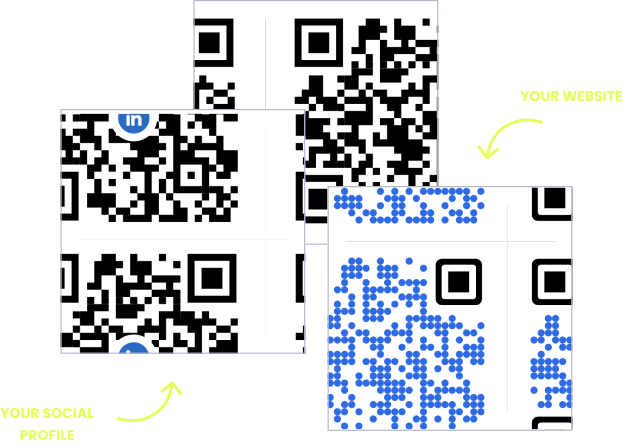
WITHOUT OPENQR
- Printed programs wrong the moment the schedule changes
- Registration link changes break every printed poster
- No idea whether badges, banners, or slides drive scans
- Signage becomes waste the day the event ends
WITH OPENQR
- Print early, update the program until the last minute
- Swap the destination anytime – printed codes never break
- Track scans per placement, hour by hour
- Redirect codes after the event to slides, photos, or next year
Events deserve smarter QR codes
Every event has the same impossible deadline: materials go to the printer weeks in advance, but the schedule is not final until the night before. A speaker cancels, a session moves rooms, the workshop swaps time slots – and the printed program in every attendee’s hand is wrong before the doors open.
A dynamic QR code from OpenQR splits that deadline in two. Print the badges, banners, and table cards as early as you like – the code on them points to a program you control from your dashboard. Change a room, update a speaker, push a last-minute announcement, and every printed code shows the new version instantly. From conferences to university sports competitions, the printed material stays right because the content behind it stays live.
HOW EVENT TEAMS USE OPENQR
One code. Endless ways to use it.
Pick the right QR type for the job – every one is dynamic, trackable, and editable long after it is printed.
A program that survives schedule changes
Upload the event program as a PDF and OpenQR hosts it – print the code on badges and banners weeks early. When a session moves or a speaker changes, update the PDF once and every attendee sees the current schedule.
USES: PDF QR CODERegistration that fills itself
A code on posters, flyers, and social graphics takes people straight to your registration page – no URL to remember or mistype. If you switch ticketing platforms, swap the destination and every printed poster keeps working.
USES: URL QR CODEVenue WiFi without the announcement
A WiFi code on table cards and lanyard inserts connects attendees automatically – no network name read from the stage, no password on a slide. Change the venue password once in the dashboard, not on every printed card.
USES: WIFI QR CODEFeedback while the event is still fresh
The honest feedback window closes fast. A code on the badge or the exit banner opens your feedback form while impressions are minutes old, not days. Point it at any form tool you already use.
USES: URL QR CODESignage with a life after the event
When the event ends, the banners do not have to die. Redirect the same codes to session recordings, the photo gallery, or next year’s registration – the printed signage keeps earning long after teardown.
USES: URL QR CODEThree tips from event teams that get scans
Size for the scanning distance
A rule of thumb: the code should be about one tenth of the distance it will be scanned from. A badge scans from a handshake away; a stage banner needs to work from the back row. Size them differently.
Give slides time
A code on a presentation slide needs to stay on screen long enough for a room to notice it, raise phones, and scan. Put it in a corner of several slides instead of flashing it once.
One code per placement
Badges, banners, posters, and slides each get their own code pointing to the same page. After the event, the analytics tell you exactly which channel earned its production cost.
Built for busy event teams
Print early, finalize late
Send materials to the printer weeks ahead. The program behind the code stays editable until the doors open – and after.
Update mid-event
Room change at lunch? Push the update from your phone and every badge and banner shows the new schedule immediately.
Scan analytics per placement
Separate QR codes for badges, banners, and slides show which channel drives engagement, hour by hour. GDPR compliant, no IP addresses stored.
One page for everything
The landing page builder puts the agenda, venue map, WiFi, and feedback form behind a single code on every badge.
QR solutions event teams use most
How OpenQr helps you
Boost engagement and insights through dynamic, customizable QR codes.
Track every scan and optimize smarter
Know exactly when, where, and how your QR Codes are scanned. See device types, locations, and scan frequency – and use data to improve your campaigns and boost ROI.
Read more
Make every QR code uniquely yours
Customize your QR Codes with brand colors, logos, call-to-action text, and even creative frames or edges. Stand out, stay on-brand, and drive more engagement from every scan.
Read more
Update links anytime – even after printing
Dynamic QR codes let you change your URL or content at any time without needing to reprint. Perfect for schedule changes, last-minute room swaps, or fixing mistakes on the fly.
Read moreNo credit card required
What a QR code system replaces at an event
Event materials live on two clocks that never agree. Print production needs the design finished weeks in advance; the event itself keeps changing until the doors open, and sometimes after. Traditionally, organizers resolve the conflict by printing late and paying rush fees, or printing early and handing out wrong programs. A dynamic QR code removes the conflict: the printed piece is final early, and the content behind it is final never.
The economics compound with volume. An event prints in batches – hundreds of badges, dozens of banners, thousands of flyers – and one schedule change can invalidate all of them at once. With dynamic codes, the correction happens once in the dashboard and costs nothing. Our free vs paid QR generator guide breaks down the reprint math in detail.
Events are also unusually scan-friendly territory: attendees have phones in hand, downtime between sessions, and active reasons to scan – the agenda, the map, the WiFi. The work is in placement, not persuasion. Badges scan at handshake distance, banners from across a hall, slides from the back row, and each placement needs its own size and its own code. Our guide to QR placement covers the principles.
Then there is the part most organizers miss: the event ends, but the codes do not. Redirect the banner code to session recordings, the badge code to a feedback form, the poster code to next year’s registration. Feedback collected while impressions are fresh is worth more – our QR survey guide covers how to set that up. The signage you paid for keeps working until you decide otherwise.
Materials go to the printer weeks ahead. The program behind the code stays editable to the last minute.
Redirect codes after teardown to recordings, photos, or next year’s registration.
A schedule change updates once in the dashboard – not across hundreds of badges and banners.
A code on the badge opens the feedback form while impressions are minutes old, not days.