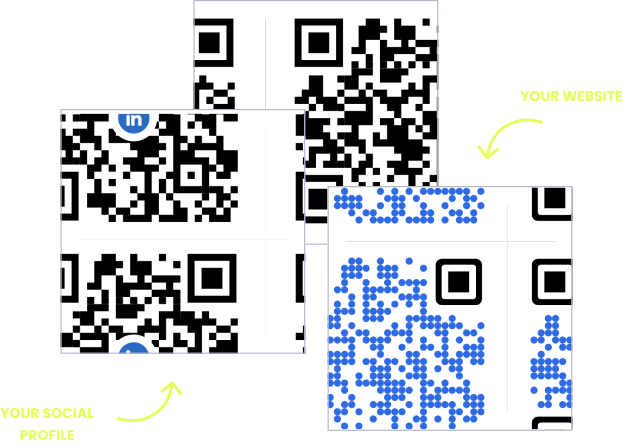
WITHOUT OPENQR
- Reprint menus every time a price or dish changes
- No way to know how many guests scanned your code
- Generic codes with no logo, color, or branding
- Code breaks if you switch platforms or hosting
WITH OPENQR
- Update your menu live – no reprint, no delay
- Track every scan by time, location, and device
- Fully branded with your logo, colors, and fonts
- Codes never break, even if your plan changes
Restaurants deserve smarter QR codes
Paper menus and printed table tents freeze your business in time. The moment you 86 a dish, change a price, or launch a seasonal special, every laminated card on the floor is suddenly wrong – and reprinting them means a trip to the printer, a stack of waste, and a day of lag.
A dynamic QR code from OpenQR points to a menu you control, not a file you reprint. Change a price, swap a photo, or pull a sold-out item and the update is live on every table instantly. The code on the table never changes – only what it shows. And because every scan is tracked, you finally know which tables, hours, and locations actually read the menu.
HOW RESTAURANTS USE OPENQR
One code. Endless ways to use it.
Pick the right QR type for the job – every one is dynamic, trackable, and editable long after it is printed.
Digital menus that update instantly
No more reprints every time a price changes or a dish sells out. Upload your menu PDF and OpenQR hosts it – no website needed. Update it in the dashboard and every code in the restaurant reflects it immediately.
USES: PDF QR CODEReviews that come in on autopilot
The best moment to ask for a review is right after a good meal. A code on the receipt or table card takes guests straight to your Google review form in one scan – more reviews, more credibility, without asking every time.
USES: URL QR CODEWiFi without repeating the password
Staff answer the WiFi question dozens of times a night. A WiFi code on the table connects guests automatically – no password to spell out, no typos, no interruptions during the rush.
USES: WIFI QR CODETableside ordering and pay
Splitting checks and flagging down servers slows every turn. A code at each seat opens your ordering or payment page so guests order a second round and settle up on their own time. Swap the destination whenever you change providers.
USES: URL QR CODEDaily specials without the reprint
Change the URL behind your specials code each morning. The same printed card, the same QR – a fresh page every day. When the promotion ends, point the code somewhere new.
USES: URL QR CODEThree tips from restaurants that get scans
Size for the table, not the flyer
Print codes at least 2 x 2 cm and test a scan from a seated position in your dimmest corner before printing the full batch.
Mind the laminate glare
Glossy lamination reflects overhead lights and blocks scans. Use matte finishes for table tents and check them at night.
One code per job
Keep menu, review, and feedback codes separate (or on one landing page). Always add a short label like “Scan for menu” – an unlabeled mystery code gets ignored, a labeled one gets scanned.
Built for busy restaurants
PDF menu hosting
Upload your menu PDF and OpenQR serves it to every guest. No website, no web designer, no extra hosting bill.
Menu changes in seconds
86 a dish from your phone during service. Every table card shows the updated menu before the next guest sits down.
Scan analytics
A separate code for the patio, the bar, and the window tells you where and when guests actually engage. GDPR compliant, no IP addresses stored.
One page for everything
The landing page builder puts your menu, Google review button, WiFi access, and social links behind a single code on the table.
QR solutions restaurants use most
How OpenQr helps you
Boost engagement and insights through dynamic, customizable QR codes.
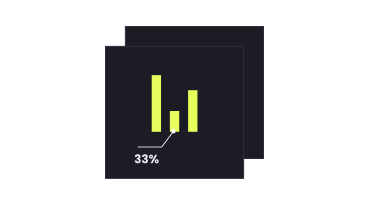
Track every scan and optimize smarter
Know exactly when, where, and how your QR Codes are scanned. See device types, locations, and scan frequency – and use data to improve your campaigns and boost ROI.
Read more
Make every QR code uniquely yours
Customize your QR Codes with brand colors, logos, call-to-action text, and even creative frames or edges. Stand out, stay on-brand, and drive more engagement from every scan.
Read more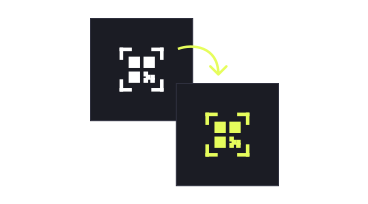
Update links anytime – even after printing
Dynamic QR codes let you change your URL or content at any time without needing to reprint. Perfect for menu updates, rotating specials, or fixing mistakes on the fly.
Read moreNo credit card required
What a QR code system replaces in a restaurant
Restaurants, hotel restaurants and hospitality lead every industry in QR adoption, with around 75% already using QR codes in daily operations (Wave Connect, 2026). The reason is practical, not trendy: a restaurant menu is the fastest-changing document in any small business. Prices move with ingredient costs, dishes rotate with seasons, and items sell out mid-service. Print freezes all of that in place; a dynamic code keeps it live.
The economics follow from reprint frequency. Every menu change on paper means design time, printer costs, and delivery lag – and the old cards go straight to the bin. With a dynamic QR code the printed table card is permanent and only the destination changes, so the reprint line in your budget approaches zero. You can estimate your own savings with our reprint cost comparison in the free vs paid QR generator guide.
Placement is the other half of the equation. Table cards are the single highest-performing QR placement measured anywhere – guests sitting at a table with time and intent scan at rates no poster or flyer can match. That makes the restaurant floor uniquely suited to QR workflows: menus, review requests, WiFi access, and ordering all reach the guest at the exact moment they need them.
The result is a quieter kind of efficiency: fewer interruptions for staff, no wrong menus in circulation, and a running record of guest engagement you never had with paper. Start with the menu, then add review and WiFi codes as they prove themselves – each one is a separate, trackable experiment.
Restaurant table cards are the best of any QR placement.
About 75% of restaurants and hospitality businesses already use QR codes daily (Wave Connect, 2026).
The printed code is permanent. Menu changes happen in the dashboard, not at the printer.
Pull a sold-out dish from your phone. Every table shows the new menu immediately.