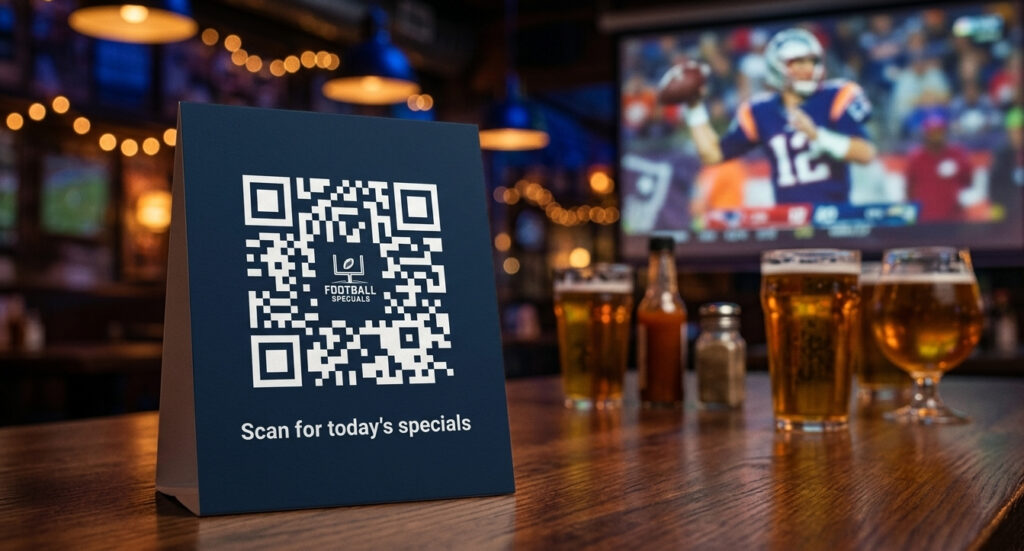
It is matchday. Your bar is packed. A fan at table 6 wants to order another round but the bartender is three people deep at the bar – and they are not leaving their seat while the penalty shootout is live. That gap between “wants to order” and “actually orders” is where sports bars lose money on their busiest nights. A dynamic QR code on every table closes it in seconds.
- Dynamic QR codes let you update your bar menu, specials, and promotions in real time – no reprinting needed.
- Restaurant table cards with QR codes achieve a 72% scan rate, the highest of any placement type (IMQRScan, 2026).
- Sports bars can use one QR code per table for menus, matchday specials, WiFi, loyalty sign-ups, and social follows.
- The World Cup 2026 (June 11 – July 19) is the highest-footfall period of the year for many venues – the right setup now converts that traffic into repeat customers.
- A labeled QR code (“Scan for matchday menu”) scans 37% more than a bare code (IMQRScan, 2026).
- All QR codes created with trackable analytics show real-time scan data by table zone, time of day, and device – useful for live events.
- Start free: 14-day trial, no credit card required.
1. Why Sports Bars Need Dynamic QR Codes (Not Static)
There are two types of QR codes: static and dynamic. For a bar or sports venue, the difference matters more than in almost any other setting.
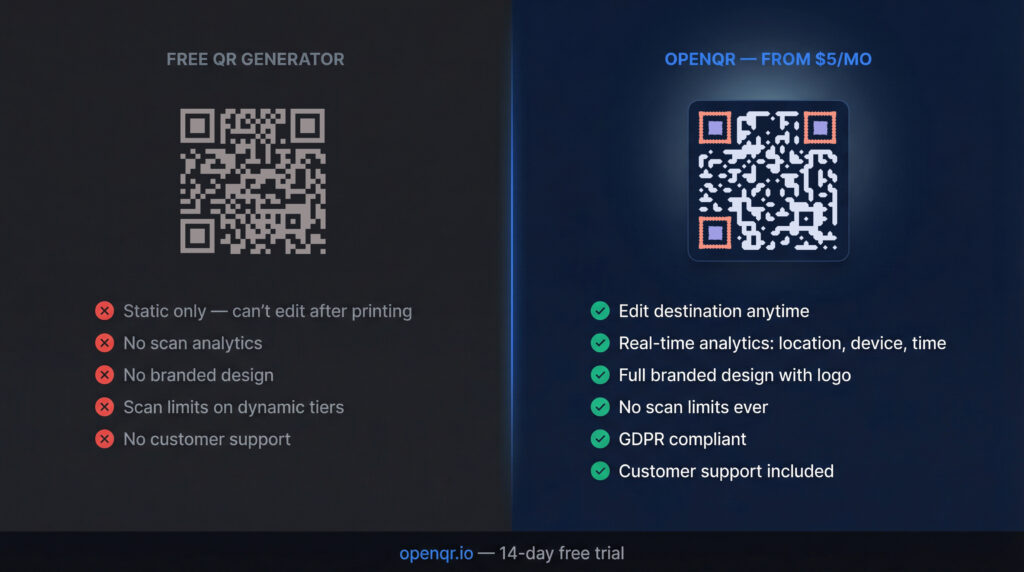
A static QR code encodes a fixed URL into the pattern itself. Once you print it, the destination is locked. If your happy hour menu changes, your World Cup special sells out, or a keg blows – you cannot update the code. You print again. Every coaster, every table tent, every window sticker has to be replaced. That costs money and time you do not have at 8pm on a matchday.
A dynamic QR code stores a short redirect URL instead. The printed code never changes – but what it points to can be updated from your dashboard in under a minute. Your Pilsner special runs out at half-time? Remove it from the menu in ten seconds. The next fan who scans sees the current offer, not an embarrassing “out of stock” page. No reprinting. No explaining to staff. No wasted money on materials.
For sports venues and bars specifically, dynamic codes also unlock one critical feature that static codes cannot offer: real-time analytics. Every scan is logged by time, device type, and location. During a live event, you can watch scan activity climb as the match kicks off and track which table zones are most engaged. That data shapes smarter promotions over time.
2. Five Ways to Use QR Codes in a Sports Bar or Venue
A QR code is not just a link to your PDF menu. The most effective setups in 2026 use a small stack of codes – each with a specific job – rather than one catch-all code that tries to do too much.
1. Live matchday menu with rotating specials
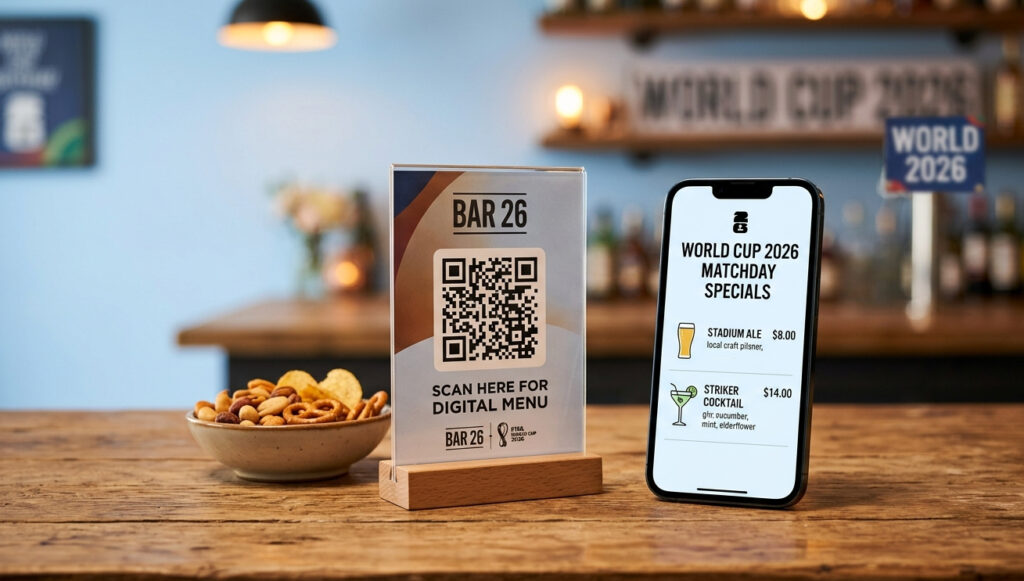
This is the core use case. A dynamic QR code for your restaurant or bar menu sits on every table. Fans scan to see your current drinks list, food options, and any live specials – without flagging down a server. When the World Cup knockout stage starts and you want to push a “Golden Boot cocktail” at half-time, you add it to the linked page in minutes. When it sells out, you remove it instantly. The printed code on the table never moves.
2. Matchday landing page with event information
For major events – Champions League finals, World Cup group stage matches, Super Bowl – create a dedicated landing page using OpenQR’s built-in event QR code feature. It can show the match schedule, your viewing areas, booking information, and any exclusive offers tied to the event. Update the page for each round of the tournament without touching the printed code displayed at your entrance or on your promotional materials.
3. WiFi access
A WiFi QR code at the entrance or bar top connects guests instantly without them having to ask for a password. This is a low-effort setup that removes a friction point on busy nights when staff are stretched. Guests who connect to your WiFi also stay longer – and staying longer means ordering more.
4. Loyalty sign-up and email capture
The World Cup runs for 39 days. The fans filling your bar over that period are a warm audience – they already like your venue. A QR code linked to a simple sign-up form (“Enter your email for our half-time prize draw”) converts matchday footfall into a lasting marketing list. Venues that connect QR scans to loyalty sign-ups consistently report higher return visit rates than those relying on one-time promotions alone (Modern Restaurant Management, 2026).
5. Social follow and post-visit review prompt
A QR code on the receipt or at the exit links to your Google review page or Instagram profile. Fans leaving after a big win are in the best possible mood to leave a positive review – all they need is the prompt. This is one of the highest-ROI uses of a QR code in a venue context because it costs nothing to run and builds social proof that drives future bookings.
3. Setting Up Your First QR Code: Step-by-Step
Setting up a dynamic QR code for your bar takes under five minutes. Here is the exact process using OpenQR.
- Create your account. Go to OpenQR’s dashboard and start your free 14-day trial. No credit card required.
- Choose your QR type. For a menu, choose URL and paste the link to your digital menu page or PDF. For WiFi, choose the WiFi type and enter your network name and password. For an event page, choose URL and link to your event landing page.
- Brand your code. Add your bar’s logo to the centre of the code and set your brand colours. A branded code builds trust and scans at a higher rate than a bare black-and-white square.
- Download in SVG format. SVG scales without quality loss – essential for print on table tents, coasters, and window stickers at any size.
- Print and place. See Section 4 for placement guidance. Add a clear label (“Scan for today’s menu” or “Scan for matchday specials”) next to the code – labeled codes scan 37% more than unlabeled ones (IMQRScan, 2026).
From this point, any time your menu changes, your special sells out, or you want to update your event information – log into your OpenQR dashboard and update the linked URL. The printed code on your tables does not change. Your customers always see the current version.
If you want to understand the full difference between editable vs fixed QR codes before committing, that guide walks through every scenario in detail.
4. Where to Place QR Codes in Your Venue
Placement determines scan rate more than almost any other factor. A QR code that is hard to find, too small to scan, or presented without context will be ignored. These are the placements that consistently perform in bar and sports venue settings.
| Placement | Best use | Notes |
|---|---|---|
| Table tent (centre of table) | Menu, specials, loyalty | Highest scan rate – 72% (IMQRScan, 2026). Minimum 2.5 x 2.5 cm print size. |
| Bar top | WiFi, menu, order link | Catches customers waiting to order. Laminate for durability. |
| Entrance / door | Event info, booking, specials | Sets expectations before guests sit down. A3 or larger works well. |
| Window sticker (exterior) | Match schedule, today’s specials | Captures passing foot traffic before they enter. Update via dashboard. |
| Coasters | Menu, social follow | Low cost to print in bulk. Works well alongside branded design. |
| Receipt or bill folder | Review prompt, loyalty sign-up | Best time to capture a review – fan is in post-match mood. |
For sizing, the 1:10 rule applies: the printed QR code should be at least 1/10th of the expected scan distance. A table tent scanned from 45cm away needs a minimum 4.5cm code. In low-light bar environments, err on the side of larger – a 6x6cm code on a table tent removes any scanning uncertainty.
Review QR code best practices for a full guide on sizing, contrast, quiet zones, and error correction levels for print environments.
5. Tracking What Works During Live Events
One of the most underused features of dynamic QR codes in a bar setting is the analytics. During a live event – a World Cup match, a Champions League final, a Super Bowl night – your dashboard gives you a live view of scan activity across your venue.
Practical things you can see in real time with OpenQR’s tracking:
- Peak scan times. Scans spike at kick-off, at half-time, and at full-time. This tells you exactly when fans are on their phones – and when to push a timed special.
- Table zone performance. If you use separate codes per seating zone (easily done in OpenQR), you can see which areas of your venue are most engaged. The standing area near the main screen might scan twice as often as the back tables. That tells you where to concentrate your promotional signage.
- Device split. Knowing whether your audience is 70% iOS or Android helps if you are linking to an app download or a platform-specific loyalty program.
- Repeat scans vs. unique scans. A high ratio of repeat scans on a menu code suggests fans are coming back to check for updated specials – which means the dynamic update feature is actively driving behaviour.
After the tournament ends, this scan data gives you a benchmark. You know your peak night, your highest-performing placement, and your total engaged audience from the event period. That is the foundation for planning the next major sporting event.
6. Key Stats: QR Codes in Hospitality 2026
7. Frequently Asked Questions
What is the difference between a static and dynamic QR code for a bar?
A static QR code encodes a fixed destination that can never be changed after printing. A dynamic QR code stores a redirect URL, so you can update what the code points to at any time from your dashboard. For a bar where menus, specials, and events change regularly, dynamic is the correct choice – it means you never have to reprint your table tents, coasters, or window stickers just because the content changed.
How much does it cost to set up QR codes for my sports bar?
OpenQR’s Starter plan is $5 per month and includes 10 dynamic codes – enough for most small to medium venues. A bar with 20 tables might use the Life plan at $11 per month (50 codes), covering every table plus entrance, bar top, and window placements. All plans include a 14-day free trial with no credit card required, so you can test the full setup before committing. For context on what paid plans offer versus free tools, see the free vs paid QR code generator comparison.
Can I update my bar’s QR code without reprinting it?
Yes – this is the core advantage of a dynamic QR code. The printed code on your table never changes. You update the destination URL in your OpenQR dashboard and the change takes effect immediately. The next scan after your update shows the new content. This is covered in detail in the guide on how to create an editable QR code.
How many QR codes does a typical sports bar need?
A practical setup for a medium-sized venue uses four to six distinct codes: one per table (or one per zone if you have many tables), one for the bar top, one for WiFi, one for the entrance or window, and optionally one for the receipt or exit prompt. Each code has a single purpose – menu, event info, WiFi, loyalty sign-up, or review request. Separating them keeps the analytics clean and gives you a clear read on which touchpoints drive the most engagement.
How should a sports bar use QR codes during the World Cup 2026?
The FIFA World Cup 2026 runs June 11 to July 19 across the US, Canada, and Mexico – 39 days of consistent matchday footfall. The highest-impact setup is a dynamic menu code on every table updated before each match session (group stage specials, knockout round promotions), a matchday landing page accessible via a QR at your entrance showing the day’s schedule and your viewing areas, and an email capture code on the table or receipt to convert one-time World Cup visitors into recurring customers. All of these can be set up in a single OpenQR account and updated without touching the printed materials.
Are QR codes GDPR-compliant for a bar in Europe?
OpenQR is GDPR and CCPA compliant. The platform does not store IP addresses from scans – scan analytics are aggregated by region, device type, and time rather than tied to individual users. For a bar collecting email addresses through a QR-linked sign-up form, standard GDPR rules apply to the form itself (clear consent, opt-in, privacy policy link) – the QR code is simply the delivery mechanism and does not create additional compliance obligations.
Set Up Your Matchday QR Codes Today
Start your free 14-day trial and have your first dynamic QR code live before the next match. No credit card required.