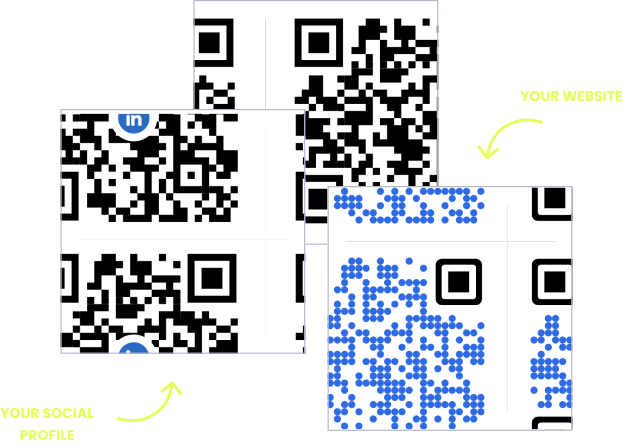
WITHOUT OPENQR
- Revised safety sheets mean relabeling every unit
- Asset tags point to documents that are already outdated
- Reprinting durable labels for every procedure change
- No record of which labels and signs staff actually use
WITH OPENQR
- Update the document behind the label, not the label
- One code per asset opens its current manual and log
- Dock and zone signs edited from the dashboard
- Scan analytics show which references get used
Supply chains deserve smarter QR codes
A supply chain runs on documents and labels that outlive their contents. A safety data sheet is printed onto a drum that lasts years while the sheet gets revised. An asset tag is riveted to a forklift while the maintenance log behind it changes weekly. A dock sign points to a receiving procedure that updates every quarter. Reprint and re-apply each change across a warehouse, and the labels are out of date before the paint dries.
A dynamic QR code from OpenQR separates the durable label from the changing content. The code on the drum, the tag, or the dock sign stays put; the document, procedure, or contact it opens lives in your dashboard and updates in one place. Print the physical label once, to last, and keep the information behind it current forever. For teams generating codes at scale, the OpenQR API puts the same control into your own systems.
HOW OPERATIONS TEAMS USE OPENQR
One code. Endless ways to use it.
Pick the right QR type for the job – every one is dynamic, trackable, and editable long after it is printed.
Shipping and customs documents on demand
Link a code to the packing list, delivery note, or customs paperwork as a PDF. Staff and inspectors open the current document in a scan instead of digging through a folder – and a revision replaces the file for everyone at once.
USES: PDF QR CODEAsset tags that carry their own history
A durable code on a forklift, container, or pallet rack opens its manual, inspection log, or maintenance record. Riveted on once; the document behind it updates every time the asset is serviced.
USES: URL QR CODESafety data sheets that stay compliant
Print the code onto the container or the storage rack. It opens the current safety data sheet or handling procedure – and when the SDS is revised, you update the file, not every drum in the warehouse.
USES: PDF QR CODEDock, zone, and location signage
A code on a loading dock or storage zone opens its receiving procedure, contact, or current instructions. Change the procedure in the dashboard and every sign in the facility reflects it – no reprinting the wall.
USES: URL QR CODEThe right contact at the point of need
A code by a machine or a dock door opens the supervisor’s or supplier’s direct contact – who to call when something is wrong, right where the problem is, without hunting through a directory.
USES: VCARD QR CODEThree tips for logistics QR codes that survive the floor
Print for the environment
Warehouse and outdoor codes meet abrasion, sun, moisture, and forklifts. Use industrial label stock or etched plates, not paper, and place codes where they will not be scraped or crushed in normal handling.
Size for a gloved scan from distance
Workers scan on the move, sometimes gloved, often from a step back. Print codes larger than you would for a desk, with high contrast and generous quiet space, so a scan lands on the first try.
Label every code with its job
“Scan for SDS”, “Scan for manual”, “Scan for receiving procedure”. On a busy floor an unlabeled code is noise; a labeled one tells a worker exactly what they will get.
Built for operations teams
Documents behind durable labels
Manuals, SDS, packing lists – hosted as PDFs and opened by a code printed once onto the asset. Revisions replace the file, not the label.
Update without relabeling
A changed procedure or revised sheet is a dashboard edit. Every code across the facility shows the new version with nothing re-applied.
Scan analytics on references
See which documents, tags, and zone signs actually get scanned, and when. GDPR compliant, no IP addresses stored.
API for your own systems
Generate and manage codes programmatically with the OpenQR API – the same control, built into your WMS or asset system.
QR solutions operations teams use most
How OpenQr helps you
Boost engagement and insights through dynamic, customizable QR codes.
Track every scan and optimize smarter
Know exactly when, where, and how your QR Codes are scanned. See device types, locations, and scan frequency – and use data to improve your campaigns and boost ROI.
Read more
Make every QR code uniquely yours
Customize your QR Codes with brand colors, logos, call-to-action text, and even creative frames or edges. Stand out, stay on-brand, and drive more engagement from every scan.
Read more
Update links anytime – even after printing
Dynamic QR codes let you change your URL or content at any time without needing to reprint. Perfect for revised safety sheets, updated procedures, or documents that change while the label stays put.
Read moreNo credit card required
What a QR code system replaces in a supply chain
The defining tension in logistics is that the physical world is durable and the information about it is not. A label riveted to a container is meant to last years; the manual, procedure, or safety sheet it refers to is revised on a completely different schedule. Traditionally the two are reconciled by relabeling – reprinting and re-applying documentation across every affected unit whenever anything changes. It is slow, it is error-prone, and there is always a batch that gets missed.
A dynamic QR code inverts the relationship. The durable label becomes a permanent pointer, and the content it opens becomes the thing that changes – once, in a dashboard, for every unit at the same moment. A revised safety data sheet reaches every drum without anyone touching a drum. A new receiving procedure updates every dock sign without reprinting a wall. The physical layer stops needing to keep up with the information layer. Our free vs paid QR generator guide covers the cost side.
It is worth being precise about what this is and is not. OpenQR codes are durable pointers to content you control – documents, procedures, asset records, locations, contacts. They are not a per-parcel tracking system that updates a shipment status at each checkpoint; that is a warehouse management platform with backend integration. Where OpenQR fits a supply chain is the standing infrastructure: the assets, the storage, the docks, the standard documents that many people reference and someone occasionally updates.
For teams that do want QR generation woven into their own operations at scale – a code minted automatically for every new asset or SKU – the OpenQR API exposes the same create, manage, and redirect capabilities to your systems. Start manually with the highest-friction documents (safety sheets and equipment manuals are the usual first win), prove the workflow, then automate it through the API when the volume justifies it.
A revised document reaches every unit from the dashboard. Nothing gets re-applied.
Assets, storage, docks, and standard documents – the references many people use.
The label is printed to last. What it opens stays as current as today.
Generate and manage codes programmatically once the volume justifies automation.