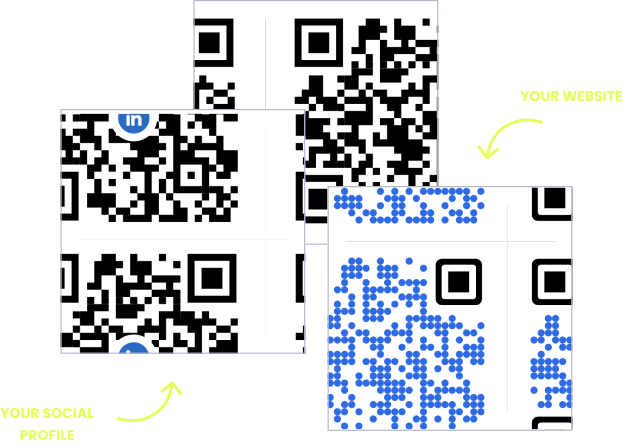
WITHOUT OPENQR
- Reprinted syllabi and reading lists every term
- Campus maps out of date the moment a room changes
- Password cards for guest and visitor WiFi
- No record of which materials students actually access
WITH OPENQR
- Update course materials from the dashboard each term
- Wayfinding maps corrected without reprinting signage
- Guests connect to WiFi with a single scan
- Scan analytics show which resources get used
Campuses deserve smarter QR codes
A school year resets more than it looks like it does. The syllabus changes, office hours move, room numbers shift, the reading list gets revised before the reprint budget even clears. Meanwhile the signage that carries that information – classroom doors, library shelves, campus maps, noticeboards – is built to last for years, not for a single term. Print freezes information that a semester keeps moving past.
A dynamic QR code from OpenQR lets the sign stay put while the term moves around it. The code on the classroom door, the library shelf, or the campus map opens content you control from your dashboard – update the syllabus, swap the reading list, redirect the map when a building changes. The physical sign is printed once; what it opens is current every semester, and every scan is tracked, so you learn what students actually use.
HOW SCHOOLS USE OPENQR
One code. Endless ways to use it.
Pick the right QR type for the job – every one is dynamic, trackable, and editable long after it is printed.
Course materials that stay current
Upload the syllabus, reading list, or handout as a PDF and the code on the classroom door or course page opens it. Revise it mid-term and every printed code already handed out shows the current version.
USES: PDF QR CODECampus WiFi without the password card
A WiFi code at the library, dorm, or lecture hall connects students and visitors automatically – no password read aloud or written on a whiteboard. Change the network password once and update the code, not every printed card on campus.
USES: WIFI QR CODEWayfinding that survives building changes
A code on a campus map or kiosk opens an interactive map to the building, office, or event a visitor is looking for. When a department moves or a new building opens, update the map – the printed sign at the entrance never changes.
USES: URL QR CODEEvent and orientation check-in
A code on an event flyer or the check-in table opens a sign-in or registration form – open days, orientation, guest lectures. Redirect the same code to a recap or feedback form once the event ends.
USES: URL QR CODELibrary resources at the shelf
A code on a shelf or in a reading room opens a linked e-resource, a related reading list, or a citation guide – extending what fits on a physical label. Update the linked resource anytime without relabeling the shelf.
USES: URL QR CODEThree tips for education QR codes that get scans
Print for the term, place for the room
A code on a classroom door or noticeboard gets scanned at close range in passing – keep it modest in size but high contrast, and mount it at eye height where students naturally pause.
Label it in plain language
“Scan for the syllabus” or “Scan to connect to WiFi” gets used. An unlabeled code in a busy hallway competes with a dozen other posters and loses.
One code per resource, not one for everything
A single catch-all code that tries to hold the syllabus, the WiFi, and the map together confuses more than it helps. Give each job its own code, or use the landing page builder to organize them under one clear entry point.
Built for schools and campuses
Materials hosted, not reprinted
Upload syllabi, reading lists, and handouts as PDFs. Revise them mid-term without a new print run or a new code.
Update once each new term
Room changes, new office hours, a revised reading list – edit the content behind the code, and the printed sign never needs replacing.
Scan analytics per resource
See which materials, maps, and resources students actually use, and when. GDPR compliant, no IP addresses stored.
One page for everything
The landing page builder puts course materials, WiFi, the campus map, and event sign-in behind a single code where students need it.
QR solutions schools use most
How OpenQr helps you
Boost engagement and insights through dynamic, customizable QR codes.
Track every scan and optimize smarter
Know exactly when, where, and how your QR Codes are scanned. See device types, locations, and scan frequency – and use data to improve your campaigns and boost ROI.
Read more
Make every QR code uniquely yours
Customize your QR Codes with brand colors, logos, call-to-action text, and even creative frames or edges. Stand out, stay on-brand, and drive more engagement from every scan.
Read more
Update links anytime – even after printing
Dynamic QR codes let you change your URL or content at any time without needing to reprint. Perfect for updated syllabi, new semester materials, or fixing a mistake on the fly.
Read moreNo credit card required
Why education QR codes fit the academic calendar
Education QR codes solve a mismatch that repeats every single term. Signage on a campus – classroom doors, library shelves, noticeboards, maps – is built to last for years. But the information it needs to carry resets on an academic calendar: new syllabi, new room assignments, new reading lists, updated office hours, sometimes multiple times in one semester. So printed materials fall behind almost as soon as classes start, and reprinting everything each term is neither affordable nor sustainable for most institutions.
A dynamic code separates the two clocks. The sign on the door or the label on the shelf is printed once, and it can stay there for years. What it opens – the syllabus, the reading list, the map, the WiFi details – lives in a dashboard and updates in one place each term. A revised assignment or a moved lecture reaches every student instantly, without a single new poster. Our free vs paid QR generator guide covers the cost side.
Where scanning fits campus life
A campus is also unusually good scanning territory, because students already default to their phones for nearly everything. A code on a classroom door meets a student checking the syllabus between classes. A code at the library shelf meets someone mid-research, already holding a phone. A code on an event flyer meets a prospective student who would otherwise have to find a laptop to register. The behavior a code asks for is already the behavior campus life runs on.
For administrators and faculty, this also makes engagement visible for the first time. A syllabus code that never gets scanned tells you something different than one scanned by every student in the first week. A library resource code that gets steady use over a term is worth keeping; one that goes untouched is worth reconsidering. Start with the materials you reprint most each term – syllabi and reading lists are the natural first move – and expand from there as the scan data shows what students actually use.
Signs last for years. The content behind them updates every new term from the dashboard.
A revised syllabus or a moved room reaches every student without a single new poster.
Phone in hand between classes, at the library shelf, on the way to an event – a code fits campus life.
A scan tells you a resource was actually used, not just printed and hoped for.