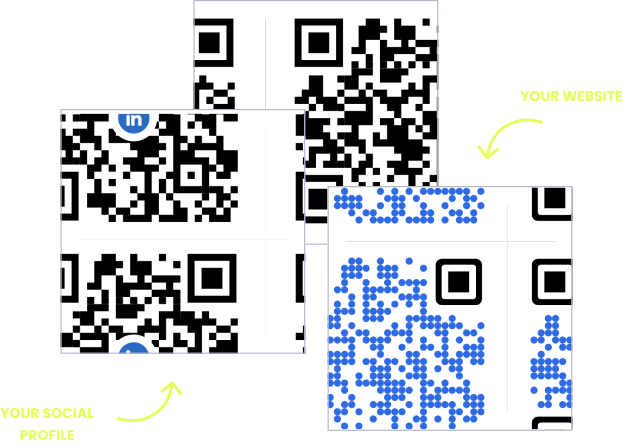
WITHOUT OPENQR
- Reprinting menus and timetables every schedule change
- Crossed-out class times and taped-up price updates
- Reception repeats booking links and WiFi all day
- No sense of which services guests look at most
WITH OPENQR
- Update the menu or timetable from your dashboard
- One tasteful code instead of clutter on the desk
- Guests book, connect, and browse with a single scan
- Scan analytics show which services draw interest
Calm spaces deserve smarter QR codes
Wellness QR codes solve a problem every spa and studio knows well: the space changes more than it looks like it does. The class timetable shifts every week. A practitioner goes on leave, the seasonal treatment menu arrives, and prices adjust with a new therapist. Meanwhile the room is meant to feel settled and unhurried. So a stack of reprinted price lists and crossed-out schedules quietly works against the calm atmosphere you have built.
A dynamic QR code from OpenQR lets the information change while the space stays serene. One small, tasteful code on the reception desk or in the treatment room opens a menu, timetable, or booking page you control from your dashboard. Update the schedule for the week, add a new treatment, adjust a price – the printed card stays exactly where it is, and the content behind it is always current.
HOW WELLNESS SPACES USE OPENQR
One code. Endless ways to use it.
Pick the right QR type for the job – every one is dynamic, trackable, and editable long after it is printed.
Treatment menus that change with the season
Upload your treatment or service menu as a PDF and OpenQR hosts it – the code on the desk or in the room replaces the reprinted card. Add a seasonal treatment or adjust a price, and the menu is current everywhere at once.
USES: PDF QR CODEClass schedules without the weekly reprint
A code on the studio door or reception opens this week’s timetable. When classes move or a teacher swaps, update the schedule in your dashboard – the printed sign never changes, and no one reads a crossed-out time.
USES: URL QR CODEBookings from every touchpoint
A code on the desk, the window, or a flyer takes clients straight to your booking page. Switch booking systems whenever you like – the printed code keeps working because you control where it points.
USES: URL QR CODEReviews when they feel their best
The moment right after a treatment or class is when a client is most glad they came. A code at checkout or on the aftercare card opens your review page in one scan, while the calm is still with them.
USES: URL QR CODEAftercare and guidance to take home
A code on the aftercare card opens your guidance – how to care for skin after a facial, poses to practice, hydration reminders. Update the advice anytime, and clients always reach the current version, not last year’s leaflet.
USES: PDF QR CODEThree tips for wellness spaces that get scans
Scannable, but never loud
The code does not need to shout to work. A small, tasteful code on quality card stock in a holder reads perfectly from arm’s length and keeps the reception desk calm – size it for close scanning, not across the room.
Light the code, not the mood
Candlelit and dim rooms are lovely and hard on cameras. Place codes where a little existing light falls – the desk, near a lamp – and use a matte finish so nothing reflects. Test a scan in the actual room lighting.
Say what it opens, gently
A quiet line underneath – “Scan for our menu”, “Scan for this week’s classes” – invites the scan without a hard call to action. Clients scan what they understand, and skip an unlabeled square.
Built for wellness spaces
Menus and timetables, always current
Host your treatment menu or class schedule and update it from your dashboard. The printed card stays; the content behind it changes.
One code, not clutter
Booking, menu, WiFi, and reviews behind a single tasteful code – so the reception desk stays calm instead of covered in cards.
Scan analytics, quietly
See which treatments and classes draw the most interest, and when. GDPR compliant with no IP addresses stored – your clients’ privacy intact.
Aftercare that stays updated
Give clients guidance to take home behind a code, and revise it anytime. No reprinted leaflets, no outdated advice in circulation.
QR solutions wellness spaces use most
How OpenQr helps you
Boost engagement and insights through dynamic, customizable QR codes.
Track every scan and optimize smarter
Know exactly when, where, and how your QR Codes are scanned. See device types, locations, and scan frequency – and use data to improve your campaigns and boost ROI.
Read more
Make every QR code uniquely yours
Customize your QR Codes with brand colors, logos, call-to-action text, and even creative frames or edges. Stand out, stay on-brand, and drive more engagement from every scan.
Read more
Update links anytime – even after printing
Dynamic QR codes let you change your URL or content at any time without needing to reprint. Perfect for weekly timetables, seasonal treatment menus, or updating prices without new cards.
Read moreNo credit card required
Why wellness QR codes fit a calm space
Wellness businesses live with a quiet contradiction. The space is designed to feel calm and unhurried. But the information running it is anything but calm: timetables rotate weekly, treatment menus shift with the season, practitioners come and go, and prices move. So printed schedules and menus try to hold still against all that change. They lose, ending up crossed out, taped over, or quietly wrong.
Wellness QR codes resolve the contradiction. They let the physical card stay still while the information behind it moves. You print the card in the treatment room or on the reception desk once, tastefully, so it belongs in the space. What it opens lives in a dashboard and updates the moment anything changes. Nothing gets reprinted, nothing gets crossed out, and the room stays as composed as you designed it. Our free vs paid QR generator guide covers the cost side.
One code instead of a cluttered desk
There is also a gentler benefit that suits this industry. One code replaces clutter. Instead of a reception desk layered with price lists, class cards, booking flyers, and a WiFi password on a sticky note, a single tasteful code opens a page that holds all of it. So the space stays minimal, and the client finds everything in one scan. The practitioner no longer repeats the same booking link and network name a dozen times a day.
The quiet moment after a treatment or class is also the best time to ask for a review. Because a code meets that moment without breaking it. A line on the aftercare card opens updated guidance to take home. A code at checkout opens the review page while the client still feels the benefit of their visit. Start with the treatment menu or the class timetable, since those are what you reprint most. Then add the rest as they earn their place.
The printed card belongs in the room. Only the menu or timetable behind it changes.
Update the week’s classes in the dashboard. No taped-over times, no reprinted cards.
Booking, menu, WiFi, and reviews behind a single tasteful code on the desk.
A code at checkout opens the review page while the calm of the visit is still there.