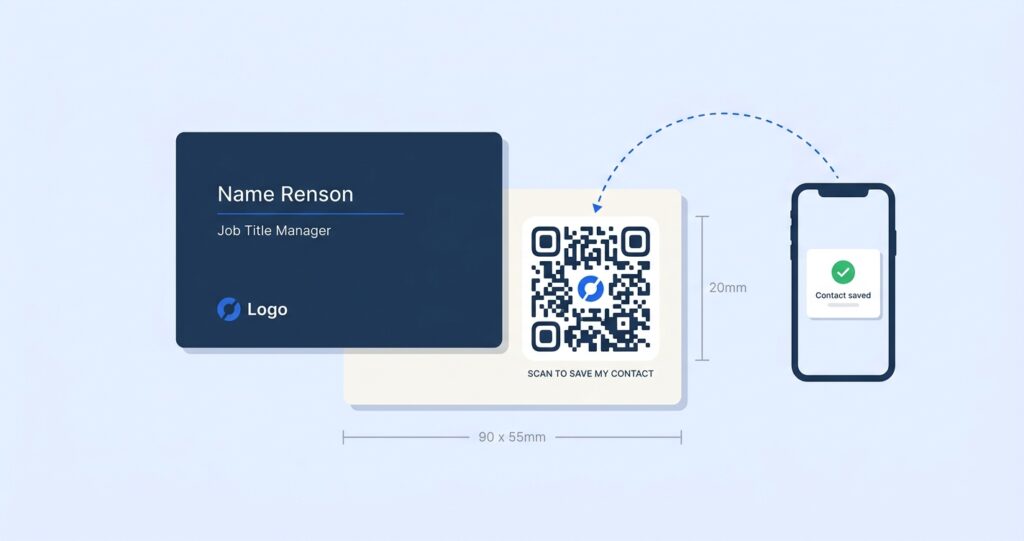
A visiting card gets about four seconds of attention before it goes into a pocket, a drawer, or a bin. A QR code changes that arithmetic. Instead of asking someone to type your name, number and email into their phone later, you let them scan once and save you instantly, while you find out how many people actually did it.
This guide is written for anyone who prints visiting cards and wants them to do more work: freelancers, sales representatives, real estate agents, consultants, clinic owners and small business teams. You will learn exactly what a visiting card QR code stores, how to generate one in five minutes, how to size and place it so it scans on the first try, and how to keep it working when your phone number changes next year.
- A visiting card QR code stores your contact details in the vCard format, so one scan drops your name, phone, email and company straight into the other person’s contacts app.
- vCard QR codes are now the third most-scanned QR type worldwide at 13.27% of all scans, behind only URLs and file downloads (QR Tiger, 2026).
- Use a dynamic QR code rather than a static one. Static codes bake your details permanently into the pattern, so a job change means reprinting every card you own.
- Print the code at 18mm to 25mm square minimum on a standard 90x55mm visiting card, keep a clear quiet zone of 4 modules, and never place it closer than 5mm to the trim edge.
- Matte lamination scans reliably. Glossy and spot-UV finishes cause glare that defeats phone cameras, which is the single most common reason printed cards fail in the field.
- Generate yours free with the OpenQR vCard QR code generator, add your logo and brand colours, then track every scan from the dashboard.
- Start a free 14-day trial, no credit card required.
- What a visiting card QR code actually is
- Why visiting cards need a QR code in 2026
- Static vs dynamic: the decision that determines whether your card ages well
- What information you can store in a visiting card QR code
- How to generate a QR code for a visiting card in 5 steps
- Designing the code so people actually scan it
- Size, placement and print specifications
- Print finishes that quietly break QR codes
- Free vs paid visiting card QR code generators
- What to track once the cards are printed
- Nine mistakes that ruin visiting card QR codes
- How different professions use visiting card QR codes
- Frequently asked questions
1. What a Visiting Card QR Code Actually Is
A visiting card QR code is a square barcode that encodes your contact details in a machine-readable contact format. When someone points a phone camera at it, the phone recognises the format and offers a “Add to Contacts” prompt rather than opening a web page. The whole interaction takes about three seconds.
There are three formats you will encounter, and they are not interchangeable.
vCard (the standard you want)
vCard is the international standard for electronic contact cards, defined in RFC 6350. Version 3.0 is the one to use for QR codes because every major phone platform reads it without complaint. A vCard QR code carries structured fields such as FN for full name, TEL for phone, EMAIL, ORG for organisation and TITLE for job title. The receiving phone maps each field to the right slot in its contacts app, so your job title does not end up in the notes field.
MECARD
MECARD is a compact format created by NTT DoCoMo for Japanese feature phones. It produces a visually simpler QR code because it uses fewer characters, but it supports far fewer fields and some Android contact apps handle it inconsistently. Unless you have a specific reason, skip it.
Link-based contact cards
Instead of encoding the contact data itself, the QR code holds a short URL that opens a hosted contact page. The visitor sees your photo, bio, social links and a “Save contact” button. This is what most people mean by a digital business card QR code, and it is the more flexible of the two approaches because the destination page can be edited after printing.
2. Why Visiting Cards Need a QR Code in 2026
Printed cards are not dying. They are being asked to carry more. Roughly 100 billion business cards are printed globally every year, with about 27 million handed over on any given day (Wave Connect, 2026). The problem has never been printing them. It has been what happens after the handshake.
Three shifts explain why the QR code has moved from novelty to expectation on visiting cards.
Scanning is now native. 91% of iOS devices and 86% of Android devices running OS 9.0 or later have a QR scanner built into the default camera app (QR Tiger, 2026). Nobody has to download anything. That removes the friction that killed QR codes on business cards a decade ago.
Scan volume has exploded. Global QR scans reached 130.12 million in 2026, an increase of 211.5% over 2024, with QR code generation growing 47% year on year (QR Tiger, 2026). People are simply used to pointing a camera at a square now, because they do it to pay for chai and to read restaurant menus.
The contact is worth more than the card. A paper card that ends up in a drawer produces nothing. A saved contact enters a phone’s address book, gets found in search six months later, and often gets synced to a CRM. The QR code is the bridge between those two outcomes.
3. Static vs Dynamic: The Decision That Determines Whether Your Card Ages Well
This is the single most consequential choice you make, and most free generators do not explain it. Get it wrong and you will be reprinting 500 cards because you changed your mobile number.
A static vCard QR code contains your actual contact data inside the black-and-white pattern. Nothing is stored on a server. Change your email address and the code is now wrong forever, because the wrong email is physically printed into the pattern.
A dynamic QR code contains a short redirect URL. The URL never changes, but where it points is controlled from a dashboard. Change your phone number and every card already in circulation updates instantly.
| Factor | Static vCard QR | Dynamic QR |
|---|---|---|
| Editable after printing | No, ever | Yes, in seconds |
| Works with no internet | Yes | No, needs a connection |
| Scan analytics | None | Total scans, unique scans, location, device, time |
| Pattern density | Dense, harder to scan small | Sparse, scans reliably at 18mm |
| Photo, bio, social links | Very limited | Full landing page |
| Logo in the centre | Risky on a dense code | Safe, plenty of error-correction headroom |
| Best for | Codes printed once and never revised | Anyone whose role, number or company may change |
There is a second, less obvious advantage to dynamic codes on a card this small. Because a dynamic code only holds a short URL of roughly 25 characters, the resulting pattern is far less dense than a static vCard carrying 200 characters of contact data. A sparser pattern has larger modules at the same physical size, which means it scans faster, at a steeper angle, and in worse light. On a 90x55mm visiting card, that difference is the gap between a code that works across a noisy conference table and one that needs three attempts.
4. What Information You Can Store in a Visiting Card QR Code
A vCard 3.0 QR code supports considerably more than name and number. Here is the field set worth filling in, and the ones worth leaving alone.
| Field | vCard property | Fill it in? | Notes |
|---|---|---|---|
| Full name | FN / N | Always | Split first and last name properly so contacts sort correctly |
| Mobile phone | TEL;TYPE=CELL | Always | Include the country code in E.164 format, for example +91 98765 43210 |
| Work phone | TEL;TYPE=WORK | If relevant | Skip if it just rings a switchboard nobody answers |
| Always | Use the address you actually monitor, not info@ | ||
| Company | ORG | Always | Helps the recipient find you in search later |
| Job title | TITLE | Always | Be specific: “Senior Property Consultant” beats “Consultant” |
| Website | URL | Yes | Point to a relevant page, not the homepage |
| Address | ADR | Only if visitors come to you | Adds roughly 60 characters to a static code |
| Photo | PHOTO | No, on static codes | An embedded image makes a static QR unscannable at card size. Use a dynamic code with a hosted page instead |
| Social profiles | X-SOCIALPROFILE | Dynamic only | Support is inconsistent across contact apps |
| Note | NOTE | Rarely | Most people never read it |
The character budget nobody mentions
QR codes get denser as you add data. A code holding 100 characters uses a smaller grid than one holding 400. On a visiting card you have roughly 20mm of physical space, so density directly determines whether the code scans.
As a working guideline for static vCard codes printed at 20mm:
- Under 150 characters produces a comfortable, forgiving code. Name, one phone, one email, company and title fit here.
- 150 to 300 characters still works on good print stock but becomes sensitive to lighting and camera quality.
- Over 300 characters is where field failures start. Adding a postal address and a second phone number gets you here faster than you expect.
Dynamic codes sidestep this entirely, because the encoded payload is a fixed short URL no matter how much information sits on the destination page. You can add a photo, a 200-word bio, a WhatsApp button and a portfolio without changing the pattern by a single module.
5. How to Generate a QR Code for a Visiting Card in 5 Steps
This walkthrough uses the OpenQR vCard QR code generator. The steps map closely to most quality tools, so the logic carries over even if you use something else.
Step 1: Create an account and choose the vCard type
Sign up at the dashboard and select vCard from the QR type list. OpenQR also supports URL, PDF, WiFi, location, SMS, phone and email codes, and the different QR code types guide explains when each is the right fit. For a visiting card, vCard is the default choice.
Step 2: Enter your contact details
Fill in first name, last name, mobile number with country code, email, company and job title at minimum. Add your website if you have a page worth landing on. Be disciplined here: every field you add either helps the recipient reach you or adds noise. If your landline is never answered, leave it out.
Double-check the phone number and email character by character. This is the single most common source of dead visiting card QR codes, and it is invisible until 500 cards are already printed. Scan your own test code and save the contact before you approve anything for print.
Step 3: Customise the design
Choose the module shape, the eye style and your brand colours, then drop your logo into the centre. Keep contrast high, which is covered in detail in the next section. Pick a frame with a short call to action such as “Scan to save my contact” if there is room on the card. Frames measurably lift scan rates because they tell the viewer what will happen.
Step 4: Download as SVG for print
Always download SVG or EPS for anything going to a printer. These are vector formats, so the code stays perfectly sharp at any size and the printer can scale it without softening the module edges. PNG at 300 DPI is acceptable if your printer insists on raster, but a low-resolution PNG scaled up in InDesign is the second most common cause of unscannable printed codes.
Step 5: Test on real devices before you print
Print a test sheet on the actual card stock at the actual final size. Then scan it with at least one iPhone and one Android device, in three conditions: bright daylight, indoor office lighting, and dim restaurant lighting at a 30 degree angle. If it fails any of those, increase the size by 2mm and test again. Never approve a print run based on a scan from a laptop screen, because screen contrast flatters a code that paper will not.
6. Designing the Code So People Actually Scan It
A QR code is a machine-readable image, and machines are less forgiving than designers assume. These are the rules that matter on a card-sized code.
Contrast is the whole game
Phone cameras detect QR codes by finding dark modules against a light background. You need a minimum contrast ratio of about 4:1 between the foreground and background, and more is better. Dark navy on white works. Mid-grey on light beige does not. Never invert the code by putting light modules on a dark background, because a meaningful number of older scanner apps will refuse to read it.
Colour choices that survive printing
Use a single dark brand colour for the modules rather than a gradient. Gradients look excellent on screen and lose contrast at the light end when printed on uncoated stock. If your brand colour is light, use it for the frame or the eye elements only and keep the modules dark.
Logo placement and error correction
QR codes have built-in Reed-Solomon error correction, with four levels. Level H recovers up to 30% of the code, which is what allows a logo to sit in the middle without breaking the data. Keep the logo to no more than 20% of the code area and centre it precisely. A logo that drifts off-centre can cover an alignment pattern, and no amount of error correction fixes that.
Quiet zone
The quiet zone is the empty margin around the code. The specification calls for 4 modules of clear space on all sides. On a 20mm printed code this works out to roughly 2.5mm to 3mm of white space. Designers routinely tuck a QR code tight against a text block or a coloured panel and wonder why scanning is unreliable. Give it room. Our QR code best practices guide covers the specification detail.
7. Size, Placement and Print Specifications
A standard visiting card is 90x55mm in India and most of Europe, or 3.5×2 inches (88.9×50.8mm) in the United States. That is not much real estate, so placement decisions compound.
Minimum size
The widely used rule is a 10:1 ratio between scanning distance and code size. A visiting card is held at roughly 20cm to 25cm, which suggests a 20mm to 25mm code. In practice:
- 18mm is the practical floor for a dynamic code with a short URL payload.
- 20mm to 22mm is the sweet spot for most visiting cards. Comfortable, reliable, still leaves design room.
- 25mm is what you want for a static vCard code carrying more than 200 characters.
- Below 15mm should be treated as a design mistake regardless of what the preview looks like on screen.
Where to put it
The back of the card is the best location in almost every case. It gives you a clean field with no competing elements, lets you use the full quiet zone, and keeps the front free for the name and logo hierarchy people expect. Put the code centre-right on the back with a short instruction line beneath it.
If the design demands a front placement, the bottom-right corner works because it sits where a thumb naturally rests when the card is held for reading, but keep at least 5mm from the trim edge. Printing tolerances of 1mm to 2mm are normal, and a code clipped by the guillotine is a code that does not scan.
Vertical and unusual formats
Vertical cards and square cards are increasingly common, particularly for creative professionals. The QR code rules do not change, but the quiet zone becomes harder to protect because the layout is tighter. On a vertical card, reserve the bottom third for the code and its instruction line rather than trying to fit it beside text.
8. Print Finishes That Quietly Break QR Codes
This is where perfectly designed codes die, and it is rarely discussed because it happens after the design is signed off.
| Finish | Scan reliability | What happens |
|---|---|---|
| Matte lamination | Excellent | Diffuses light, no glare, the safest choice for QR codes |
| Uncoated stock | Very good | Slight ink spread, so add 1mm to your planned size |
| Soft-touch / velvet | Good | Matte behaviour, no glare issues |
| Gloss lamination | Poor to fair | Overhead lighting reflects directly into the camera and washes out modules |
| Spot UV over the code | Poor | Creates a mirror exactly where the camera needs contrast. Avoid entirely |
| Foil stamping the code | Very poor | Metallic surfaces reflect unpredictably. The code often reads at only one angle |
| Dark stock with white code | Poor | Inverted codes fail on a meaningful share of scanner apps |
If your card must be gloss laminated for brand reasons, ask the printer to apply a matte spot varnish over the QR code area only. Most commercial printers can do this and it costs very little. It is the difference between a code that works in a hotel lobby and one that only works outdoors.
9. Free vs Paid Visiting Card QR Code Generators
Free generators are perfectly adequate for one specific case: a static vCard code, printed once, for details that will never change. Outside that case, the free tools have limits that cost more than a subscription.
| Capability | Typical free tool | Paid tool (OpenQR) |
|---|---|---|
| Static vCard code | Yes | Yes |
| Edit details after printing | No | Yes |
| Scan analytics | No | Total, unique, location, device, time |
| Logo and brand colours | Sometimes, often watermarked | Yes, no watermark |
| SVG / vector export | Rarely | Yes |
| Code expiry risk | Some free tools expire codes after a trial window | Codes never expire |
| Hosted contact page | No | Built-in landing page builder |
| Cost | Free | From $5 per month |
The expiry issue deserves emphasis. Several well-known free generators produce what looks like a permanent code but is actually a dynamic code on a trial account. When the trial ends, the redirect stops resolving and every printed card becomes a dead link. This has caught out enough businesses that it is worth checking the terms of any free tool before committing to print. Our breakdown of the best dynamic QR code generators in 2026 compares how the major tools handle this.
OpenQR pricing starts at $5 per month. All plans include analytics, custom branding, SVG export and codes that do not expire, with a 14-day free trial that does not require a card.
10. What to Track Once the Cards Are Printed
The reason to put a dynamic code on a visiting card is not just editability. It is that a printed card becomes measurable for the first time, which changes how you evaluate everything from conference spend to card design.
Metrics are worth watching:
Time of scan. Most visiting card scans happen within 30 seconds of the handshake. A cluster of scans hours later, typically in the evening, tells you people are working through a pile of collected cards. If most of your scans are same-moment, your card is being scanned in front of you and your in-person pitch is working.
Location. If you attend four trade shows a year, scan location tells you which one actually produced contacts. That is a real budget decision backed by data rather than by how busy the stand felt.
Device type. Useful mainly as a sanity check on your landing page. If 80% of scans are Android and your contact page was designed on a Mac, it is worth opening it on a mid-range Android phone before your next batch.
OpenQR does not store IP addresses, which keeps scan tracking compliant with GDPR and CCPA. The complete trackable QR codes guide covers how to read the analytics dashboard in detail.
11. Nine Mistakes That Ruin Visiting Card QR Codes
Every one of these has been observed on real printed cards.
- Printing a static code and then changing jobs. The most expensive mistake on this list, and the most common. Dynamic codes exist precisely for this.
- Making the code too small to look elegant. A 12mm code looks refined in the layout file and fails in a dim restaurant. Design around 20mm rather than fighting it.
- No quiet zone. Tucking the code against a coloured panel or a line of text removes the margin the scanner needs to locate the pattern.
- Spot UV or gloss directly over the code. Glare is the leading cause of field failures on otherwise correct codes.
- Low-resolution PNG scaled up. Soft module edges confuse the decoder. Export SVG.
- An oversized logo covering an alignment pattern. Error correction has limits. Keep the logo under 20% of the code area.
- No call to action. A bare square gets scanned far less often than one labelled “Scan to save my contact”. People need to know what they are getting.
- A typo in the phone number or email. Always scan a physical test print and actually save the contact before approving.
- Pointing the code at a homepage instead of a contact card. Someone who scans your visiting card wants your details, not your company’s marketing site. Send them somewhere that lets them save you in one tap.
12. How Different Professions Use Visiting Card QR Codes
The right destination for the code depends entirely on what you want to happen after the scan.
Real estate agents
Point the code at a contact card that also carries a live listings link. Agents change brokerages frequently, which makes a static code a liability. Scan location data also tells you which site visits and open houses convert into saved contacts, which is unusually useful for a business built on territory.
Freelancers and creative professionals
Use a dynamic code pointing at a contact page with a portfolio link and a WhatsApp button. Your rate card, availability and specialisation all change, and a dynamic code lets a card printed in January still be accurate in December. The contact QR code guide covers the setup for solo professionals.
Sales representatives
Scan analytics turn a card into a lead signal. If a prospect scans your card three days after a meeting, that is a follow-up trigger you would otherwise never see. Territory-level scan location also helps sales managers compare regions fairly.
Clinics, consultants and chartered accountants
Include the practice address in the destination page so the scan can hand off directly to maps. For professionals whose clients visit them physically, the address field earns its space. Keep the code on the back and the credentials on the front.
Event and conference teams
Print the code on staff cards and lanyards, and change the destination between events without reprinting anything. A card handed out at one exhibition can point to that show’s offer, then be repointed the following month. This is the same logic that makes creative QR code campaigns work across print runs.
Small business owners and shop fronts
A visiting card QR code doubles as a review request. Point it at a contact page with a “Leave a Google review” button below the save-contact button. The card gets handed over anyway, so the marginal cost of the second ask is zero.
Frequently Asked Questions
How do I generate a QR code for a visiting card for free?
Open a vCard QR code generator, choose the vCard type, enter your name, phone number with country code, email, company and job title, then download the code as an SVG file. The OpenQR vCard QR code generator is free to use during a 14-day trial with no card required, and includes logo, brand colours and SVG export. Test the downloaded code on a printed sheet before sending it to your printer.
What size should a QR code be on a visiting card?
Aim for 20mm to 22mm square on a standard 90x55mm card. The absolute minimum for a dynamic code is about 18mm, and static vCard codes carrying more than 200 characters need 25mm. Always leave a quiet zone of roughly 3mm clear space on every side and keep the code at least 5mm from the trim edge.
Can I change the contact details after my visiting cards are printed?
Only if you used a dynamic QR code. A dynamic code encodes a fixed redirect URL, so you can update the destination contact details from a dashboard and every printed card updates immediately. A static vCard code holds the data inside the printed pattern itself and cannot be changed, which means new details require a new print run. This is the core argument for building a vCard properly from the start.
Do visiting card QR codes work without internet?
Static vCard QR codes work fully offline because the contact data is stored in the pattern. Dynamic codes need a connection because the phone has to follow the redirect. In practice this rarely matters, since almost every scan happens on a phone that already has data, but it is a genuine consideration if you regularly work in venues with no signal such as basement exhibition halls.
Which QR code type should I use on a business card, vCard or URL?
Use vCard if the only goal is a saved contact and you want offline reliability. Use a dynamic URL code pointing at a hosted contact page if you want a photo, social links, a portfolio, analytics and the ability to edit later. Most professionals get more value from the second option. Our guide to QR codes on business cards compares both in context.
Why does my printed QR code not scan even though it works on screen?
The four usual causes are glare from gloss or spot-UV finishing, a code printed below 15mm, a missing quiet zone, and a low-resolution PNG that softened when scaled. Screens have far higher contrast than paper, so a code that scans instantly on a monitor can fail on card stock. Print a physical test at final size on the final stock and scan it under indoor lighting at an angle before approving the run.
How many contacts can one vCard QR code hold?
A QR code can technically hold up to 4,296 alphanumeric characters at its largest version, but that is irrelevant on a visiting card. At 20mm printed size, keep static vCard payloads under about 300 characters for reliable scanning, which comfortably fits one person’s name, mobile, email, company, job title and website. One code represents one person. For a team, generate a separate code per card.