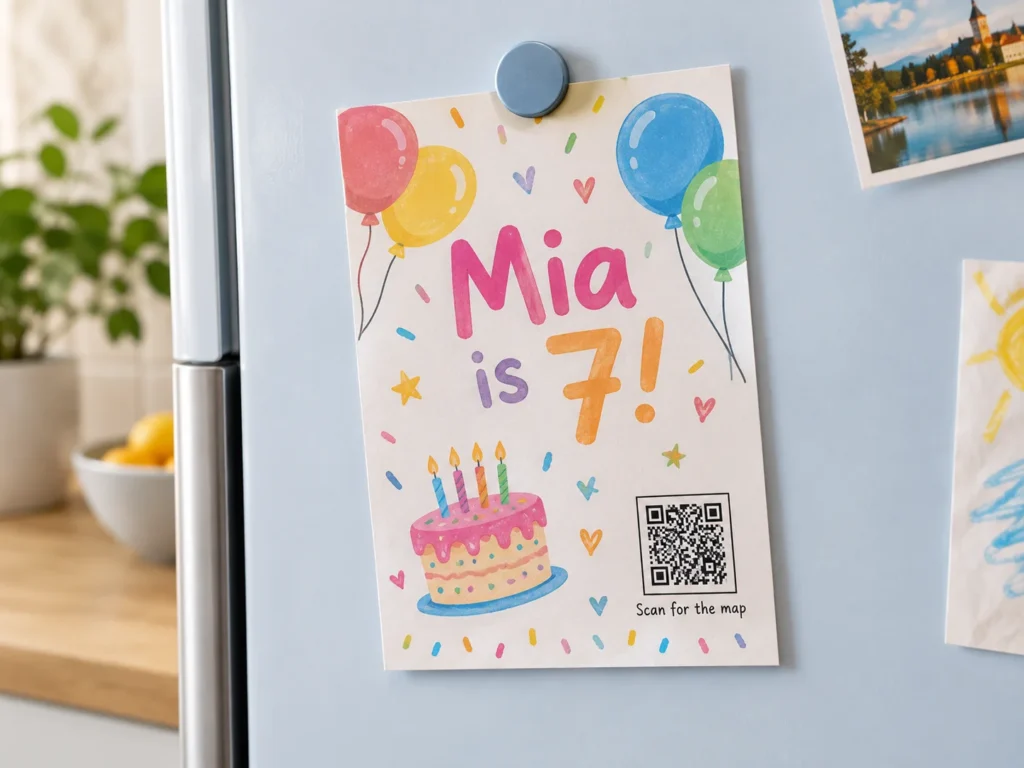
An invitation is posted weeks or months before the day, and plenty can change in between. The venue moves the start time, the hotel block fills up, the RSVP deadline slips. Then the invitation sits on a fridge door until the morning of the event. A QR code on an invitation is useful only if it keeps up with all of that and still works for the guest who has never scanned anything in their life. Decide what the code opens at each stage, and what stays printed in plain words, before the cards go to the printer.

The benefits of using QR codes on invitations
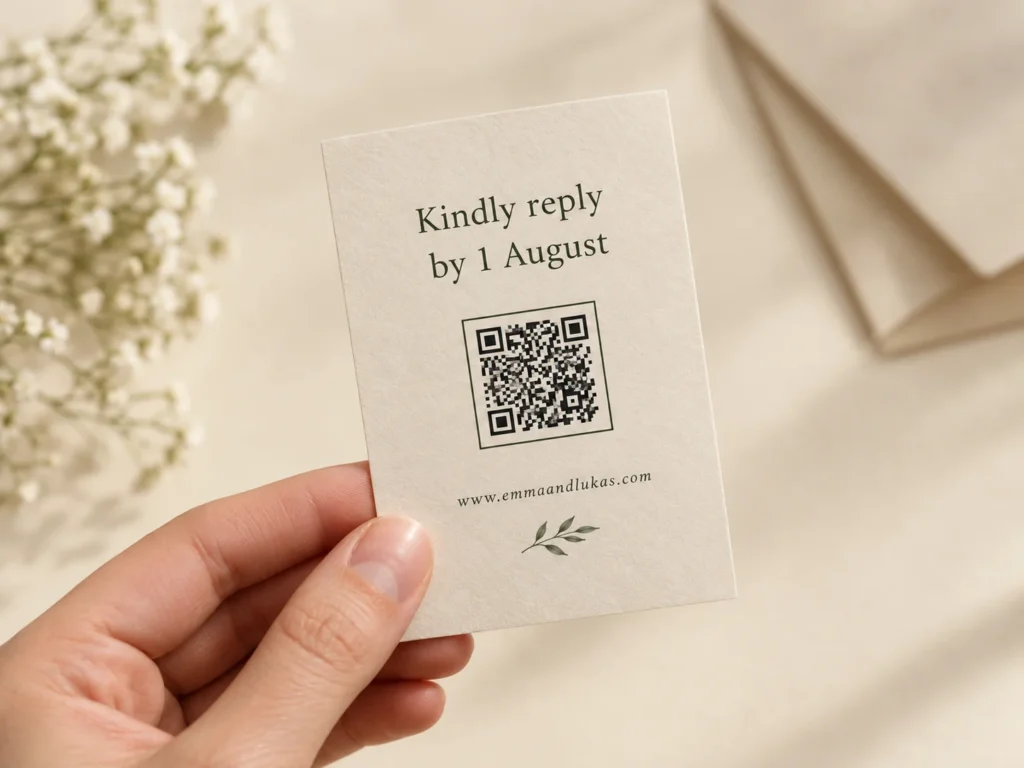
A printed invitation has room for the names, the date, the time and the place, and very little else. A QR code on the invitation card carries everything that does not fit: the RSVP form, the schedule for the day, the map, the dress code, the hotels nearby, the gift list. Guests reply in two steps, scan and confirm, instead of posting a reply card back or typing a web address from the bottom of the card. The design stays clean because the details live on a page, not on the paper.
It also saves the reprint. Invitations are often the most expensive piece of print a family or a small business orders, on heavy card with special finishes, and they cannot be recalled once posted. A dynamic QR code keeps the printed card as it is and the page behind it editable, so a changed start time or a new parking arrangement is an edit, not a second print run. For business events, every scan is counted, so you can see how many invited guests looked at the details before deciding to come.
What an invitation QR code has to handle
Guests of every age
The same invitation reaches a teenager and a great-aunt. Some guests scan before they finish reading, others never will. The code has to help the first group without leaving the second one without the date and the address.
Weeks between the post and the party
Save the dates go out months ahead and invitations weeks ahead. Times, rooms, menus, hotel blocks and RSVP deadlines change in between, and the printed card cannot change with them.
Paper made to look special
Thick cotton card, letterpress, gold foil, vellum overlays and cream stock look beautiful and are hard work for a phone camera. The finish that makes the invitation feel special is often the one that stops the code scanning.
A life after the event
Invitations get kept. After the day, the same printed code can open the photos, a thank-you message or the recording, and turn a keepsake into the place guests find the memories.
QR solutions that work best on an invitation
Three mistakes that make an invitation QR code fail
Hiding the date and venue inside the code
A clutter-free invitation is a good idea until the only place the time and address appear is behind the scan. Guests who do not scan, and guests whose phone battery is flat on the way to the venue, are left guessing. Print the essentials in words and use the code for everything else.
Printing the code in gold foil or letterpress
Foil reflects light like a mirror, so the camera sees bright patches where dark modules should be. Letterpress presses the code into the card, and the shadows along each edge make the modules look larger or smaller than they are. Print the code flat in dark ink, and keep the foil for the names.
Putting the code under a vellum overlay
A translucent vellum sheet over the invitation softens everything beneath it, which is the point for the artwork and fatal for the code. Pale gold or blush ink on cream card does the same thing. Put the code on the RSVP card or the back of the invitation, dark on light, with nothing over it.
WHAT TO LINK FROM YOUR INVITATION
One code. Endless ways to use it.
Pick the right QR type for the job – dynamic codes stay editable and trackable long after the invitations are posted.
RSVP in two taps
Link the code to your reply form and guests confirm on their phone while the invitation is still in their hand. You collect the dietary needs and the plus-ones in one list, and you can move the form to a new tool without reprinting a single card.
USES: URL QR CODESave the date to the calendar
An event QR code adds the title, date, time and venue straight to the guest’s phone calendar. The details are written into the code itself, so use it on a save the date card only when the date and venue are final.
USES: EVENT QR CODEDirections to a venue nobody knows
Barns, vineyards, function rooms and backyards are hard to find from an address. A location QR code opens the exact pin in the guest’s map app, including the right gate or car park entrance.
USES: LOCATION QR CODEEverything guests ask you about
One page with the schedule, dress code, hotels, transport, gift list and the couple’s or host’s story. A link list QR code keeps it all behind a single square, and you can add the after-party details the week before.
USES: LINK LIST QR CODEProgrammes, menus and press kits
For a launch, a fundraiser or a book event, upload the agenda, the speaker list or a sample chapter as a PDF and OpenQR hosts it. Guests decide to come with the full picture, and you can update the file as speakers confirm.
USES: PDF QR CODEPhotos after the party
Once the day is over, point the same code at the shared photo album, the video or a thank-you note. The invitation that went on the fridge becomes the way guests find the pictures.
USES: URL QR CODEWITHOUT OPENQR
- The start time changes and every guest has the old one
- Date and address only behind the scan, lost to non-scanners
- Gold foil code that glints instead of scanning
- The invitation is useless the day after the event
WITH OPENQR
- Edit the page and every posted invitation shows the new time
- Essentials printed in words, details behind the code
- Code printed flat in dark ink on the RSVP card
- The same code opens the photos once the day is over
What goes wrong with QR codes on invitations
Invitations fail on timing before anything else. They are designed and printed weeks or months before the event, and almost everything about an event can change in that time except the names. A static QR code fixes whatever was true on the day of printing, so a moved start time, a new RSVP tool or a changed venue entrance leaves every guest with the old answer. The usual reaction is a follow-up message to the whole guest list, which half of them miss. A dynamic QR code points at a page that can change, so the printed card and the latest details never drift apart.
The second problem is the people the invitation is for. A wedding or a big birthday reaches every generation of a family, and a business event reaches guests who are wary of scanning unknown codes. Invitations designed around the code alone shut those guests out, and invitations designed around special finishes often stop the code working for everyone else. The fix is the same in both cases: the date, time and place printed in words, the code as the way to reply and find more, and a short web address beside it for anyone who prefers to type.
One code from save the date to thank you
Most invitations are only one card in a series: a save the date, the invitation, sometimes a reminder, and a thank-you card afterwards. A dynamic QR code printed on the first card can follow the whole series. Point it at whatever the guest needs next and change the destination as each stage passes, so a guest who scans the save the date in June and the same card in September sees what matters in September.
| Stage | Typical timing before the event | What the code opens |
|---|---|---|
| Save the date | 6 to 12 months for a wedding | A holding page with the date, town and travel or hotel tips |
| Invitation posted | 6 to 8 weeks | The RSVP form and the full details page |
| RSVP deadline passed | 2 to 4 weeks | The details page, with a note on who to contact for late replies |
| Event week | The last few days | Schedule, map, parking and transport for the day |
| After the event | From the next day | Photos, video or a thank-you message |
Because the code itself never changes, you only design and print it once. Use the scan count as a quiet check: if the invitations went out two weeks ago and the scans are well below the number of households, a reminder message is worth sending. Trackable QR codes explains what each scan records. OpenQR does not store the IP addresses of people who scan, so the numbers show how many guests looked, not who they were.
RSVP that works for every guest
An RSVP QR code is two steps: scan, then confirm on a short form. Keep the form to what you need to plan the day, such as name, attending or not, number of guests and dietary needs, and make it fit on one phone screen. A free form tool or your wedding website both work. The code links to the form, so if you move from one tool to another halfway through, the printed invitations follow. Our guide on how to generate QR codes for Google Forms walks through the set-up.
For a corporate event, a gala or any guest list where you want to know who has replied, give each invitation its own code. Many form tools can create a pre-filled link with the guest’s name already in the form, and the OpenQR API can turn a guest list into one dynamic code per invitation, named after the guest and exported for the print template. Each code counts towards your plan, and for large guest lists you can contact us for a plan sized to the event.
Then make room for the guests who will not scan. Print a short web address under the code, and if the event has an older crowd, a phone number or email for replies as well. A guest who replies by phone is still a guest who replied. Invitations are also photographed and shared, so treat anything behind the code as something friends of friends may see, and keep door codes or private home details for a message to confirmed guests.
Paper, finish and placement for an invitation QR code
Size is the easy part. An invitation is read in the hand, so scanning distance divided by ten puts the code at 20 mm, and 20 to 25 mm sits comfortably on an RSVP card or the back of an A6 or 5 x 7 inch invitation. An event QR code that holds the date and venue in the pattern is denser, so give it 25 mm or more. The harder part is the paper and the finish.
| Paper or finish | For the QR code | Why it matters |
|---|---|---|
| Flat digital or offset print | Best choice | Sharp edges and solid dark ink |
| Letterpress | Print the code flat, or test a sample | Pressed edges cast shadows that change the apparent module size |
| Gold, silver or rose foil | Keep the code out of the foil | Metallic foil reflects light into the camera |
| Vellum overlay | Code on a layer with nothing over it | Translucent paper blurs everything beneath it |
| Cream, kraft or coloured card | Black or very dark ink only | Pale gold, blush or grey ink loses contrast |
| Heavy cotton or textured card | Size up a few millimetres | Ink sinks into the texture and softens the edges |
| Laser-cut or embossed patterns | Keep them clear of the quiet zone | Holes and raised shapes read as part of the code |
Put the code where the guest will act on it. On a wedding suite, the RSVP card is the natural home, with the line scan to reply by and the deadline beside it. On a single-card invitation, the back or the bottom corner keeps the front for the design, as long as a small line on the front says details and RSVP on the back. A frame with a short call to action and your colours make the code look like part of the invitation, which our guide to a call to action QR code covers. File formats and print settings are in the guide to print QR codes.
Make the code dynamic before the invitations are printed. A static QR code encodes the destination in the pattern, so it cannot be changed after the cards are posted and it cannot be converted to dynamic later. See static vs dynamic QR codes for the difference. For the event itself, QR codes for events covers check-in, signage and feedback on the day, QR code for photo sharing covers collecting guests’ pictures, and QR codes for personal use covers weddings, birthdays and family events more broadly.
Then test one before the whole stack goes in the post. Ask the printer for a finished sample on the real card with the real finish, and scan it under a kitchen light and in daylight on two phones, one of them a few years old. Hand it to the least technical guest you know and watch whether they find the date without scanning. If either test fails, it costs one sample instead of a hundred envelopes.
The code carries the details and the reply. The essentials are always printed.
Keep foil, letterpress and vellum for the design. The code needs plain contrast.
Save the date, RSVP, the day itself, then the photos. Change the page, not the card.
Print a web address and a reply number for guests who prefer not to scan.