WITHOUT OPENQR
- Spelling out the WiFi password to every guest
- Long links written by hand on invitations
- A printed typo means reprinting everything
- Sharing an album by sending the link one by one
WITH OPENQR
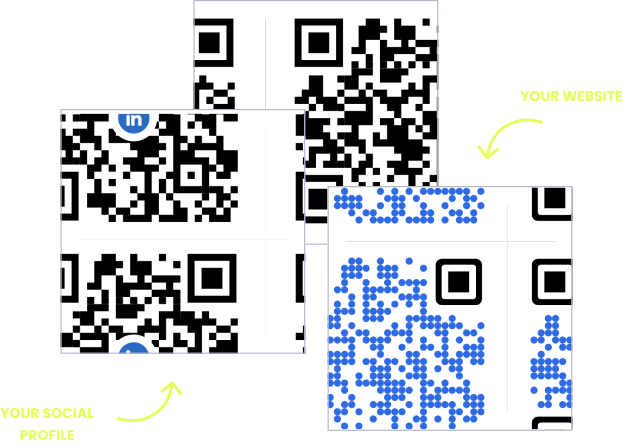
- Guests scan once and connect to your WiFi
- One code on the invitation opens every detail
- Fix the destination after printing – the code stays
- Stick a code on the fridge, the frame, or the door
Some things are easier to scan than to say
Reciting a WiFi password with mixed case and a symbol in it, spelling out a photo album link over the phone, writing a long URL on a party invitation – these are small, daily frictions that a square of black and white removes entirely. Point, scan, done, with nothing typed and nothing misheard.
And when the details change, a QR code you can edit saves the day. The venue moves after the invitations are posted. The album shifts to a different service. The link you printed on a hundred cards turns out to have a typo. With a dynamic code, you fix the destination from your phone and every card, sign, and sticker you already handed out quietly starts working again.
HOW PEOPLE USE OPENQR AT HOME
One code. Endless ways to use it.
Pick the right QR type for the job – every one is quick to make, and the dynamic ones stay editable long after you print them.
Home WiFi guests can just scan
Print a small card for the guest room or the kitchen wall and stop reciting the password. Guests scan and connect automatically. Change the network password and update the code – no new card on the wall.
USES: WIFI QR CODEWeddings and parties, all details in one code
Put one code on the invitation: venue, timing, directions, dress code, gift list. If the venue or schedule changes after the cards are posted, update the page – the invitations everyone is holding stay correct.
USES: URL QR CODEPhoto albums the whole family can reach
A code on a thank-you card or in a frame opens the shared album from the trip, the wedding, or the birthday. Grandparents scan instead of hunting through email for a link they cannot type.
USES: URL QR CODEContact details without spelling them
A code that opens your name, phone, and email straight into someone’s contacts – handy for tutors, sitters, tradespeople, and anyone tired of dictating a phone number in a noisy room.
USES: VCARD QR CODELabels that explain themselves
A code on a moving box, a plant pot, a jar of preserves, or a kid’s water bottle: what is inside, how to care for it, whose it is, who to call. Small labels with more information than fits on them.
USES: TEXT QR CODEThree tips for personal QR codes that work
Say what the scan does
A bare code on a card is a mystery, and people skip mysteries. “Scan for WiFi” or “Scan for photos” written underneath is the difference between a code that gets used and one that gets ignored.
Static for permanent, dynamic for changeable
Home WiFi that never changes works fine as a free static code. Anything you might need to fix later – a party page, a shared album, a link on printed invitations – should be dynamic so you can change it without reprinting.
Test before you print a hundred
Scan it with a different phone than the one you made it on, at the size you plan to print, on the paper you plan to use. Two minutes now beats a hundred cards that will not scan.
Built for everyday life
Ready in seconds
Paste a link, download the code, print it. No design skills, no account setup marathon, no software to install.
Fix it after you print
Wrong link on fifty invitations? With a dynamic code you change the destination from your phone, and every printed card works again.
Prints at any size
SVG export means your code stays sharp on a business-card sticker or a poster-sized sign. No blur, no pixel edges.
Private by design
Scan analytics without storing IP addresses, and no ads on your codes. What you share stays between you and the people you share it with.
QR solutions people use most
How OpenQr helps you
Boost engagement and insights through dynamic, customizable QR codes.

Track every scan and optimize smarter
Know exactly when, where, and how your QR Codes are scanned. See device types, locations, and scan frequency – and use data to improve your campaigns and boost ROI.
Read more
Make every QR code uniquely yours
Customize your QR Codes with brand colors, logos, call-to-action text, and even creative frames or edges. Stand out, stay on-brand, and drive more engagement from every scan.
Read more
Update links anytime – even after printing
Dynamic QR codes let you change your URL or content at any time without needing to reprint. Perfect for invitations already posted, shared albums that move, or fixing a typo after printing.
Read moreNo credit card required
What a QR code makes easier at home
Most personal QR codes solve the same small problem: something is easier to scan than to say, type, or spell. A WiFi password with mixed case and a symbol. A photo album link forty characters long. A venue address, a contact number, a care instruction. None of these are hard on their own – they are just friction that repeats, and a code removes it completely for anyone with a phone camera.
The second reason is the one people discover later: printed things are permanent, but plans are not. Invitations go out, then the venue changes. A hundred stickers get made, then the link moves. A static code – the free kind that encodes the destination directly – cannot be fixed once printed. A dynamic code can, because the printed pattern points to a redirect you control rather than the destination itself. The difference is explained in full in our static vs dynamic guide.
For most personal use, the practical rule is simple. If the thing behind the code will never change – your home WiFi, a permanent page – a free static code is genuinely enough, and you should use one. If there is any chance you will need to change it, or if it is going onto something printed in quantity, make it dynamic and keep the ability to fix it. Our free vs paid comparison covers where each one makes sense.
Two practical notes that decide whether a personal code actually gets used. First, label it: a code with “Scan for WiFi” underneath gets scanned, and an unexplained square gets skipped. Second, test it before you commit to printing – a different phone, at the printed size, on the paper you will use. Our guide to QR best practices covers sizing, contrast, and the mistakes worth avoiding.
A WiFi password, a long album link, an address. Point, scan, done.
With a dynamic code, a wrong link is a phone edit – not a reprint of a hundred cards.
For a home WiFi card that will never change, a free static code does the job.
An unexplained square gets skipped. “Scan for photos” gets scanned.