A table tent sits in front of a seated guest for an hour or more, which makes it the easiest QR code in the room to scan. It also gets turned round, wiped with sanitiser after every sitting, knocked over by a wine glass and lit by a pendant lamp directly above it. And one tent rarely has one job: the menu, the WiFi, the review page, tonight’s specials and the ordering app all want the same few square centimetres. Plan which side carries which code, whether every table gets its own, and what the tent is made of, and the size takes care of itself.
The benefits of using QR codes on table tents
Table tents have a small space and a captive audience. A guest waiting for food, a delegate at a conference table or a customer at a checkout counter has time and nothing better to look at. A QR code on the table tent turns that small card into more information than it could ever print: the full drinks list, the allergen details, the WiFi, the loyalty app, the review page, the photos everyone is posting of the food. It brings the mobile-friendly world to the table, so the guest does it on their own phone without waiting for staff.
It also tracks your marketing, which a printed card never could. Every scan is counted by day, time and device, so you can see whether the new dessert promotion is being read, which tables scan and which never do. And because a table tent is printed once and used for months, a dynamic QR code lets the card stay as it is while the specials, the offer and the opening hours behind it change every week.
What a table tent QR code has to handle
Two or three sides, one at a time
Guests see the side facing them. Staff turn the tent, guests move it out of the way, and a code printed on one face only is behind the bread basket half the evening.
Sanitiser after every sitting
Table tents are wiped down all day with alcohol sprays and damp cloths. Unprotected print smears and fades, and a scratched laminate clouds the code long before the card looks worn out.
Pendant lights straight overhead
Restaurants and bars light tables from directly above. A glossy laminate or an acrylic holder bounces that light back into the camera at exactly the angle a seated guest holds the phone.
Several jobs, one small card
Menu, WiFi, reviews, specials, ordering and social media all compete for the same tent. Too many codes confuse guests, and one code for everything has to open a page that sorts it out quickly.
QR solutions that work best on a table tent
Three mistakes that stop a table tent QR code scanning
Printing the code on one face only
A two-sided tent with the code on the front works for half the table. Whoever sits on the other side sees the back, and nobody turns a tent round to look. Print the code on every face a guest can see, and point all of them at the same destination unless you want to compare sides.
Glossy laminate under a pendant lamp
Gloss looks good on the food photos and reflects the light fitting straight into the camera. Use matte laminate or a matte insert behind acrylic, and check the tent in the evening with the real lighting on, not in the office at noon.
Five codes on one card
Menu, WiFi, reviews, Instagram and the app, each with its own small square, leaves guests guessing which one to scan and makes every code smaller. Use one or two codes, each with a clear line, or one link list code that opens a page with every option.
WHAT TO LINK FROM YOUR TABLE TENT
One code. Endless ways to use it.
Pick the right QR type for the job – dynamic codes stay editable and trackable long after the tents are on the tables.
Order and pay without waving for staff
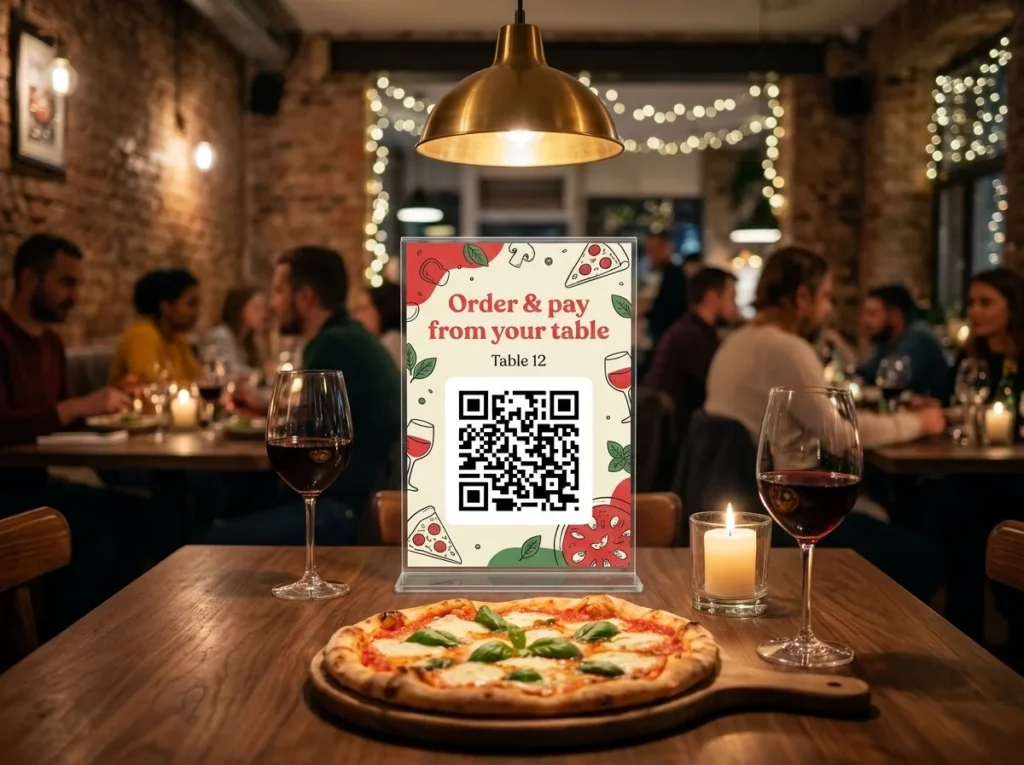
Give each table its own code that opens your ordering or payment page with the table number already filled in. The kitchen knows where the order goes, and guests pay when they are ready instead of when someone brings the card machine.
USES: URL QR CODEWiFi on every table
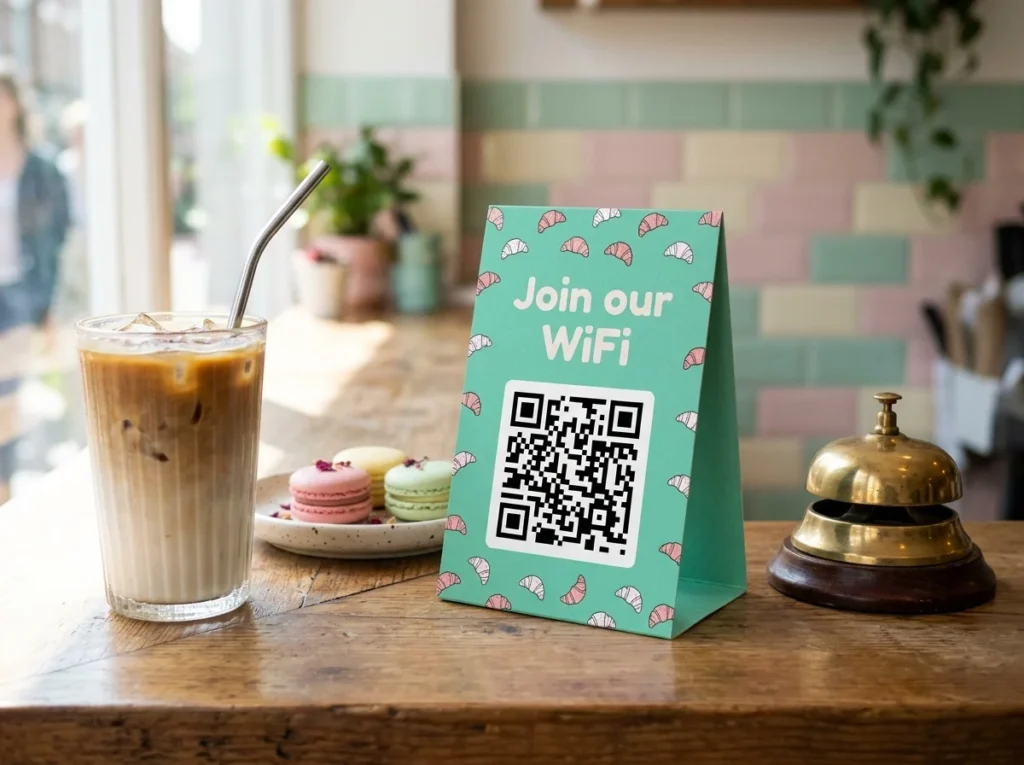
A WiFi QR code joins the guest’s phone to your network in one scan. It is the most scanned code in most cafés, hotels and coworking spaces, and it ends the password written on a chalkboard that nobody can read.
USES: WIFI QR CODEReviews and feedback before the bill
Ask while the meal is still on the table, not by email two days later. Link the code to your review page or a short feedback form, and use the same tent on a shop counter to collect feedback at checkout.
USES: URL QR CODESpecials, drinks list and allergens
Upload this week’s specials, the wine list or the allergen chart as a PDF and OpenQR hosts it. Swap the file when the chef changes the board, and the tents already on the tables show the new version.
USES: PDF QR CODEConference tables and exhibition stands
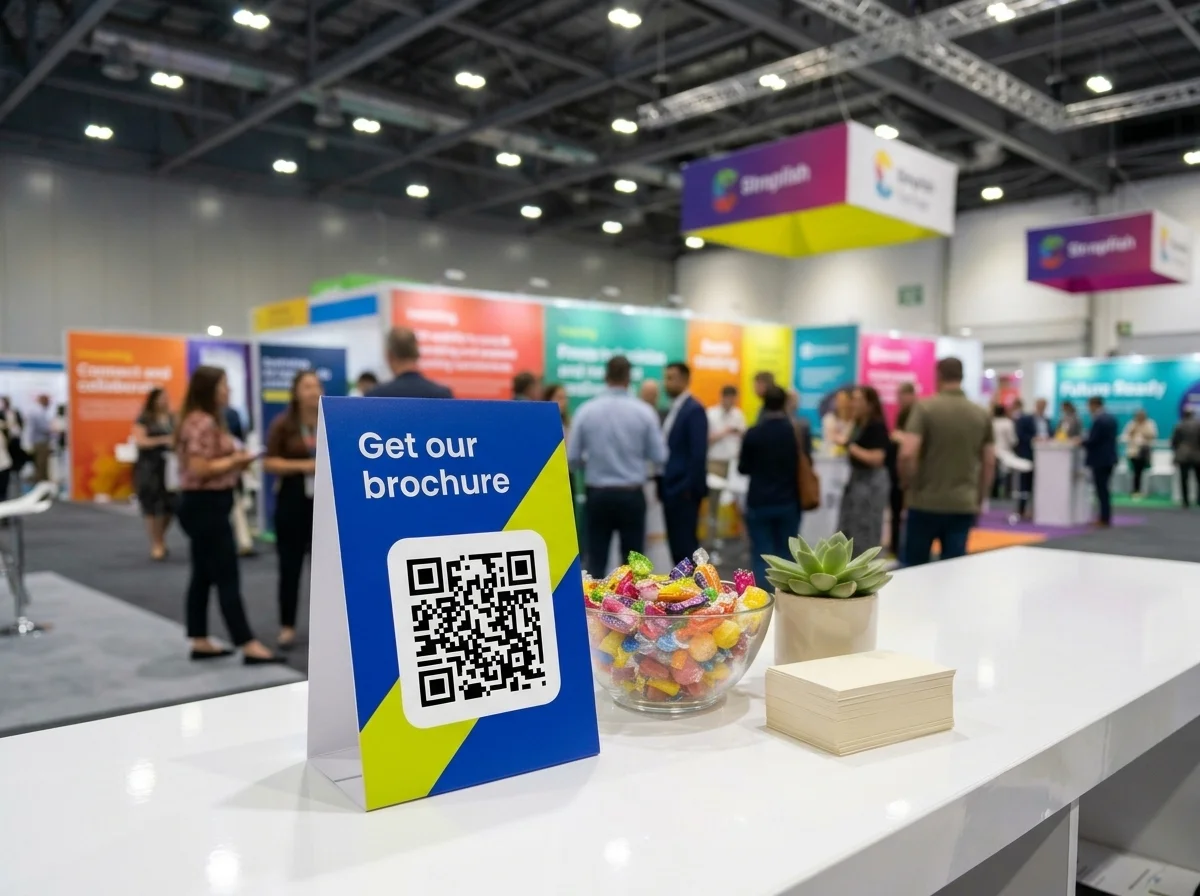
At a trade show or a seminar, a table tent with a link list QR code opens one page with your brochure, case studies, booking link and social profiles. Delegates save it during the talk and follow up afterwards.
USES: LINK LIST QR CODEWedding and party tables
A table tent beside the centrepiece opens the shared photo album or the couple’s video. Guests add their pictures from the table, and after the day the same code keeps the album one scan away.
USES: URL QR CODEWITHOUT OPENQR
- A code on the front face only, invisible to half the table
- Glossy laminate reflecting the pendant lamp into every camera
- Five small codes on one card and no idea which to scan
- New specials mean reprinting every tent in the room
WITH OPENQR
- The same code on every face a guest can see
- Matte finish, checked under the evening lighting
- One or two codes, each with a clear line saying what it opens
- Edit the page behind the code, keep the tents on the tables
What goes wrong with QR codes on table tents
Table tents fail on handling before anything else. They are the most touched piece of print in a restaurant: moved aside for plates, turned round by staff, wiped down with sanitiser after every sitting and knocked over by elbows. A code printed on one face, under a glossy laminate, with a scratch across the finder pattern, is the common result, and it fails right at the table where scanning should be easiest. The lighting adds to it, because a pendant lamp hanging over each table reflects off gloss at precisely the angle a seated guest holds a phone.
The second problem is that table tents try to do too much and change too often. The menu, the WiFi, the review page, the app and this week’s offer all end up on one small card, each with its own tiny code, and the card is reprinted every time the specials change. Dynamic QR codes solve both halves. One or two codes on the tent open pages you can edit, so the specials, the offer and the opening hours change from the dashboard while the tents stay on the tables for months, and per-table codes show which part of the room actually scans.
Which table tent, which side, how many codes
Table tents come in a few standard shapes, and each one decides how many faces a guest can see. Plan the codes from the shape, not the artwork.
| Format | Faces a guest sees | Code plan |
|---|---|---|
| Folded card tent (A-frame) | Two, back to back | The same code on both faces. Good for tables in the middle of the room |
| Three-sided tent | One or two, depending on where it stands | Main code on two faces, a different code on the third, for example WiFi |
| Acrylic L-stand or T-stand | One (L) or two (T) | L-stands suit wall-side tables and counters. Use a T-stand in the open floor |
| Acrylic or wooden block | Two, often printed directly | Check contrast on wood. Engraved codes need dark fill to scan |
| Counter or checkout stand | One, facing the customer | One code, angled towards the queue |
Keep the number of codes to one or two per face. If the tent has to cover the menu, the WiFi, reviews and social media, give it one link list QR code that opens a page with a button for each, plus a separate WiFi code if your guests ask for WiFi more than anything else. Put a short line next to each code saying what it does, and make the frame and the colours part of the tent’s design so the code does not look like an afterthought.
Size is the easy part. A seated guest scans from about half a metre, often after picking the tent up, so 25 to 35 mm is comfortable and 20 mm is the floor. File formats and print settings are in our guide to print QR codes.
One code per table, or one for the whole room
Most table tents carry a shared code: the same square on every table, opening the same page. That is right for WiFi, the specials and the review page. Give each table its own code only when the table itself matters to what happens next.
| Job | Shared or per table | Why |
|---|---|---|
| WiFi, specials, drinks list | Shared | Same for every guest. One code to change |
| Reviews and feedback | Shared, or per area | Per area shows whether the terrace or the window tables are happier |
| Ordering and payment | Per table | The order or the bill has to know which table it belongs to |
| Calling staff or requesting the bill | Per table | Staff need to know where to go |
| Hotel room or meeting room information | Per room | Room-specific instructions, WiFi or booking |
For per-table codes, keep one page and add the table number to the address, for example yourrestaurant.com/order?table=12, so each code is different but you maintain only one page. Each code is one dynamic QR code on your plan, so a 30-table restaurant uses 30 codes for ordering. The OpenQR API can create them in one go from a list of table numbers, and for a large venue or a hotel you can contact us for a plan sized to the number of tables or rooms. Name each code after its table so the dashboard reads like a floor plan, and see trackable QR codes for what each scan records.
For the menu itself, what it should look like on a phone and how to keep allergens and prices current, see our complete guide to restaurant menu QR codes. QR codes for restaurants covers the rest of the dining room, and QR codes for sports bars covers match-day tables.
Spills, sanitiser and lighting: materials for table tents
| Material | For the QR code | Watch for |
|---|---|---|
| Uncoated card | Short events only | Soaks up spills and smears when wiped |
| Matte laminated card | The everyday choice | Scratches over months. Keep a spare set |
| Gloss laminated card | Avoid under pendant lights | Reflects the lamp into the camera |
| Paper insert in an acrylic holder | Easy to update. Use anti-glare acrylic | Clear acrylic adds a second reflecting surface |
| Synthetic or PVC card | Best for heavy sanitiser use | Ask for a matte surface |
| Engraved wood or acrylic | Only with dark filled engraving | Unfilled engraving has too little contrast |
Whatever the material, put the code where fingers do not rest and away from the bottom edge, which collects drips and crumbs. A logo in the centre of the code and your brand colours are fine as long as the code stays dark on a light background. If you want the address behind the code to carry your name rather than a generic short link, see how to create QR codes with a custom domain, and for the frame and the line beside the code, how to write a call to action QR code.
Make every table tent code dynamic before you print. A static QR code encodes the destination in the pattern, so it cannot be changed once the tents are on the tables and it cannot be converted to dynamic later. See static vs dynamic QR codes for the difference.
Then test one tent where it will live. Put it on a real table in the evening with the normal lighting, sit down, and scan every face on two phones, one of them a few years old. Wipe it ten times with the sanitiser your staff use and scan again. A tent that fails at the table fails at the moment the guest has the most time to scan.
Print the code on each visible side. A tent gets turned round all evening.
Gloss and clear acrylic reflect pendant lights. Check the tent at night, at the table.
Use a link list page for everything else, and say what each code opens.
Ordering, payment and calling staff need the table number. WiFi and specials do not.