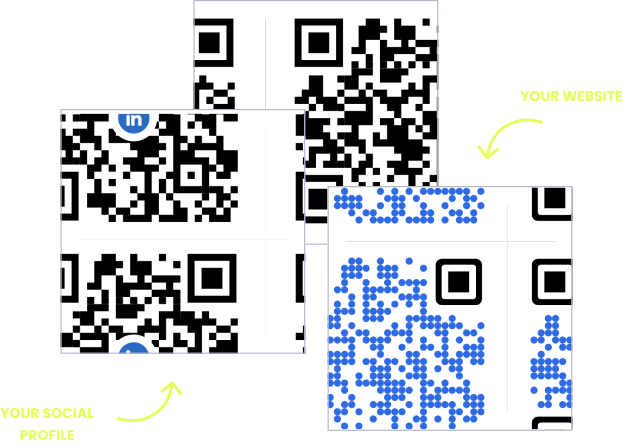
A brochure is printed in thousands, folded, and then sent to racks, stands, letterboxes and sales meetings for the next year or more. Two things go wrong with the QR code on it. The code ends up on the wrong panel, or across a fold, so people never see it or the crease breaks it. And because every copy carries the same code, nobody can tell whether the hotel racks or the trade show did the work. Decide the panel and the distribution plan before the artwork is signed off, and the code becomes the one part of the brochure that reports back.
The benefits of using QR codes on brochures
A brochure has to inform, connect and persuade in six panels of paper, and it has to do it for as long as the print run lasts. A QR code adds the things paper cannot hold: a video tour of the campus, the clinic or the hotel room, a booking page, the full price list, a map to the door. It connects someone holding your brochure in a waiting room to the next step, without asking them to type a web address they will have forgotten by the time they get home.
It also fixes the brochure’s oldest weakness, which is that prices, dates and offers change faster than a print run is used up. A dynamic QR code keeps the brochure as printed and the page behind it current, so last year’s stock can still be handed out after the price list changes. And it is the only way to measure a brochure at all: every scan is counted, by day, city and device, so you can see which campaign, which rack and which version earned its paper.
What a brochure QR code has to handle
Folds, panels and a reading order
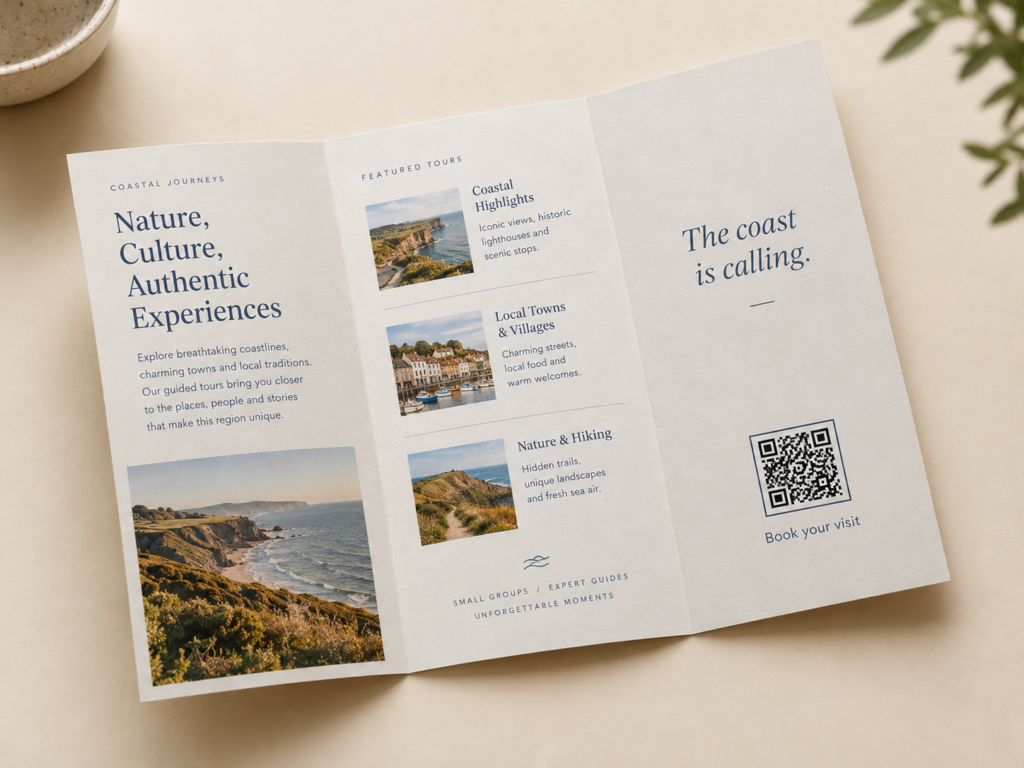
A trifold has six panels and people read them in a fixed order: cover, the flap that opens first, then the inside spread. A code on the wrong panel is seen last or not at all, and a code across a fold is creased in half.
Coated paper and finishes
Brochures are printed on gloss or silk stock, often laminated or finished with spot UV. Gloss reflects the room into the camera, and a varnish layer over the code adds glare exactly where it matters.
Many channels, one print run
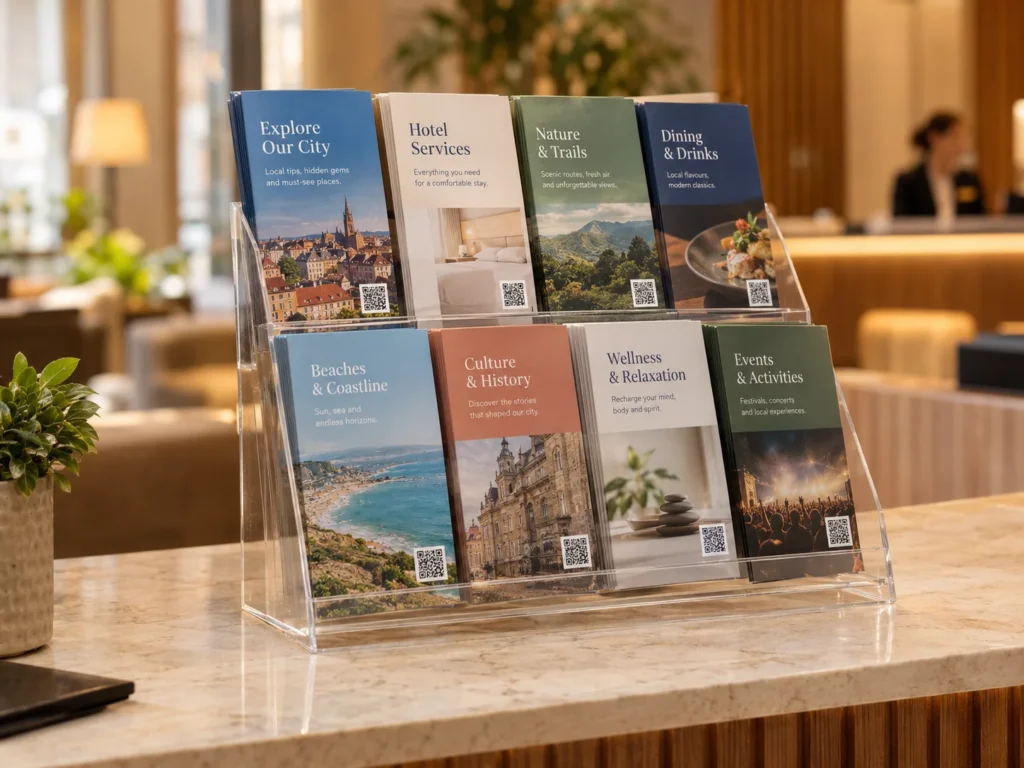
The same brochure goes into tourist office racks, trade show bags, direct mail and sales folders. With one code on every copy, the scans arrive as one number and you cannot tell the channels apart.
A print run that outlives the content
Offset printing is cheapest in large runs, so brochures are ordered for a year or more. Change the destination from your dashboard and every copy in every rack follows, with no reprint and no stickers over old prices.
QR solutions that work best on a brochure
Three print mistakes that stop a brochure QR code scanning
Placing the code across or beside a fold
Folding presses a ridge into the paper, and on coated stock the ink along the score line often cracks. A code over a fold is bent in two, and one too close to it sits in a shadow when the brochure is held half open. Keep the code and its quiet zone at least 8 mm clear of every fold line.
Printing the code in rich black
Designers often set black as a mix of all four inks for a deeper colour. On fine detail like a QR code, the four plates never line up perfectly, so every module gets a coloured fringe. Set the code in 100% black only, which also makes versions cheaper to print.
Spot UV or gloss varnish over the code
Spot UV is a shiny raised layer used to make a logo stand out. Put it over a QR code and the camera sees a mirror. Leave the code out of the UV layer, and if the whole sheet is gloss laminated, test the proof under shop lighting before approving it.
WHAT TO LINK FROM YOUR BROCHURE
One code. Endless ways to use it.
Pick the right QR type for the job – every one is dynamic, trackable, and editable long after the brochures are printed.
A video tour the paper cannot give
Link the brochure to a short tour of the campus, the clinic, the hotel room or the workshop, or a playlist of student and customer stories. A school can hand out last year’s prospectus and still show this year’s students.
USES: URL QR CODEThe price list that changes every season
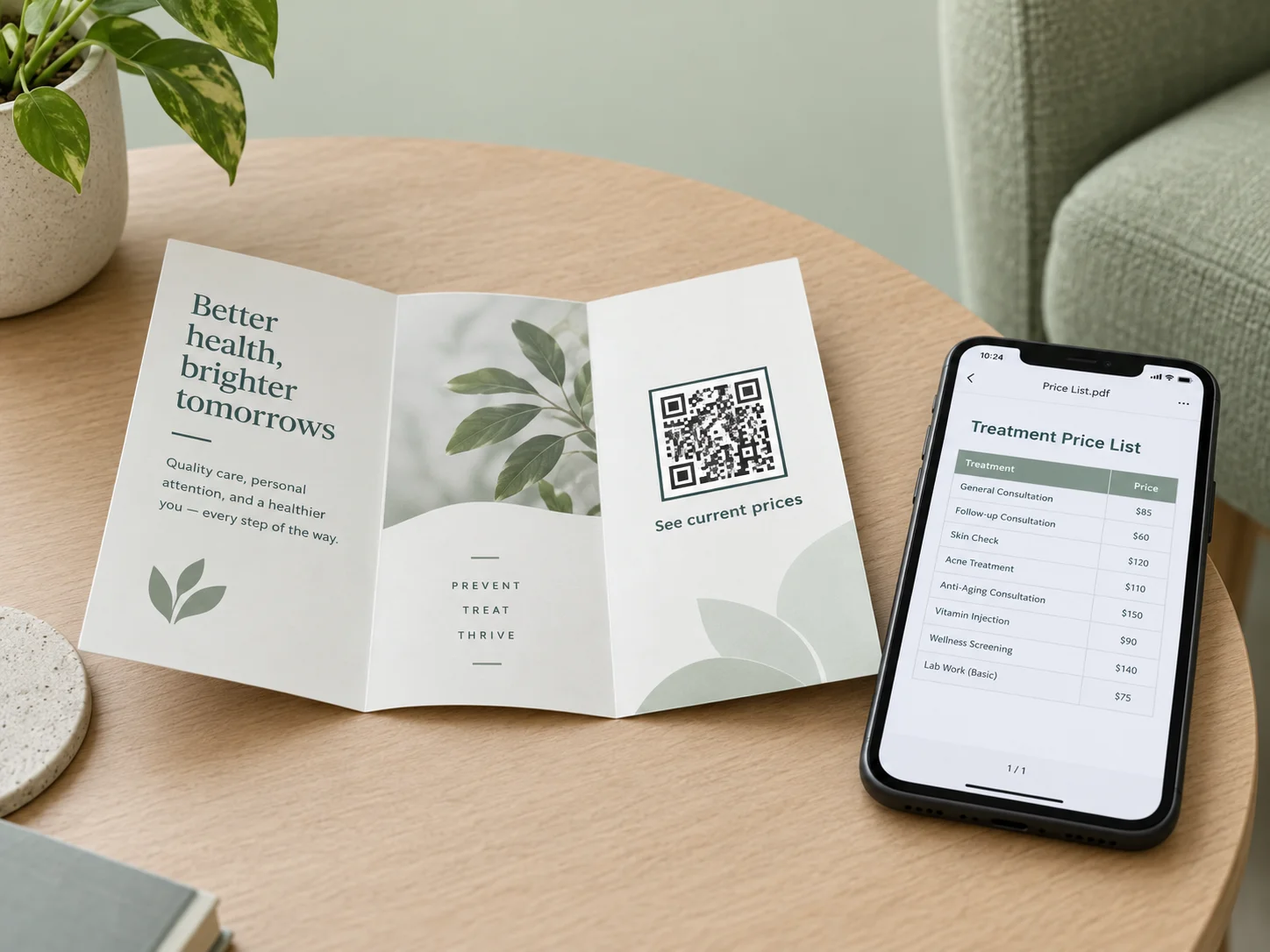
Upload the current price list, timetable or treatment list as a PDF and OpenQR hosts it. The brochure carries the services, the QR code carries the numbers, and a new PDF replaces the old one without touching the print run.
USES: PDF QR CODEBooking without a phone call
A home services, salon or fitness brochure can send people straight to the booking app or the calendar page. The app download QR code opens the right store for iPhone or Android from a single printed square.
USES: APP DOWNLOAD QR CODEDirections from the rack to the door
Tourist office and hotel lobby brochures are picked up by people who are already out and about. A location QR code opens a map to the attraction, the restaurant or the showroom from wherever they are standing.
USES: LOCATION QR CODEOpen days and launch events
An event QR code puts the date, time and address of the open day or launch straight into the reader’s calendar. When the date moves, update it once and every brochure already handed out follows.
USES: EVENT QR CODEPodcast, socials and everything else
A gym, studio or agency brochure rarely has room for six links. A link list QR code opens one page with the podcast, social profiles, reviews and newsletter, and you can change the list without reprinting.
USES: LINK LIST QR CODEWITHOUT OPENQR
- Code on the back panel, the last one anyone reads
- A crease through the code from the folding machine
- One code on every copy, so every channel blurs into one number
- Prices change and 5,000 brochures go in the recycling
WITH OPENQR
- Code on the flap that opens first, clear of every fold
- 100% black, out of the varnish layer, tested on the proof
- A separate code for each channel, compared in the dashboard
- Edit the destination and keep handing out the stock you have
What goes wrong with QR codes on brochures
Brochures fail on the fold before anything else. A flat proof on a screen hides where the folds will fall, so the QR code is dropped into a gap in the layout that turns out to be the back panel, the panel that tucks inside, or two millimetres from a score line. On coated paper the score cracks the ink, and in a half-open brochure the fold throws a shadow across the code. The printing adds its own problems: a code set in four-colour rich black blurs when the plates are slightly out of register, and a gloss or spot UV finish over it reflects the room straight into the camera.
The second problem is measurement. A brochure is the most widely distributed piece of print most businesses own and the one they know least about. The same design goes to racks, stands, mailings and sales visits, and a single code on every copy turns all of them into one scan count. A dynamic QR code fixes both halves of that. A separate code per channel, or per edition, shows which distribution actually produced scans, and because the destination stays editable, a changed price or a cancelled offer is a dashboard edit instead of a reprint.
Which brochure panel gets the QR code
People do not read a folded brochure from left to right. On a trifold they see the cover, open the flap, and only then reach the inside spread, and the back panel is read last if at all. The best place for the QR code is where the reader has just learned enough to want the next step, which on most brochures is the inside flap or the end of the inside spread, not the back next to the address.
| Panel on an A4 trifold | When it is seen | What to put there |
|---|---|---|
| Front cover | First, in the rack | No code. The cover sells the opening, not the scan |
| Inside flap (opens first) | Second, when the brochure is opened | The main code: video tour, booking or offer |
| Inside spread, right panel | Third, at the end of the main story | The main code if the flap is used for a picture |
| Fold-in panel | Third, inside | Avoid. It is 2 to 3 mm narrower and the code drifts towards the fold |
| Back panel | Last, often never | A second code for contact or directions, beside the address |
Each panel of an A4 trifold is about 99 mm wide, so there is plenty of room: a brochure is read in the hand, and scanning distance divided by ten puts the code at 20 mm, with 25 to 30 mm being comfortable. What there is not is room for error near the folds. Keep the code and its quiet zone at least 8 mm from every fold line, and on a gatefold or Z-fold count the folds on the printed dummy, not the screen. In a saddle-stitched booklet, keep the code 15 mm or more from the spine, because the pages curve into it and the inner pages sit slightly further in than the outer ones.
Tell people what the scan gives them. A bare square on a brochure reads as decoration, and a line beside it such as watch the tour or see this season’s prices gives a reason to lift the phone. A frame with that line built in, a logo in the centre and your brand colours all help, as long as the contrast stays dark on light. For the details see how to write a call to action QR code and QR code with logo.
One brochure, many channels: tracking which one works
Most brochures are measured by how many were printed, which says nothing about how many were read. A QR code can measure them, but only if the copies that go to different places carry different codes. Give each distribution channel its own dynamic QR code, all pointing at the same page, and the dashboard shows the scans side by side.
| Channel | Code | What the scans tell you |
|---|---|---|
| Hotel and tourist office racks | Version A | Whether rack space is worth paying for, and in which cities |
| Trade show stand and visitor bags | Version B | How many visitors looked again after the show, and when |
| Direct mail | Version C | Response from the mailing, compared with its postage |
| Sales visits and meetings | Version D | Whether prospects come back to the brochure after the meeting |
| Counter or reception desk | Version E | Interest from people already in the building |
How cheap the versions are depends on how the brochure is printed. On an offset press each colour has its own plate, so a code set in 100% black means a new version only needs a new black plate while the other three stay the same. On a digital press every sheet can be different, so a direct mail run can even give each recipient a code of their own. Our comparison of digital printing vs offset covers which suits which run length. Add UTM parameters to the destination so the visits also show up by channel in your web analytics, as explained in how QR codes and URL parameters drive marketing ROI.
Each version is one dynamic QR code on your plan, so five channels use five codes. Use the same approach for editions: a code per print run, or per language version, shows how long a brochure keeps working once it is out in the world. Trackable QR codes explains what each scan records.
Paper, finish and print settings for a brochure QR code
| Setting | For the QR code | Why it matters |
|---|---|---|
| Colour | 100% black, no rich black | Four plates out of register blur the edges of each module |
| Fold clearance | 8 mm from every fold, 15 mm from a stapled spine | Score lines crack ink and folds throw shadows |
| Matte or silk stock | Best choice | Little glare under shop and office lighting |
| Gloss stock or gloss lamination | Works, test under bright light | Reflects ceiling lights at some angles |
| Spot UV | Keep it off the code | A shiny raised layer acts as a mirror |
| Uncoated paper | Size up by a few millimetres | Ink spreads into the fibres and softens the edges |
| Contrast | Dark code on a light panel | Inverted codes fail on many native camera apps |
File format, resolution and error correction work the same on a brochure as on any print, so they are covered once in our guide to print QR codes. The short version: send vector, and raise error correction to H only if a logo sits in the middle. Save the finished code design as a template so the next brochure, the poster and the flyer all carry the same look. For large-format print scanned from across a room, see QR codes on posters.
Make every brochure code dynamic before the file goes to the printer. A static QR code encodes the destination in the pattern, so it cannot be changed once the run is printed and it cannot be converted to dynamic later. See static vs dynamic QR codes for the difference. For how brochures fit into a wider campaign in a sector, see QR codes for tourism, QR codes for real estate and QR codes for education.
Then test the brochure as a brochure. Ask the printer for a folded, finished proof on the real stock, not a flat sheet, open it the way a reader would and scan the code half open, fully open and from the rack position. Do it on two phones, one of them a few years old, under the lighting where the brochure will be picked up. A crease or a varnish problem only shows up on the folded proof, and finding it there costs one proof instead of the whole run.
Put the main code where the reader looks second, on the flap that opens first.
Folds crack ink and throw shadows. Keep the code and its quiet zone clear of them.
Single-colour black stays sharp and makes new versions a one-plate change.
Racks, shows, mail and sales each get their own code. Compare them in the dashboard.