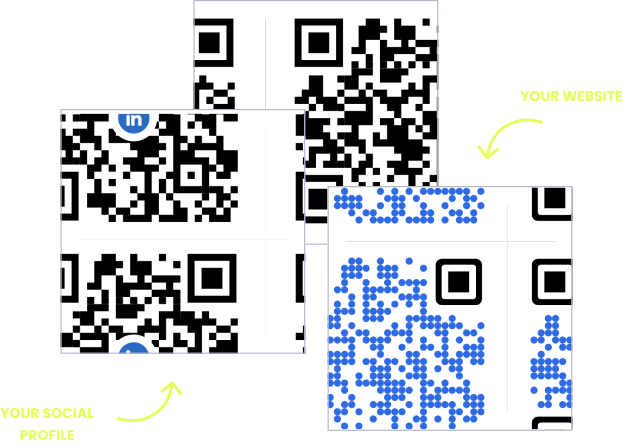
A sticker is the one print surface you size before you know what goes on it. The roll comes in 25, 30 or 40 mm, the QR code gets squeezed into whatever is left beside the logo, and the result is a code whose individual squares are too fine for the label printer to hold or the phone to resolve. A QR code on a sticker or label fails on module size, not on sticker size, and you can check that before a single roll is ordered.

The benefits of using QR codes on stickers and labels
A sticker is the cheapest way to put a QR code on something that is already printed, already built or already on a shelf. Packaging has a lead time and a minimum order. A roll of QR code labels has neither, so a jar, a mailer bag, a shop window, a laptop lid or a piece of equipment can carry a link to instructions, ingredients, sourcing details or a reorder page this week, without touching the artwork underneath.
The catch is that stickers get applied by the thousand and then left alone. Nobody peels 2,000 product labels off 2,000 jars because the reorder page moved. A dynamic QR code keeps the printed sticker fixed and the destination editable, so the same roll can point at a launch page this month and a refill offer the next, and every scan is counted while it does.
What a sticker or label QR code has to handle
A fixed shape and no spare room
The die is cut before the artwork is finished. On a round sticker the QR code and its quiet zone have to fit inside a square about 70% of the diameter, which is less room than it looks.
Whatever surface it is stuck to
A flat box is easy. A curved jar, a textured mailer, a cold bottle or the inside of a window each change how the code presents to a camera, and the sticker has to cope with all of them.
Rubbing, washing, sun and heat
Labels get handled, wiped, chilled and left in windows. Uncoated paper scuffs, direct thermal print fades, and a QR code with a worn corner pattern stops scanning long before the sticker falls off.
A roll that outlasts the campaign
Stickers are ordered by the thousand and used for months. Change the destination from your dashboard and every label already stuck down follows, with no reprint and no peeling.
QR solutions that work best on a sticker or label
Three print mistakes that stop a sticker QR code scanning
Shrinking the code to fit the sticker
A QR code is not a logo, and it does not survive being scaled down to whatever space is left. What matters is the width of one module. Below about 0.5 mm per module, label printers blur the squares together and older phones cannot separate them. Pick the sticker to fit the code, not the other way round.
Running the artwork up to the die line
The quiet zone is four modules of clear space on every side, and on a sticker it is the first thing to go. Die cutting also drifts by a millimetre or so, so a code set tight to the edge loses part of its margin on some of the roll. Keep the code and its quiet zone at least 2 mm inside the cut.
Printing on clear, foil or gloss without a base
A QR code on a clear sticker takes its background from whatever is behind it, which on a dark bottle or a window is close to nothing. Foil and holographic stock reflect the camera back at itself. Put a solid white patch under the code and a matte finish over it.
WHAT TO LINK FROM YOUR STICKER OR LABEL
One code. Endless ways to use it.
Pick the right QR type for the job – every one is dynamic, trackable, and editable long after the stickers are stuck down.
Reorders and refills
Put a QR code label on anything that runs out, such as coffee, candles, supplements or printer supplies, and link it to the reorder page for that exact product. The customer scans the empty jar instead of searching for your shop, and if the product page moves you change the link, not the labels.
USES: URL QR CODEInstructions that stay with the product
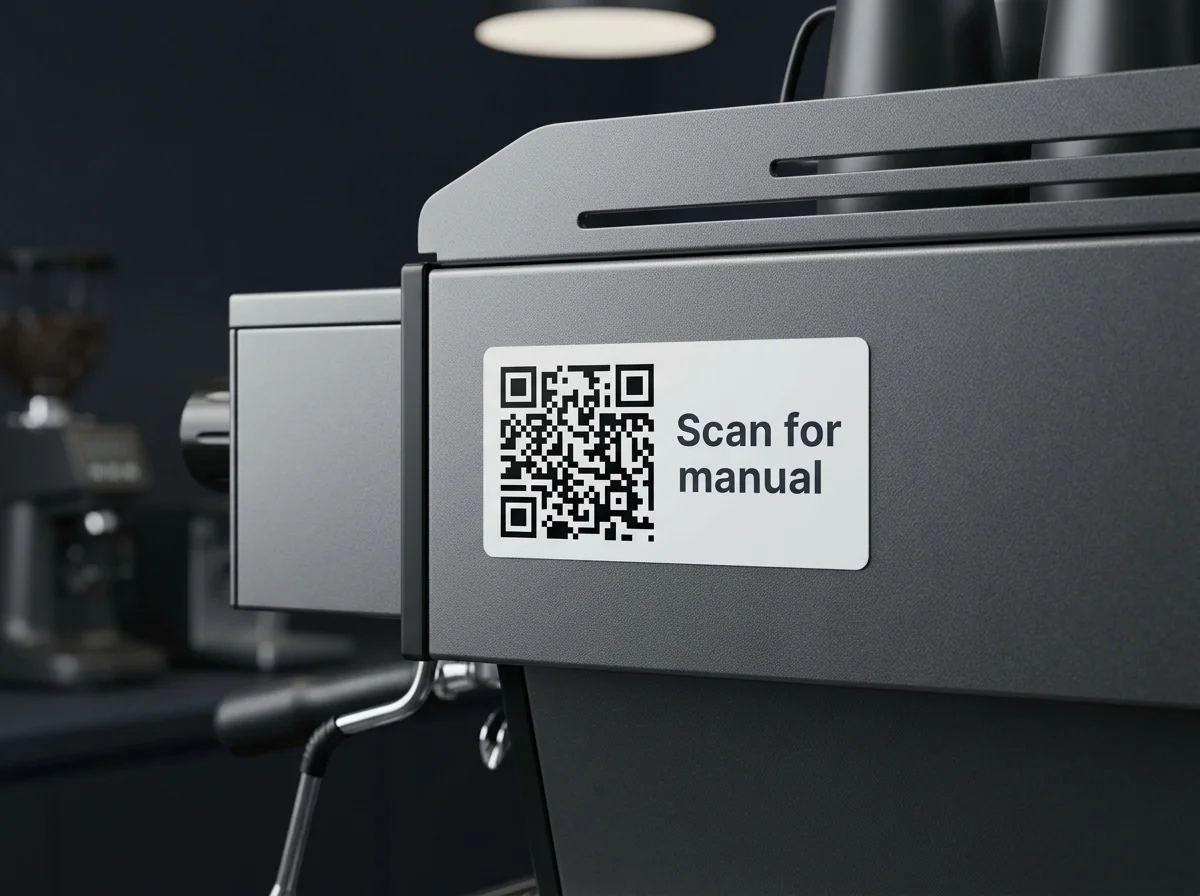
Upload the manual, care guide or safety sheet as a PDF and OpenQR hosts it. A small sticker on the back of a machine or inside a lid replaces a booklet that would have been lost in the first week, and you can swap the file when the instructions change.
USES: PDF QR CODEReviews at the door
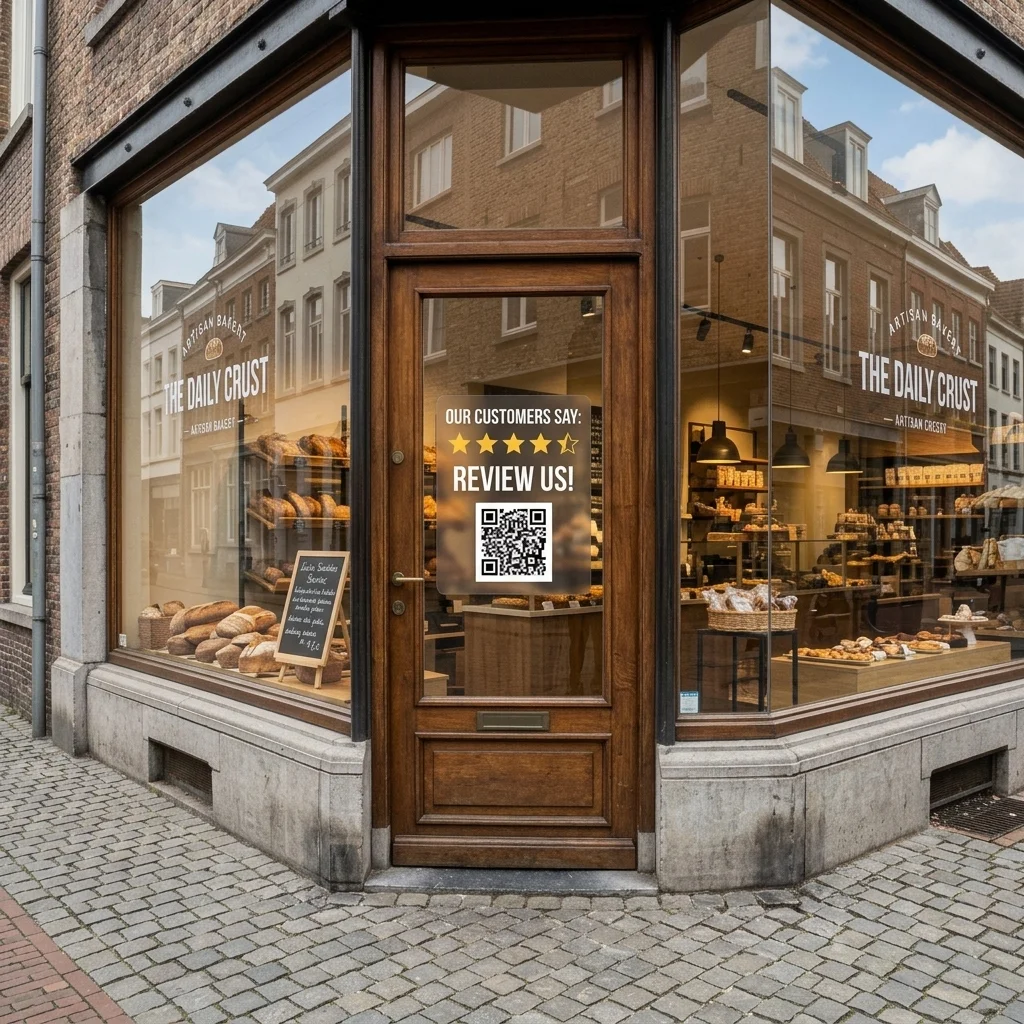
A window or counter sticker that opens your review page catches people at the moment they are leaving happy. Send them to the review form itself, not to your homepage, and say on the sticker what the scan does.
USES: URL QR CODEWiFi without spelling the password
A WiFi QR code sticker on a counter, a table or the router connects a phone to the network in one scan. It suits cafés, rentals, waiting rooms and offices, and it ends the handwritten password taped to the till.
USES: WIFI QR CODEAsset tags and fault reports
An email QR code on a piece of equipment opens a message already addressed to maintenance with the asset number in the subject line. Whoever finds the fault reports it in ten seconds, and nobody has to read a serial number off a plate.
USES: EMAIL QR CODEOne sticker, every link
A laptop lid, a flight case or a market stall has room for one sticker, not six. A link list QR code opens a single page with your shop, socials, booking link and contact details, and you can reorder or replace them whenever you like.
USES: LINK LIST QR CODEWITHOUT OPENQR
- A code scaled down until the label printer blurs the modules together
- Artwork trimmed to the die line, with the quiet zone cut away
- A clear sticker on dark glass, with no contrast behind the code
- The link changes and 2,000 stickers are already stuck down
WITH OPENQR
- Sticker format chosen from the module size the code needs
- Code and quiet zone kept 2 mm inside the cut
- White patch under the code, matte finish over it
- Edit the destination, keep every sticker where it is
What goes wrong with QR codes on stickers and labels
Stickers fail on resolution before anything else. A QR code is a grid of modules, and the scanner has to tell each one from its neighbour. On a poster a module is several millimetres wide and nothing threatens it. On a 25 mm sticker it can be under half a millimetre, which is the range where a 203 dpi label printer starts rounding squares into blobs and a phone held at arm’s length stops resolving them. The usual cause is working backwards: the sticker size is chosen from a catalogue, the logo and the name go on first, and the QR code is scaled into the remaining corner. Add a full web address with tracking parameters encoded straight into the pattern and the grid gets denser still, on the smallest piece of print the business owns.
The second problem is that stickers cannot be recalled. A run of flyers that points at the wrong page can be binned. Labels are already on jars in other people’s kitchens, on equipment in other buildings and on parcels in transit. A static QR code fixes the destination on the day the roll is printed, so a changed URL, a discontinued product or a finished campaign leaves every one of them pointing nowhere. A dynamic QR code encodes a short link that redirects, which makes the pattern coarser and easier to print small, and leaves the destination editable for as long as the sticker stays stuck.
QR code size for stickers and labels
The flat-print rule still applies: scanning distance divided by ten, which puts a sticker scanned in the hand at 20 mm. On stickers a second limit usually bites first, and it is the size of a single module. Keep each module at 0.5 mm or more and almost any label printer and any phone will cope. Go below it and you are relying on a good printer, a recent phone and decent light all at once.
Working rule: QR code at least 20 mm wide for anything scanned in the hand, never below 0.5 mm per module, and four clear modules of quiet zone on every side. If the sticker cannot hold all three, choose a bigger sticker or a shorter link.
| What the QR code holds | Grid | Smallest reliable code | With quiet zone |
|---|---|---|---|
| Short dynamic link | About 25 x 25 modules | 13 mm | 17 mm |
| Static web address, around 60 characters | About 33 x 33 modules | 17 mm | 21 mm |
| Static web address with tracking parameters, around 120 characters | About 45 x 45 modules | 23 mm | 27 mm |
| Static vCard with full contact details | About 57 x 57 modules | 29 mm | 33 mm |
Those figures are the physical floor at 0.5 mm per module, not a target. They are also the practical case for a dynamic QR code on a small label. The pattern holds a short redirect link instead of the full destination, so the grid stays at its coarsest and the modules stay large. The same web address that needs a 27 mm square as a static code fits in 17 mm as a dynamic one.
The second table works the other way, from the sticker you are about to order to the largest QR code it can carry. Round stickers lose the most: the code and its quiet zone must sit inside a square that fits within the circle, and that square is only about 70% of the diameter.
| Sticker format | Space for code plus quiet zone | Largest QR code | Verdict |
|---|---|---|---|
| 25 mm round | 18 mm square | 13 mm | At the floor. Short dynamic link only, no logo |
| 30 mm round | 21 mm square | 16 mm | Works with a dynamic link. Test before ordering |
| 40 mm round | 28 mm square | 21 mm | Comfortable. The safe default for product stickers |
| 50 mm round | 35 mm square | 26 mm | Room for a logo in the code |
| 25 x 25 mm square | 25 mm square | 19 mm | Works, with nothing else on the label |
| 50 x 25 mm label (2 x 1 inch) | 25 mm on the short side | 19 mm | Code on one half, call to action on the other |
| 100 x 150 mm shipping label | 40 mm or more | 30 to 40 mm | Comfortable beside the address block |
Both tables assume a flat surface. A label wrapped round a jar or a bottle has a further limit set by the diameter of the container, which is covered in QR codes on bottles and cans.
| Spec | Stickers and labels | Why it matters |
|---|---|---|
| Module size | 0.5 mm or more | Finer modules blur in print and merge on older phone cameras |
| Quiet zone | 4 modules, kept 2 mm inside the die line | Cutting drifts, and the margin is the first thing lost |
| Data density | Short dynamic link | Fewer modules means each one is larger at the same sticker size |
| Clear, foil and holographic stock | Solid white patch under the code | The code needs its own light background to be read against |
| Finish | Matte over the code | Gloss reflects shop lighting straight into the camera |
| Contrast | Dark code, light background | Inverted codes fail on many native camera apps |
File format, resolution and error correction work the same on a sticker as on anything else, so they are covered once in our guide to print QR codes and not repeated here. The short version: send vector, and raise error correction to H only if a logo sits in the middle. A logo makes the grid denser, so on anything under 40 mm read QR code with logo before adding one.
How to print and place QR code stickers
Flat, visible and near the hand. On a product, that means the flattest face and away from seams, lid edges and corners, because a sticker folded over an edge presents half its code at an angle. On a parcel, keep it clear of the tape line. On equipment, put it where someone can get a phone within 20 cm of it, not behind a panel. Add a line of copy beside or under the code saying what the scan does. Scan to reorder outperforms a bare square, and on a sticker that line has to be part of the die shape, so plan it into the artwork from the start.
Window stickers have their own trap. A sticker applied to the inside of the glass and read from the street is printed to be seen through the glass, and the QR code is being scanned through a reflective surface. Check the printer’s proof reads the right way round from outside, size the code for where people stand on the pavement, which is usually a metre away and so 100 mm, and place it clear of the band where the street reflects at eye level. For a review sticker at the door, see how to create a Google review QR code.
Choose the stock for the worst day the sticker will have, not the average one.
| Sticker material | Use it for | Watch for |
|---|---|---|
| Uncoated or semi-gloss paper | Indoor, dry, short-life labels | Scuffs when rubbed and lifts when wet |
| Polypropylene (BOPP) | Fridges, bathrooms, oily or often handled products | Ask for matte, the gloss version reflects |
| Vinyl with laminate | Windows, vehicles, outdoor equipment | Unlaminated print fades in sunlight |
| Polyester | Asset tags, machinery, anything cleaned with solvents | Needs a clean, flat surface to bond to |
| Direct thermal | Shipping labels and other short-life use | The print darkens and fades with heat and sunlight |
| Clear | A no-label look on glass and bottles | Unreadable without a white patch under the code |
If you print QR code labels in house on a thermal printer, set the code size in the label software instead of dragging it to fit. A 203 dpi printer lays down dots 0.125 mm wide, so a module should be 4 dots or more and always a whole number of them. Stretching the code by a few percent to fill the label makes some modules 4 dots wide and others 5, which is enough to make a marginal code fail. Keep direct thermal for labels with a short life and move to thermal transfer or printed stock for anything that has to last.
Make the sticker QR code dynamic before the roll is ordered. A static QR code encodes the destination in the pattern, so it cannot be changed once printed, it cannot be converted to dynamic later, and it produces a denser grid that needs a bigger sticker. See static vs dynamic QR codes for the difference, and trackable QR codes for what the scan data shows once the stickers are out. If the code is printed into the pack artwork and not applied afterwards, QR codes on product packaging covers that route. QR codes for retail covers shelf and price labels, and QR codes for logistics covers shipping and pallet labels.
Then test one before you order a thousand. Print the sticker at final size on the actual stock, or ask the printer for a sample, stick it to the real surface and scan it on two phones, one of them a few years old, in the light it will live in. For a jar that means a kitchen, for a window sticker it means from the pavement at midday, for an asset tag it means the plant room. A sticker that needs three attempts on the bench will not get three attempts from a customer.
Never smaller. Choose the sticker to fit the code, not the code to fit the sticker.
Minimum QR code width for a handheld scan, plus four clear modules on every side.
Clear, foil and gloss stock all need a white patch behind the code and a matte finish.
Stickers cannot be recalled. Keep the link editable and the grid coarse.